PlayGround
Test stuff here.
1. Introduction
Team 1 of the Spring 2026 semester at the Instituto Superior de Engenharia do Porto (ISEP) embarked on a project that connects food production with modern mental health challenges. The team, composed of six students from various cultural and academic backgrounds, chose to develop an automated basil-growing system designed to act as a physical mirror for the user’s digital habits. By linking the physiological health of a living plant to a person’s screen time, the project aims to make Screen2Green, an automatic watering system connected to screen time statistics from the user’s phone. This first chapter focuses on introducing the team, the motivation behind the chosen topic, and the problem description.
1.1 Presentation of the team
Team consists of six students gathered from across the world, coming from different fields of studies. Students data is presented in the table below.
| Name | Field of study | Country |
|---|---|---|
| Kacper Furczyński | Mechanical Engineering | Poland |
| Sunwoo Choi | Convergence Security Engineering | Korea |
| Hanna Linnea Østern | Applied computer technology | Norway |
| Avkaran Sarminder Singh Dhillon | Electronics/ICT | Belgium |
| Sophie Tanzer | Media Technology | Austria |
| Ymke Roelfien Adema | Industrial Product Design | Netherlands |

1.1.1 Avkaran Sarminder Singh Dhillon
I am a 22 year old bachelor student from Belgium who studies full-stack web & app development at Odisee, a college under KU Leuven. I am fascinated by the world of tech, but also the human mind and art. I am prominent in Javascript, Vue, PHP, Laravel, Ionic Capacitor, Java, .NET and Python. I like to spend my time creating. Whether it's making a full-stack application, a dish, music or a story, I dive into the task and I make it flourish.
I have experience working as IT support in several banks in Belgium, working as full-stack web developer for a non-profit organization in Belgium named BSYA and I have experience in team work, reporting and representing a large group of people as representing student of my study program and secretary in the student council of my college.
1.1.2 Kacper Furczynski
I am 6th semester Mechanical Engineering student at the Technical University of Lodz, Poland. Most of the projects I have completed were in collaboration with the Institute of Turbomachinery and concerned wind turbines with both vertical and horizontal axis of rotation. I have work experience in manufacturing environment, chocolate plant located in Lodz.
1.1.3 Hanna Linnea Østern
I'm an Applied Computer Technology student from Oslo Metropolitan University in Norway. I've previously worked on projects focusing on user experience, digital solutions, and system development. Through this work, I have gained experience with technologies such as HTML, CSS, JavaScript, while also developing an understanding of innovation and business within the technology field.
1.1.4 Ymke Roelfien Adema
Hi, I’m Ymke, a 21-year-old Industrial Product Design and Engineering student from the Netherlands. I’m passionate about developing products that combine functionality, technology, and user experience. Through my studies, I’ve developed both creative and technical skills, and I’m especially interested in working on projects where different disciplines come together. In the future, I aim to move into the field of project management, where I can coordinate teams and guide ideas from concept to final product.
1.1.5 Sunwoo Choi
I am studying Convergence Security Engineering at Sungshin Women's University in Korea. My major is related to cybersecurity, but I have not had many chances to do projects or team activities yet. Through this project, I have learned things like marketing analysis and basic knowledge from other majors.
1.1.6 Sophie Tanzer
I am Sophie, 22 years old and currently studying Media Technology in my sixth semester at the University of Applied Sciences in St. Pölten, Austria. My expertise lies in the creative field, especially in photography, audio and video production and their technical workflows.
1.2 Motivation
The motivation for this project stems from increasing concerns regarding the psychological effects of excessive smartphone usage, which has become a growing issue in contemporary society. Numerous studies have highlighted the negative consequences of prolonged screen time on attention, stress levels, and overall well-being. While indoor gardening has been widely recognized as a beneficial activity for stress reduction and mental health, the project explores the potential of transforming the act of growing basil from a passive activity into an interactive mechanism that encourages self-regulation.
The central objective is to use the visual condition of the basil plant as a form of feedback that reflects the user’s digital behavior. By linking the plant’s state to smartphone usage, the system aims to make users more aware of the relationship between their digital habits and their physical environment. In this way, the basil plant functions as a tangible and living reminder that encourages users to reduce excessive phone use and engage more consciously with their surroundings.
1.3 Problem
Indoor plants are known to contribute positively to mental health and stress reduction. However, maintaining plants requires time, attention, and consistency; resources that many individuals with busy schedules often lack. As a result, plants are frequently neglected or abandoned.
Another challenge is that digital addiction is largely invisible. Unlike physical exhaustion, the negative consequences of excessive screen time develop gradually and are easy to ignore. Existing solutions, such as smartphone screen-time notifications or app usage limits, are often ineffective because users can easily dismiss or bypass them.
This project addresses this problem by exploring how digital behavior can be translated into a physical and biological feedback system. The proposed Screen2Green concept is a Smart Pot designed for growing herbs such as basil. The system connects smartphone screen-time data with an automated watering mechanism. When the user exceeds a predefined screen-time limit, the watering system shifts to a suboptimal mode, causing the plant to deteriorate to a reversable state. Conversely, responsible phone usage maintains optimal conditions for plant growth.
By linking digital habits to the health of a living plant, the system introduces a tangible and emotional feedback loop intended to increase awareness of smartphone overuse and encourage healthier digital behavior.
1.4 Objectives
1.4.1 General Objectives
The primary objective of this project is to develop a prototype of an interactive Smart Pot system for indoor herb cultivation that integrates smartphone usage data with automated plant care mechanisms. The goal is to promote awareness of excessive screen time and encourage healthier digital habits.
1.4.2 Specific Objectives
To achieve this goal, the project will pursue the following objectives: Design and develop a functional prototype of a smart plant pot capable of supporting the indoor cultivation of basil in small residential environments. Integrate smartphone screen-time monitoring with the physical system in order to establish a connection between digital behavior and plant care. Develop and implement an automated irrigation system whose operation is influenced by the user’s smartphone usage patterns. Create a biological feedback mechanism in which the condition of the plant reflects the user’s level of smartphone use. Assess the feasibility of using plant-based feedback as a tool to increase awareness of excessive smartphone usage. Ensure the prototype is suitable for compact indoor environments, where access to outdoor gardening and natural spaces is limited.
1.4.3 Expected Outcome
The final outcome of the project will be a working prototype of a Smart Pot system that demonstrates the feasibility of translating digital behavior into a physical and biological feedback mechanism, encouraging users to develop more conscious and balanced smartphone usage habits.
1.5 Requirements
1.5.1 Functional Requirements
- Monitor smartphone usage for selected applications.
- Compare user screen-time with predefined daily limits.
- Adjust water supply to the plant based on smartphone usage.
- Maintain suitable conditions for indoor basil growth.
- Communicate plant status and usage feedback with the mobile app.
- Operate autonomously with minimal manual intervention.
1.5.2 Technical Requirements
- Include a microcontroller (ESP32 or equivalent) for processing and control.
- Use Wireless Fidelity (Wi-Fi) or Bluetooth for communication with the mobile app.
- Implement a water control system for adjusting irrigation (hydroponic or soil-based).
- Optionally include sensors for water level, plant health, or environmental conditions.
- Provide a safe and reliable power supply.
- Ensure compact design suitable for small indoor environments.
1.5.3 User and Design Requirements
- Be easy to set up and maintain for non-technical users.
- Provide clear behavioral feedback via the plant and mobile app.
- Be aesthetically suitable for indoor spaces (apartments, offices).
- Encourage responsible smartphone usage without causing stress.
- Constraints
- Operate within budget limitations.
- Be feasible to develop within the project timeline.
- Allow future upgrades or expansions (e.g., sensors or hydroponics refinements).
- Ensure electrical and water safety in the design.
1.6 Tests
1.6.1 Hardware tests
- H1 - Sensor functionality: Verify that the temperature and soil moisture sensors provide reliable data to the ESP32 microcontroller.
- H2 - Irrigation system: Test whether the irrigation system correctly responds to control signals and delivers water as intended.
- H3 - Component integration: Evaluate the interaction between the ESP32, relay module, sensors, and irrigation components to ensure reliable system operation.
1.6.2 Software tests
- S1 - Screen-time data processing: Verify that smartphone screen-time data is correctly retrieved and processed by the application.
- S2 - Application performance: Measure application responsiveness, rendering performance, and overall system stability during operation.
- S3 - Backend load testing: Evaluate the ability of the backend infrastructure to handle multiple users, data requests, and application activity.
1.6.3 Usability tests
- U1 - System usability scale (SUS): Assess the usability and user experience of the mobile application through standardized user testing.
The results of these tests will be used to evaluate the technical feasibility, functionality, and usability of the Screen2Green concept.
1.7 Report Structure
| Chapter | Description |
|---|---|
| 1 Introduction | This chapter introduces the team and presents our project Screen2Green. It outlines the main idea, goals and motivation behind the system, giving an overview of how the project aims to connect digital behavior with plant care. |
| 2 Background and related work | This chapter reviews existing research and similar products relevant to Screen2Green. It includes topics such as mental health, behavior-influencing technologies and smart farming systems, providing the theoretical and practical context for the project. |
| 3 Project management | This chapter describes how the project is planned and organized. It includes the development timeline, task distribution within the team and tools used for efficient collaboration. |
| 4 Marketing plan | This chapter outlines how Screen2Green would be positioned and promoted. It identifies the target audience, defines the value proposition and presents strategies for communication, pricing and potential market entry. |
| 5 Eco-efficiency measures for sustainability | This chapter explains how sustainability is integrated into the project. It covers resource efficiency, energy consumption, material choices and design decisions that minimize environmental impact. |
| 6 Ethical and deontological concerns | This chapter discusses the ethical implications of Screen2Green. It addresses topics such as user autonomy, data privacy, responsible behavior influence and the overall impact of the system on users and plant welfare. |
| 7 Project development | This chapter shows the technical development of the project. It includes hardware components, application wireframe, design decisions, implementation process and challenges encountered during development. |
| 8 Software | This chapter focuses on the front- and back-end as well as the microcontroller code and the process of development. |
| 9 Conlusions | This chapter highlights the achievements, limitations, and relevant future implementations. |
2. Background and Related Work
The following chapter presents the scientific and technical background relevant to the project, as well as an overview of existing solutions. It begins with describing the relationship between smartphone usage and mental health, highlighting the negative effects of excessive screen time and the need for innovative approaches to support healthier digital behavior. Moreover, current digital solutions are analyzed, with a focus on their design principles, functionality and limitations. The chapter then outlines the physical domain by introducing hydroponics, plant cultivation methods and smart farming technologies, which form the foundation for integrating biological systems into the project. Finally, existing products and systems are compared in order to identify gaps and opportunities. This analysis helps justify the design direction of the smart plant pot called Screen2Green, which connects the plant pot to the users' screen time, and establishes the basis for the following chapters.
2.1 Smartphone Usage and Mental Health
The rapid increase in smartphone usage has raised significant concerns regarding its impact on mental health, particularly among young people and students. Numerous studies have found a consistent association between excessive screen time and negative psychological outcomes such as anxiety, depression and stress. For example, a study on university students found that as daily screen time increased, levels of anxiety and depression also increased significantly. In particular, screen use above approximately 6.5 hours per day was associated with a higher risk of mental health problems [1]. Several mechanisms help explain the relationship between smartphone use and mental health. One important factor is sleep disruption. Screen exposure, particularly before bedtime, can interfere with sleep quality, which is strongly associated with increased stress and emotional instability.
Another important aspect is the addictive nature of smartphone use, particularly in relation to social media. Studies have shown that compulsive smartphone use is associated with higher levels of psychological distress, including anxiety and depression [2]. This is often explained by reward mechanisms in apps, such as notifications and social feedback, which reinforce habitual checking behavior and make it difficult for users to regulate their screen time.
Importantly, research also suggests that reducing smartphone usage can lead to measurable improvements in mental health. A randomized controlled trial demonstrated that lowering screen time resulted in improved well-being and reduced psychological distress among participants [3].
Overall, existing research indicates a clear relationship between excessive smartphone use and negative mental health outcomes. While smartphones offer many benefits, their overuse can contribute to stress, anxiety, depression, and reduced well-being. These findings underline the importance of developing tools and systems that help users manage their screen time more effectively.
2.2 Existing Digital Solutions
The increasing use of smartphones has raised concerns about distraction, reduced productivity and digital addiction [4]. In response, many mobile applications have been developed to help users reduce screen time and improve focus. While it may seem contradictory to use a smartphone-based app to reduce screen time, the app functions not as a source of distraction, but as a tool for awareness and behavior change. Smartphones are an essential part of our life, used for communication, education, navigation, work and social interaction. Because of this, completely avoiding smartphone use is unrealistic in today’s society, as most people depend on their devices for daily tasks, meaning that the goal cannot simply be to stop using phones altogether. Instead, a more realistic approach is to develop healthier usage patterns that reduce unnecessary or excessive screen time while still allowing essential use. This makes tools that help regulate smartphone behavior particularly relevant. [5]
Mobile applications typically rely on behavioral design strategies such as gamification, timers and reward systems to encourage users to stay away from their phones [6]. One of the most widely known examples is the app Forest, which has popularized the concept of visualizing focus time through the growth of virtual plants.
2.2.1 Applications
Forest
The application Forest represents one of the most successful examples of this concept. The app was released in 2016 and is available on both mobile platforms and web browsers. Forest encourages users motivation and productivity by using a simulated forest that is maintained by the user. With every productive session, the user grows a virtual tree and when that tree is fully grown, the user starts growing another one. With this, the user is growing a virtual forest, taking care of it by studying, working or being off the phone in general.
When the user stops the session midway, the current tree dies and the user's forest does not grow, countering the user's tendency to open social media during their focus session. Alternatively, when the user enters a focus session, all notifications are blocked, minimizing the user's tendency to get distracted by notifications [7].
Liven
This app focuses on countering dopamine deficit and procrastination by creating a personal guide with the user during app usage. Liven uses a balance of teaching, self exploration, experience. The user is taught about dopamine, procrastination and stress-related topics. Inbetween lessons, the app asks the user questions in order to understand the user better, leading to more personalized guidance. While using the app, the user can log their personal thoughts and feelings, which in turn lead to generated affirmation phrases and even more personalized guidance. Lastly, the user receives exercises regarding mental and physical health.
Liven focuses on personalizing the journey to improve, leading to every user having a unique journey fitting their needs and personality. Using animations that are soft to the eyes, phrases throughout the user's journey for affirmation and the option to personally log thoughts and feelings, Liven allows users to guide themselves to learn about their flaws and how to work with them [8].
Minimalist Phone
This app minimizes distractions by turning the phone into a screen with a timer and no apps. The user downloads the Minimalist Phone launcher app in their preferred application store. Using the launcher, the user locks away all forms of distraction including notifications, access to apps and even overwhelming colors such as the user's wallpaper. The app includes a timer to display the remaining time of the current focus session, a display of the current time of day and the phone's battery percentage. The app offers various ways of displaying this to fit the user's taste, all keeping minimalism in check [9].
2.2.2 The Pomodoro Technique
The Pomodoro Technique is a time management method designed to improve focus and productivity by breaking work into short, structured intervals.
It typically works as follows:
- Work for 25 minutes (called one “Pomodoro”)
- Take a 5-minute break
- After four Pomodoros, take a longer break (15–30 minutes) [10]
This cycle makes it easier for users to focus and maintain concentration for a defined period without feeling overwhelmed.
2.2.3 Key Characteristics
- Timer-based focus sessions that limit phone usage during work periods
- Gamified rewards, such as points, coins or visual progress
- Visual representations of productivity, such as growing plants or characters
- Statistics and tracking systems that allow users to monitor their focus habits
These design strategies rely on behavioral psychology principles, particularly positive reinforcement and goal visualization. The visual representation of progress can make abstract productivity goals more concrete and motivating for users [11].
2.2.4 Application Interface Analysis
Before making a wireframe and testing it with users, the app developer of the team researched several applications in the field of productivity and mental health. The following apps were researched: Forest, Liven, and Minimalist Phone.
These apps were researched based on their purpose, functionality, design, and ease of use. On the topic of design, all of the researched apps share one thing in common: minimalism. These apps are minimalistic in movement, color choice, and design. There are no overwhelming colors or animations and there are no uncomfortable design choices, meaning the layout is simple to understand and the amount of information that is portrayed on the screen is logical. One thing to note is how little the user needs to scroll. Due to the low attention span that is noticeable in today's society, users cannot stay on a page that only contains large blocks of text [12].
First, these apps use pages. Forest and Liven have different pages for different purposes, for example, a page to see your personal journey and one for your personal profile. Minimalist Phone has different pages as well, but this app does not show personal progress. Since this app's purpose is to remove all distractions using timers and blocking notifications, it does not show any information or progress. The user only sees their timer, battery percentage, and the time of day.
Second, these apps use smooth and light animations. By keeping animations locked to their reserved space on the phone, there are no uncomfortable shifts of text or other content which bring the user out of their flow. Using transitions, however, the app can show more expressive animations (for example, an animation when the user completes a lesson in Liven) that don not hinder the rest of the app's content. This is because the content is shown after the animation is done. Even so, these animations follow the rules of smooth and slow movement in order to keep the user's eyes and brain relaxed [13].
Third, these apps use little to no color. Forest and Liven make use of white and green. In the case of dark mode, white gets replaced with a very dark tone of blue. Green calms the mind and keeps the user's eyes relaxed. It is also suggested that the color reduces stress and boosts health [14]. In the case of Forest, it expresses the feeling of nature and matches the purpose of the app, which is virtual tree growth. Minimalist Phone uses no color because this app focuses purely on turning the user's phone into a minimalistic screen with only essential information. However, the user can set a preset that shows more color.
In general, using simple colors and animations keeps the user relaxed and takes away stress. By ensuring that the user sees the right information without any distracting information or information that is outside the current topic, the app avoids any chance of users feeling overwhelmed.
2.2.5 Ease of Use
In order to help a user solve their problems, an app needs to be easy to use so the user does not lose motivation. To be easy to use, an app needs to have a simple layout, a logical hierarchy of information, a logical focus order, focus on accessibility and fast performance [15].
All the researched apps are simple to use by applying one of two techniques. Firstly, Liven and Forest guide the user throughout the app and its features using text blocks that pop up during app usage. To ensure this does not hinder the focus order and user's flow, these text blocks are shown between transitions. Secondly, apps can focus on solely one purpose, removing the need for a user journey. Minimalist Phone uses this approach. Instead of having a personalized journey or several goals that the user can achieve, it only shows the current time of day, battery percentage and focus session timer. There are no pages with separate topics, nor are there multiple topics on pages individually. There is only one page. There are presets of design, but these don't change any of the information shown.
Minimalist Phone's layout is simple, showing only three items. Liven and Forest use a completely vertical layout, setting a simple user journey where the user only goes down the screen. This simple layout and the usage of pages for separation of concern enhances the focus order because the user only has two ways of navigation, top to bottom and page to page. Because these apps go from top to bottom, it's also accessible for users who use screen readers, for example users with impaired vision. There is no extravagant order of information, meaning the screen reader will always read in the right order. On the topic of accessibility, deaf users have a similar experience because there are no ground-level defining functions using sounds. Liven for example only uses background music that the user can turn on by choice. Sounds do not define the experience, they only enhance it.
There are two ways these apps ensure their light weight and fast performance without overloading the phone's processor. Firstly, Forest and Minimalist Phone have only a handful of features which are very lightweight. Minimalist Phone only shows three items on the screen and has the option to swap between screen savers. Forest only has features regarding focus sessions and personal profile feedback. Forest also uses animations and art that show the user their virtual forest, but it uses a simple art style and minimal animations. Secondly, Liven has an abundance of features and more animations than Forest. To counter graphical and computational overload, Liven generates information throughout usage of the app. Since Liven focuses on giving the user a personalized journey, most of the data gets generated at the moment, making the application very lightweight out of the box and throughout usage.
In general, these apps have several ways of ensuring a simple, fast and reliable user journey for various kinds of users.
2.2.6 Limitations of Existing Solutions
Despite their popularity, existing focus applications remain entirely digital. The reward mechanisms, such as virtual plants or characters, exist only within the app interface. While these visual systems can motivate users, they may lose effectiveness over time because they do not create a tangible or physical connection to real-world outcomes. Furthermore, users can often bypass the restrictions of such apps simply by closing the application or ignoring the virtual consequences. As a result, the behavioral impact may be limited in the long term. This limitation highlights an opportunity for new approaches that connect digital behavior with real-world feedback. By linking smartphone usage to physical outcomes, such as the growth of a real plant, future systems could create a stronger emotional connection and a more meaningful feedback loop.
2.3 Growing Methods for Indoor Herbs
To determine the most efficient method for indoor herb cultivation, it is necessary to first understand how growth environments affect plant development. In the context of Screen2Green, the plant system must act as a responsive bio-indicator of a user’s digital habits while remaining clean and practical for a modern desk environment.
Traditionally, plants are grown in soil (geoponics), where organic matter acts as a reservoir for water and nutrients. However, soil is often unsuitable for desk-side smart devices due to its bulk, the potential for mess, and its tendency to harbor pests like fungus gnats [16]. Crucially, soil’s high moisture retention creates a “buffer” that delays visible wilting. For Screen2Green, this is a major disadvantage because the plant needs to show relatively quick visual feedback when a user exceeds their screen time limit.
An alternative is hydroponics, specifically Deep Water Culture (DWC). DWC suspends roots directly in an oxygenated, nutrient-rich water solution. While DWC is very efficient and clean, it can be technically demanding to maintain in a small, portable pot. This led to research into a “middle ground” known as semi-hydroponics.
2.3.1 Hydroponics
Hydroponics is a method of growing plants without soil, using water that contains all the necessary nutrients. The roots are supported by materials like clay pellets or coconut fiber, making it ideal for indoor farms, greenhouses, or small urban spaces. Because it doesn’t rely on soil, it allows people to grow plants even where space or ground quality is limited.
The idea has existed for a long time, with early examples like the Aztec chinampas, where crops were grown on artificial islands in shallow lake areas. Modern hydroponics was developed in the 20th century and popularized by William Frederick Gericke, who showed that plants could grow using only water and nutrients [17].
In hydroponic systems, plants receive nutrients through water, along with oxygen and light. This controlled environment helps plants grow efficiently. It works especially well for herbs because they grow quickly and do not need large root systems. Common examples include basil, mint, parsley, cilantro, chives, oregano, thyme, and dill, with basil being one of the most popular choices.
Hydroponics has several advantages. Plants often grow faster, use less water due to recycling, and can be grown year-round indoors. There are also fewer pests since no soil is used. However, the system can be expensive to set up, depends on electricity, and requires careful monitoring. If something goes wrong, plants can be affected quickly [18].
There is also an interesting connection between plants and productivity. Apps like Forest help users stay focused by growing a virtual tree while they avoid distractions. This works because it rewards focus instead of just blocking phone use. Research shows that smartphones are a major source of distraction, with people checking them frequently and losing concentration for long periods.
If this idea is applied to a real plant, the effect could be stronger. A real plant creates a sense of responsibility, which may motivate people more. In addition, having real plants nearby can reduce stress, improve mood, and increase concentration [19][20].
Overall, combining hydroponics with focus-based systems could help people be more productive while also bringing the benefits of plants into their daily environment.
2.3.2 Semi-Hydroponics
Semi-hydroponics uses inorganic mineral substrates like Lechuza Pon or Seramis [21]. They are specialized growing media made of stones like pumice, zeolites, and volcanic rock, or baked clay granules. Unlike soil, these “grains” are sterile, meaning they do not have worms or attract bugs. They act like a sponge: they absorb an appropriate amount of water and leave plenty of space for air, which prevents root rot.
The general advantages of these soilless and mineral systems include:
- Controlled Nutrition: Nutrients are delivered directly to the roots in a water-soluble form for faster absorption [22].
- Cleanliness: Removing organic soil eliminates dirt spills and indoor pests, which is a priority for a student's workspace [23].
- Water Efficiency: These systems use much less water than soil because the moisture is held within the inorganic grains or a small reservoir rather than evaporating into the dirt [24].
- Visual Responsiveness: Because these substrates do not have the heavy “water-holding” mass of thick soil, they allow the plant to react more quickly to the automated watering schedule.
While pure DWC is an excellent scientific tool, the use of inorganic substrates like Lechuza Pon or Seramis offers a slight advantage for Screen2Green. They provide the “grainy” look of soil that users are familiar with, while also offering the clean and responsive benefits of a hydroponic system. In addition, the water reservoir can be smaller than in a DWC system.
2.4 Basil Growth Requirements and Cultivation Factors
To make Screen2Green work, it was necessary to examine how specific plants behave in different environments, and basil turned out to be the perfect choice for the “biological mirror.” A study by Saha et al. [25] focused on comparing common basil grown in traditional soil and soilless systems. Basil is a great herb for this project because it is very visually responsive, meaning you can actually see it change based on how much water it has. In the study, the researchers showed that basil in a soilless setup grows much faster and looks much healthier than basil growing in regular dirt. While some systems use only water, our research also points toward “semi-hydroponic” methods using inorganic substrates like Lechuza Pon or Seramis. These are essentially clean, sterile grains that act like a high-tech version of soil without the mess or the bugs. This is really important for our goal of helping people with excessive phone use because we want the user to see a “reward” for their focused behavior. If a person does not exceed their screen time limit or a stays focused and studying without their phone, a soilless system allows the basil to grow big and green very quickly. However, because these inorganic substrates and water-based systems do not have the heavy “buffer” of organic dirt, the plant becomes more sensitive to our watering schedule. This is actually a huge benefit for our project; it means that if a user spends too much time scrolling and our system stops the optimal watering, the basil will start to droop and wilt much faster than it would in thick soil. This creates a quick and clear “physical warning” that tells the user to put their phone down and return their attention away from the phone.
The following are the key scientific findings based on this research:
- Faster Growth in Height: The researchers found that basil in soilless systems grew taller than the soil-grown plants in the same amount of time. This helps users see the results of their good study habits almost immediately [26].
- More Leaves to See: The study showed that these plants have a much higher leaf count and a bigger total leaf area. This makes the plant look “extra lush,” which is the exact visual reward the intended visual feedback for staying off their phones [27].
- Better Root Development: Because roots in water or loose grains like Seramis don't have to push through hard, compacted dirt, they grow longer and more efficiently. This makes the plant more sensitive to the water levels we control with our system [28].
- Lower Water Waste: Even though it seems like it uses a lot of water, soilless methods actually save water compared to soil because the moisture is targeted at the roots and does not just evaporate into the dirt [29].
- Cleanliness for Apartments: Unlike soil, which can be messy and attract bugs such as gnats, using inorganic grains or water stays clean and sterile, which is much better for a student's desk [30].
2.4.1 Growing Herbs
Herbs are plants commonly used in cooking due to their distinctive aromas and flavors. Examples include basil, thyme, oregano, rosemary, and cilantro. These plants can be cultivated in soil or through hydroponic systems. Propagation is possible either from seeds or from cuttings, with cuttings generally providing faster results.
The cultivation process begins with either sowing seeds or preparing cuttings. Seed sowing involves placing seeds in an environment suitable for germination. This environment must provide sufficient nutrients to support early root and shoot development, as well as optimal levels of water, oxygen, and temperature. Seeds may be sown in soil or in hydroponic systems, often within smaller, controlled environments that allow for easy transplantation after germination. Certain seeds, such as those of licorice or lemon balm, require scarification—a process in which the seed coat is slightly nicked to facilitate nutrient absorption.
An alternative propagation method involves the use of cuttings. In this approach, a stem is removed from an existing herb plant and placed directly into a growing environment. This method accelerates growth since the cutting already has an established structure. Over time, roots develop, and the stem becomes a fully independent plant. This process can be repeated by taking additional cuttings from the newly grown plant. Even commercially purchased herbs can serve as viable sources for cuttings, making this method particularly advantageous for hydroponic systems.
Successful growth requires adequate sunlight to enable photosynthesis, allowing the plant to produce compounds necessary for development. Most herbs require approximately 6 to 8 hours of sunlight per day, although light intensity requirements vary between species [31]. For example, basil typically requires more intense sunlight than bay leaves. In addition to light, proper airflow, temperature, and humidity levels are essential. Adequate airflow helps prevent fungal growth, while optimal temperatures generally range between 18 °C and 24 °C. In hydroponic systems, maintaining the correct pH level is also critical, with most herbs thriving in a range between 5.5 and 6.5.
These environmental factors remain important throughout the maintenance phase. Poor regulation of these conditions can lead to plant diseases, often indicated by discoloration. Common issues include downy mildew and, in the case of mint, mint rust. Infected plants can often be treated by removing affected leaves to prevent further spread.
Under optimal conditions, most herbs reach a harvestable stage within 6 to 8 weeks. However, plants grown from cuttings may require only half that time. Growth rates vary among species, with herbs such as basil developing more quickly, while others, such as rosemary, require a longer cultivation period. Basil is classified as an annual herb and normally completes its biological life cycle within one growing season. However, under controlled indoor and hydroponic conditions, regular pruning and repeated harvesting can prolong the vegetative growth stage, allowing the plant to remain productive for several months before replacement becomes necessary [32][33]. To maintain healthy growth in hydroponic systems, nutrient solutions must also be replenished regularly to ensure adequate nutrient availability and maintain solution balance. In small hydroponic systems, this is typically performed every 2–4 weeks, depending on plant growth and reservoir conditions [34][35].
2.4.2 Vertical Gardening
Vertical gardening is a way of growing plants upward instead of letting them spread across the ground. Rather than using large horizontal areas, plants are supported on walls, trellises, towers, or stacked containers. This makes it especially useful in cities or small spaces where there is not much room for a traditional garden, but people still want to grow plants or food.
Even though it might seem like a modern idea, vertical gardening has been around for a long time. People have always used supports to grow climbing plants such as beans or grapes. What is different today is how this idea has developed, especially in urban environments. In recent decades, vertical gardening has become more popular as cities look for greener solutions. A big influence on this trend is Patrick Blanc, who introduced the concept of living walls [36]. These are walls covered with plants, often built into buildings, showing that greenery can be added even where there is no ground space.
There are different ways to create a vertical garden. One of the simplest methods is using a trellis, where plants grow upward along a wooden or metal frame. This works well for crops like peas, beans, and cucumbers. More advanced systems include green walls, where plants grow directly on specially designed panels with built-in watering systems. There are also vertical planters, such as stacked pots or hanging containers, and tower gardens, which allow plants to grow in layers and are often used with hydroponics.
There are several reasons why vertical gardening has become so popular. It saves space, which is important in small homes or apartments. It can also improve air quality, since plants absorb carbon dioxide and release oxygen. On top of that, vertical gardens make spaces look more attractive and can even help cool buildings by providing insulation. Another advantage is that people can grow their own food, like herbs or vegetables, even if they do not have a traditional garden.
However, vertical gardening is not always easy. Some systems, especially living walls, can be expensive to install. They also need regular maintenance, including watering, pruning, and checking that everything is working properly. The weight of the system can be an issue too, so the structure needs to be strong enough to support it. Choosing the right plants is also important, since not every plant can grow well in vertical conditions or in limited sunlight.
The plants used in vertical gardens are usually lightweight and easy to manage. Herbs like basil, mint, and parsley are common choices, along with leafy greens such as lettuce and spinach. Strawberries are also popular, and climbing plants like beans and peas naturally grow well in vertical systems. For decoration, plants like ferns and ivy are often used because they create a full, green look [37].
Overall, vertical gardening is a practical way to grow plants in places where space is limited. It combines older gardening techniques with modern ideas and makes it possible to bring more greenery into urban areas while also supporting small-scale food production.
2.4.3 LED Lighting and Natural Light for Plant Growth
In modern plant production, a light-emitting diode (LED) lighting is no longer treated as a simple utility but as an important light source that can be tailored to drive specific biological responses [38]. While natural sunlight is the traditional baseline, it is often insufficient in intensity and duration, particularly during winter months in northern climates [39][40].
Sweet basil is widely used in advanced lighting research, where studies show that tuning LED light to key absorption wavelengths (around 435 nm (blue) and 665 nm (red)) can significantly improve plant growth and yield [41]. Utilizing a blue wavelength of 435 nm instead of the industry-standard 450 nm can result in a 20 % increase in yield for basil. Furthermore, a ratio of 1.5 blue to 1.0 red has been found optimal for boosting both biomass and the concentration of essential oils [42][43]. In contrast, generic white LED light can lead to “leggy”, structurally weak plants that are unmarketable [44][45].
Light in Relation to DWC, Soil, and Plant Growth
The choice of cultivation system has a direct impact on lightning requirements and overall plant growth. In DWC specifically, plant roots are submerged in oxygen-rich water, making temperature control essential. For this reason, LED lighting is often preferred, as it produces very little heat and helps prevent the water temperature from rising, which could otherwise lead to root damage or rot. In these systems, roots tend to grow more efficiently because nutrients are readily available, resulting in compact, healthy root structures [46][47][48].
In contrast, soil-based cultivation leads to a different root development pattern. Roots must spread out in search of nutrients, creating a more extensive but less dense root system [49]. While growing in soil is generally more accessible and requires fewer initial resources, it offers less control over environmental factors such as light intensity. Compared to hydroponic systems, it is therefore more difficult for growers to precisely optimize conditions in soil-based setups [50].
Reasons to Delay LED Implementation
Although LED technology is often described as the future of plant growth, there are several reasons to delay its implementation in the early stages of a project. First, the initial investment cost is relatively high, as specialized LED systems are significantly more expensive than traditional lighting or simple soil-based setups [51]. Second, the system introduces a level of operational complexity, since optimizing plant growth requires knowledge of Photosynthetic Photon Efficiency and Daily Light Integral [52]. Incorrect settings can negatively affect plant health, leading to issues such as light stress or poor development.
In addition, energy efficiency can become a concern if the system is not properly optimized. Using non-specialized or generic LED lighting may increase electricity costs without providing meaningful benefits for plant growth [53]. Also, natural light intensity is typically much higher in southern countries compared to northern European countries [54]. Because Portugal has a higher Daily Light Integral (DLI) year-round, it is not necessary with artificial light as a sole source for photosynthesis, which is often required in windowless «plant factories» or warehouses in darker climates [55][56]. The project will focus on apartments where it is natural to have access to natural lighting. This highlights how geographic location influences the feasibility and cost-effectiveness of LED-based systems.
Finally, successful use of LED technology often depends on integrating multiple systems, including lighting, climate control, and nutrient delivery. Starting with a simpler grain-based approach allows the project to develop gradually, requiring fewer resources while avoiding unnecessary technical challenges in the early phase [57].
2.5 Home Smart Farming
Home smart farming uses technologies like sensors, automation, and simple data systems to make growing plants at home easier. It can be used in different places, such as a balcony, a small backyard, or even indoors. By combining normal gardening with technologies like IoT and hydroponics, people can manage plant growth in a more controlled way.
The main idea is to reduce the uncertainty that usually comes with traditional gardening. Normally, people have to rely on experience or guess when to water plants or how much light they need. However, in smart farming systems, sensors are used to continuously monitor conditions such as soil moisture, temperature, and light levels, which helps improve accuracy and consistency in plant care [58].
In these systems, the data collected by sensors is sent to a central system or a mobile application. Based on this data, the system can either provide feedback to the user or react automatically. For example, irrigation systems can be activated when soil moisture drops below a certain level, and lighting can be adjusted depending on environmental conditions. Studies on small-scale hydroponic systems show that this type of monitoring and control can also be applied effectively in home environments [59]. Because of this, people do not need to check their plants all the time, and the growing conditions can remain more stable. Some studies suggest that maintaining controlled conditions can improve consistency in plant growth and resource use, although the results still depend on system design and maintenance [60].
2.5.1 Key Technologies
Internet of Things (IoT)
One of the most important parts of home smart farming is IoT. It allows different devices to connect and share data with each other. In this kind of system, sensors like soil moisture sensors, temperature sensors, and light sensors are used to keep checking the environment around the plant. The data collected from these sensors is usually sent to a central system or a mobile application. This makes it possible for users to check the condition of their plants in real time and control the system even when they are not at home. According to recent research, IoT helps improve how accurately these conditions are monitored and supports better decision-making by providing continuous data [61]. It has also been used in small hydroponic systems to monitor things like pH, temperature, and water quality, which shows that it can work well even at a home scale [62].
Automation Systems
Automation is another key part of home smart farming because it reduces the amount of manual work needed. Instead of checking plants all the time, the system can react automatically based on certain conditions. For example, if the soil becomes too dry, the system can turn on the irrigation automatically. In the same way, lights can be controlled depending on how much natural light is available or based on a set schedule. Studies on smart irrigation systems show that this kind of automation can help manage water more efficiently and keep growing conditions more stable [63]. However, these systems still need to be set up properly and checked regularly to make sure everything works as expected.
Artificial Intelligence (AI) and Data Analytics
AI is also starting to be used in smart farming systems, mainly to help analyze data and support decision-making. For example, AI can be used to look at plant images and detect early signs of disease, or to find patterns in environmental data. However, in most home smart farming systems, AI is still quite basic. Instead of fully controlling everything automatically, it is usually used to give simple suggestions or alerts to the user. This means that people still need to be involved in managing the system, especially in smaller setups [64].
Soilless Growing
Home smart farming is often used together with soilless growing methods, especially hydroponics. In hydroponics, plants are grown in nutrient-rich water instead of soil. This method is commonly used in indoor systems because it allows better control over the growing conditions. According to the U.S. Department of Agriculture (USDA), hydroponics makes it easier to control how nutrients are delivered to plants. Some studies also suggest that these systems can use water more efficiently compared to traditional soil-based methods, especially in controlled environments [65]. Because of this, hydroponics is considered a good option for small indoor farming setups.
2.5.2 Benefits
One of the biggest advantages of home smart farming is that it allows people to grow fresh food at home, even in places where space is limited. For example, people living in apartments can still grow vegetables on a balcony or indoors. This can be useful for those who want more control over the food they eat or prefer growing it themselves.
Another benefit is that it can help use resources more efficiently. Instead of watering plants based on guesswork, the system can supply water only when it is actually needed. Research on smart irrigation systems shows that this kind of approach can help manage water more carefully compared to manual watering [66].
It also reduces the amount of time people need to spend taking care of plants. Since the system can monitor conditions and respond automatically, users do not have to check everything all the time. This makes it easier to maintain plants, even for people who have busy daily schedules.
In addition, keeping the environment more stable can help plants grow in a more consistent way. Some studies suggest that controlled conditions can support more reliable growth, although the results still depend on how the system is set up and maintained [67].
2.5.3 Limitations
Even though home smart farming has several advantages, there are also some limitations to consider. One of the main issues is the initial cost. Setting up a system usually requires buying sensors, lighting, and other equipment, which can be expensive at the beginning.
Another limitation is that the system depends on electricity and sometimes an internet connection. If there is a power cut or a network problem, the system may stop working properly, which can affect plant growth.
There are also limits on what kinds of plants can be grown. Most home systems are better suited for simple and fast-growing plants like leafy greens or herbs. Growing larger or more complex crops can be more difficult, especially in small indoor setups. This trend is also mentioned in studies on controlled-environment agriculture, where leafy greens are commonly the main crops [68].
Finally, even though the system is automated, it still needs regular maintenance. Things like pumps, irrigation lines, and nutrient systems have to be checked and cleaned. Research shows that issues such as clogging or biofilm formation can reduce system efficiency if they are not properly managed [69].
2.6 Related Smart Garden Products
2.6.1 AeroGarden Harvest
The AeroGarden Harvest is a compact indoor hydroponic system that allows users to grow plants without soil. It is designed for countertop use and supports year-round cultivation of herbs, vegetables, and flowers. The system uses full-spectrum LED lights to simulate sunlight and includes automated light cycles and a control panel that alerts users when water or nutrients need to be added.
Plants grow in a nutrient-rich water solution instead of soil, and the system can hold up to six seed pods. Each pod contains seeds and a growth medium. The automated lighting and reminder functions make the system easy to use, even for users with little experience in plant care [70].
Advantages and Limitations
One key advantage of the AeroGarden Harvest is its ease of use. The system automates lighting and basic maintenance, which lowers the barrier for users who struggle to care for plants [71]. In addition, plants grow quickly, often sprouting within 7–14 days, which can increase motivation and engagement. Hydroponic systems also use space and resources efficiently. Research shows that soilless systems can support high plant density while using less water and fewer resources through recirculating nutrient systems [72]. However, the system has clear limitations. Users must still manually refill water and add nutrients [73][74]. More importantly, the system focuses only on plant growth and does not influence user behavior. It does not connect plant care to user habits or provide meaningful behavioral feedback.
Gaps and Opportunities
The AeroGarden Harvest lacks a connection between plant care and user behavior. It provides reminders but does not actively influence habits [75]. This creates an opportunity to improve the concept by adding full automation, stronger feedback systems, and a link between digital behavior and plant health. By connecting user habits to a living system, it is possible to create emotional engagement and encourage more responsible behavior.
2.6.2 Click & Grow Smart Garden 3
Click & Grow Smart Garden 3 is an indoor smart garden for growing small herbs and plants at home. It uses pre-seeded plant pods, LED grow lights, and a passive watering system, so the user does not need much gardening experience. The product can grow three plant pods at the same time and is small enough to be placed in indoor spaces such as a kitchen, desk, or apartment [76].
This product is similar to Screen2Green because both products focus on making indoor plant care easier for users. Click & Grow reduces the need for manual watering and plant knowledge, which makes it useful for people who want a simple way to grow plants indoors.
However, Click & Grow mainly focuses on plant growth and convenience. It does not connect plant care with screen-time behavior or use the plant as feedback for the user’s digital habits. This shows an opportunity for Screen2Green, because Screen2Green connects the condition of a real plant with focus, screen time, and user behavior.
2.7 Comparative Analysis
As shown in Table 1, existing smart growing systems such as AeroGarden Harvest, Click & Grow Smart Garden 3, and other home smart farming solutions focus primarily on optimizing plant growth through automation and environmental control. These systems use technologies such as sensors, automated lighting, and irrigation to reduce user effort and improve efficiency. While this makes plant care more accessible, particularly for inexperienced users, the systems remain limited to functional support. They do not incorporate mechanisms that influence or reflect user behavior beyond basic maintenance reminders. Additionally, factors such as relatively high cost and required physical space may limit accessibility for some users.
| Photo | Product | Purpose | Automation level | Space | Sensors & technology | User effort | Price (€) | Key limitation |
 | AeroGarden Harvest [77] | Indoor hydroponic plant growth | Semi-automated (light + reminders | Medium | LED lights, water system, basic alerts | Medium | 99.95 € | Expensive over time (pods) |
 | Click & Grow Smart Garden 3 [78] | Simple indoor herb and plant cultivation | Semi-automated (LED light + passive watering) | Small | LED grow light, smart soil pods, passive watering, app support | Low | 99.95 € | No link to screen-time behavior |
 | Smart farming systems [79] | Efficient agriculture or home food production | High (sensors + automation) | Medium - Large | IoT sensors, automated irrigation | Low - medium | 69.90 € ++ | Relies heavily on Wi-Fi, monitoring is basic for a “smart” system |
 | Traditional plant pot [80] | Manual plant care | None | Small | None | High | 21.99 € (5-pack) | Requires constant user attention |
Table 2 illustrates that existing focus and screen-time applications rely heavily on digital feedback mechanisms, including timers, gamification, and statistical tracking. Applications such as Forest, Flora, and Focus To-Do aim to improve productivity and reduce smartphone usage by visualizing progress and rewarding focus. While these solutions are generally low-cost and easily accessible, their impact may be limited due to their entirely digital nature. The consequences of excessive phone use remain abstract, and users can often bypass or ignore the system without significant repercussions. This highlights a key limitation in current approaches, as they lack a tangible connection between digital behavior and real-world outcomes.
2.8 Summary
This chapter showed that while digital solutions can help reduce screen time, their impact is limited by their virtual nature. At the same time, physical systems enable plant growth but do not influence user behavior. This highlights a gap between digital behavior tracking and physical feedback systems and demonstrates the need for the Screen2Green project by linking smartphone usage to a real-world element. These findings provide the foundation for the next chapter, which outlines the project management and development process.
3. Project Management
This chapter presents the project management approach adopted for the development of Screen2Green. Since the project combines hardware development, software integration, user interaction, and academic reporting within a limited timeframe, it required a management strategy capable of balancing structure with flexibility.
To address this, the team adopted a hybrid project management approach combining elements of Scrum and Waterfall. Waterfall was useful for planning around fixed academic deadlines and mandatory deliverables established by the European Project Semester (EPS) programme, while Scrum supported iterative development, continuous feedback, and adaptation to technical and organizational challenges throughout the semester. This combination was considered appropriate because the project contains both predictable elements, such as milestone submissions, and uncertain elements, such as concept refinement, prototype development, and system integration.
The chapter is organized into the main areas relevant to project management: scope, time, cost, quality, people and stakeholder management, communication, risk, procurement, and project plan. Together, these sections explain how the team structured the work, allocated responsibilities, monitored progress, and responded to challenges during the project.
3.1 Scope
The scope of the project defines both the product to be developed and the work required to deliver it. In the case of Screen2Green, the main goal is to design and develop a functional prototype of a pot system that links smartphone screen-time behavior to the condition of a living basil plant.
3.1.1 Product scope
From a product perspective, the scope includes the development of a compact indoor plant-growing system capable of supporting basil cultivation in a small residential environment. The system is intended to include a physical pot structure, a water reservoir, an automated irrigation mechanism, a microcontroller-based control system, and a mobile application that communicates relevant information to the user. The core concept of the product is that excessive screen-time affects the watering conditions of the plant, thereby creating a physical and biological feedback loop. The prototype is expected to demonstrate the feasibility of this concept rather than function as a market-ready consumer product.
3.1.2 Project scope
From a project perspective, the scope includes all activities necessary to research, design, develop, and document the prototype, as shown in Figure 1, which presents the Work Breakdown Structure (WBS) for the project. This involves background research on indoor herb cultivation, hydroponics, smartphone usage and mental health. It also includes concept development, selection of materials and electrical components, hardware assembly, software integration, system testing, and evaluation. In addition, the scope covers the production of all required academic deliverables, including the written report, presentations, poster, flyer, and supporting documentation. These activities are structured through the WBS, which organizes the project into manageable components [84].

3.1.3 Scope limitations and constraints
The scope of the project is intentionally limited in order to ensure feasibility within the constraints of a single academic semester. The project does not include the development of a market-ready product, large-scale production, or a fully featured mobile application. Advanced features such as long-term plant monitoring, artificial lighting optimization, nutrient automation, or large-scale user testing are excluded. These elements are considered potential areas for future development but fall outside the scope of the current project. The project is further constrained by limited time, budget restrictions, and the technical complexity of integrating hardware, software, and biological elements into a single system. These constraints were taken into account when defining and managing the scope, ensuring that the project remained realistic and achievable.
3.1.4 Acceptance criteria
The project is considered successful if the prototype demonstrates a functional connection between smartphone screen-time data and the plant’s watering mechanism, supports basic indoor basil growth, and allows the user to observe a clear relationship between digital behavior and plant condition.
3.1.5 Roles and responsibility
To support effective coordination and project execution, responsibilities were distributed among the six team members according to competencies, interests, and project needs. Although the project was carried out collaboratively, certain areas required specific responsibility allocation to ensure efficient progress and balanced workload distribution. A more detailed analysis of internal and external stakeholders, including their influence, interest, and involvement in the project, is presented later in Section 3.5 People & Stakeholder Management.
Table 3 presents the main project roles and responsibilities.
| Role | Main responsibilities |
|---|---|
| Project Coordination | Task planning, meeting organization, schedule monitoring, and overall project follow-up |
| Hardware Development | Integration of sensors, irrigation system, power components, and prototype assembly |
| Software Development | Development of system logic, connectivity, and software-related functionality |
| Product Design | Design of the pot structure, usability considerations, and prototype appearance |
| Marketing and Business Analysis | SWOT analysis, positioning, branding, pricing, and marketing strategy development |
| Documentation and Reporting | Academic writing, formatting, references, report integration, and presentation preparation |
| Testing and Validation | Prototype testing, troubleshooting, user feedback collection, and system evaluation |
Despite the distribution of responsibilities, the project followed a collaborative approach in which all team members contributed to decision-making, problem-solving, and project development. Regular communication and meetings were used to maintain alignment between technical, managerial, and marketing-related activities.
3.1.6 Scope control and verification
Scope control is an ongoing process used to monitor the status of the project scope and ensure that all work performed aligns with the defined objectives and deliverables [85]. For the Screen2Green project, scope control is managed collaboratively by the project team, with guidance from supervisors.
The WBS serves as the primary reference for scope control. Each element in the WBS defines specific tasks and deliverables, and the team uses this structure to ensure that only the planned work is carried out. By following the WBS, the team maintains focus on completing the required components of the prototype and associated documentation within the given timeframe.
As the project progresses, new ideas and potential improvements naturally emerge, particularly due to the interdisciplinary nature of Screen2Green. These may include additional sensors, expanded application features, or alternative approaches to plant monitoring. However, any proposed changes to the scope are carefully evaluated before being implemented. Suggestions can be raised by any team member and are discussed within the group, taking into account technical feasibility, available time, and alignment with the core objectives of the project.
Supervisors may also provide input on potential changes during regular meetings. If a proposed change is considered beneficial, the team assesses its impact on the overall project, including workload, timeline, and system complexity. Changes are only accepted if they support the main goal of linking screen-time behavior to plant care and do not compromise the completion of essential deliverables.
Only features that directly support the core concept are included, while additional ideas are documented as potential future improvements. This approach helps prevent scope creep and ensures that the project remains focused, realistic, and achievable within the available resources.
Scope verification is carried out continuously through testing and evaluation of the system components. The team assesses whether the prototype meets the defined requirements and objectives, including successful integration of hardware and software and the functionality of the feedback mechanism. Feedback from supervisors and testing results are used to confirm that the project remains aligned with the defined scope.
3.2 Time
The project duration extended from 23 February 2026 to 25 June 2026, corresponding to a total of 123 days (approximately 17.5 weeks). During this period, the team followed the official EPS schedule and organized the work through milestone-based planning and iterative one-week sprints.
Time management was an essential part of the project due to the fixed deadlines established by the EPS programme. To ensure steady progress, the team organized the semester around milestone-based planning supported by iterative one-week sprints.
The overall project schedule followed the official EPS deadlines, which served as the main milestones for deliverables and report development. These milestones helped structure the work and ensured that the team continuously aligned its progress with the expectations of supervisors and course requirements. Key deadlines included the submission of system diagrams, structural drafts, materials lists, sprint planning documents, the interim report and presentation, the final report, and the final prototype demonstration.
In addition to milestone-based planning, the team organized the work into weekly sprints beginning every Thursday. This sprint structure made it possible to divide the project into smaller and more manageable increments. Each sprint focused on a specific set of goals, such as research, concept refinement, deliverable completion, app development, or preparation for presentations. This approach supported regular evaluation of progress and allowed the team to identify problems earlier than would have been possible with a purely linear planning model.
At the beginning of each sprint, tasks were selected and prioritized based on upcoming deadlines, dependencies, and team capacity. As the project evolved, the team improved its sprint planning process by introducing more structured meetings and clearer task organization. From sprint 3 onward, regular Scrum meetings were held three times a week, on Friday, Monday, and Wednesday. During these meetings, each member reported what had been completed, what would be worked on next, and whether any blockers had appeared. These meetings contributed to stronger coordination and better short-term planning.
The main project milestones are presented in Table 4.
| Date | Milestone | Project day |
|---|---|---|
| 2026-02-23 | Project start | 0 |
| 2026-02-28 | Selection of preferred project proposals | 5 |
| 2026-03-11 | Upload black box diagram and structural drafts | 16 |
| 2026-03-18 | Upload initial list of components and materials | 23 |
| 2026-03-21 | Define project backlog, global sprint plan, initial sprint plan, and Gantt chart (Jira) | 26 |
| 2026-03-25 | Upload detailed system schematics and structural drawings | 30 |
| 2026-04-12 | Upload interim report and presentation | 48 |
| 2026-04-16 | Interim presentation and feedback | 52 |
| 2026-04-22 | Upload 3D model video | 58 |
| 2026-04-29 | Upload final list of materials | 65 |
| 2026-05-02 | Upload refined interim report | 68 |
| 2026-05-13 | Upload packaging solution | 79 |
| 2026-05-27 | Upload functional test results | 93 |
| 2026-06-13 | Upload final report, presentation, video, paper, poster, and manual | 110 |
| 2026-06-18 | Final presentation, discussion, and assessment | 115 |
| 2026-06-23 | Final corrections and upload of refined deliverables | 120 |
| 2026-06-25 | Prototype demonstration and final submission | 123 |
Although the sprint-based structure improved flexibility, the team initially experienced difficulties with task definition, prioritization, and maintaining an overview of progress in Jira. Some tasks were completed without being updated in the system, while others were too vaguely defined to support efficient planning. Over time, these issues were reduced by reorganizing Jira, improving communication, and refining the way tasks were categorized and assigned. As a result, time management became more consistent and better aligned with the project’s pace and complexity.
3.3 Cost
The Screen2Green project was developed as a prototype and therefore followed a limited-budget approach. The main objective of the cost management process was to ensure that the essential functionality of the system could be achieved using affordable and accessible components while still maintaining sufficient technical quality for prototyping, testing, and demonstration purposes.
According to project management principles, cost management is an important part of balancing project scope, schedule, quality, and available resources. Effective cost management helps ensure that project objectives can be achieved within financial constraints while maintaining sufficient flexibility to address unexpected challenges and risks. In addition to direct prototype expenses, the overall project also includes indirect and future operational costs related to software development, manufacturing, marketing, distribution, and maintenance [86].
The project was carried out within a budget of 100 €, which was provided by the academic programme to support the development process. This budget served as the financial framework for the hardware prototyping phase and required the team to carefully prioritize essential functionality, component reliability, and overall feasibility throughout the project
The primary direct cost drivers during the prototype phase were the electronic and structural components required to build the system. These included the microcontroller, irrigation control hardware, sensors, voltage regulation modules, safety components, and power supply infrastructure. A preliminary estimate of the prototype construction cost is presented in Table 5.
| Component | Estimated cost (€) |
|---|---|
| Power supply 12VDC 2A | 9.50 € |
| Solenoid Valve | 9.50 € |
| Water pump | 10.40 € |
| Buck converter | 2.50 € |
| ESP32 Dev board | 9.90 € |
| Relay module (1-ch) 2x | 6.40 € |
| Capacitive soil moisture sensor | 4.90 € |
| Temperature sensor (DS18B20) | 5.80 € |
| Diode (1N4007) | 0.15 € |
| DC Jack terminal | 1.40 € |
| Resistor 4.7k | 0.05 € |
| SPST slide switch | 1.38 € |
| Red LED (5 mm) | 0.36 € |
| Resistor 470 Ω | 0.15 € |
| Total estimated prototype cost | 62.39 € |
The effective prototype cost was calculated to approximately 62.39 €, meaning that the project remained within the available budget limit of 100 €. This was achieved through careful component selection, use of standardized off-the-shelf modules, and continuous evaluation of whether each component was necessary for the prototype functionality.
During development, the team evaluated multiple valve solutions for the irrigation system. The initial solenoid valve was selected due to its low cost and availability. However, prototype testing revealed that the valve required more water pressure than the gravity-fed irrigation system could provide, resulting in unreliable operation. A second valve was subsequently investigated as a potential replacement. Although this valve was designed for lower-pressure applications, further analysis showed that it still required a minimum operating pressure of approximately 0.2 bar and operated at 220 VAC. These characteristics made it unsuitable for the Screen2Green prototype, which relies on a low-pressure irrigation system and a low-voltage electronic architecture based on 12 VDC and ESP32 components. As a result, the team selected a valve operating at 12 VDC as the final mass production solution. Unlike the previously evaluated valves, this valve does not depend on the same pressure conditions and is compatible with the low-voltage design of the system. The selected valve changed the component cost for mass production from approximately 9.50 € to 33.15 €, corresponding to an increase of approximately 106%. However in final mass production model submerged water pump will not be needed to generate pressure as in prototype model therefore pump costing 10.40 € will not be needed therefore total change of price of the components will be increased by 13.25 €. Despite the higher cost, the replacement was considered necessary to ensure reliable operation and technical compatibility with the intended irrigation system. The increase in component cost raised the estimated prototype cost from 62.39 € to 75.64 €. However, the project remained well below the available budget, leaving approximately 24.46 € available for unforeseen expenses, replacement components, and future improvements.
During prototype testing, several additional components were temporarily introduced into the system to evaluate and demonstrate the watering functionality while alternative valve solutions were investigated. These components were not intended to be part of the final product but were necessary to create sufficient water pressure and validate the irrigation mechanism during testing. The components were provided by the University, however are still included in the total price of the prototype. The additional prototype components are presented in Table 6
| Component | Quantity | Cost (€) | |
|---|---|---|---|
| Water pump | 1 | 10.40 | Provided by university |
| Water reservoir (bucket) | 1 | 3 | Provided by university |
| Tubing | 2 | 1.00 | Provided by university |
| Nozzle | 2 | 1.00 | Provided by university |
Although the direct prototype expenses were relatively low, the overall project cost extends beyond hardware materials alone. From a project management perspective, the total cost structure can be divided into three primary categories: materials, personnel, and services. Material costs consist of the electronic and structural components required to construct and test the prototype. These costs are represented by the prototype budget shown in Table 5 and form the direct financial expenditure incurred during the development process.
The project involved six multidisciplinary team members contributing to research, project management, software development, hardware integration, product design, testing, documentation, and marketing activities. Although no salaries were paid during the development of the project, the effort invested represents a significant economic value. Assuming an average workload of approximately 10 hours per week per team member over 17.5 weeks, the total project effort is estimated at 1050 working hours. Using a engineering and software development rate of 30 € per hour, the equivalent personnel cost can be estimated at approximately 31500 €.
Service costs include activities and resources required to support the future commercialization of the product. During the academic project, most services were provided through university resources at no additional cost. However, future implementation would require investment in marketing, digital promotion, analytics tools, and customer acquisition activities. The marketing plan estimates a future monthly marketing budget ranging from 1075 € to 2000 €, corresponding to an average estimated monthly marketing expenditure of approximately 1540 €. Table 7 presents an overview of the overall project cost.
| Cost category | Description | Estimated cost (€) |
|---|---|---|
| Prototype materials | Electronic components, sensors, irrigation system, power supply, and prototype assembly | 77.79 € |
| Personnel costs | Six team members, 1050 estimated working hours at 30 € per hour | 31500 € |
| Marketing services | Estimated monthly marketing budget including social media advertising, content creation, influencer collaborations, university promotion, and analytics tools | 1540 € |
| Total estimated project value | 33117.79 € |
3.4 Quality
Quality management in this project focuses on ensuring that the prototype, documentation, and associated deliverables meet the expected technical and academic standards [87]. Because Screen2Green combines both physical and digital elements, quality must be evaluated across multiple dimensions, including functionality, usability, reliability, and documentation quality.
The most important quality criterion for the prototype is functional feasibility. The system must demonstrate the intended relationship between smartphone usage behavior and plant care through a working technical concept. This includes successful interaction between the mobile application, the control system, and the watering mechanism. In addition, the prototype must operate safely and consistently under controlled conditions.
A second important quality dimension is usability. Since the product is intended for non-technical users, the concept must remain understandable, intuitive, and manageable in a home environment. This concerns both the physical design of the pot and the communication of feedback through the application. A third quality dimension is reliability, particularly regarding the watering mechanism, communication between system components, and the prevention of water-related technical issues.
In order to assess quality, the team defined the general metrics listed in Table 8. These metrics are used to evaluate whether the prototype meets the minimum requirements for functionality and performance within the scope of the project.
| Metric | Description | Threshold | Review method |
|---|---|---|---|
| Functional operation | The system must correctly link screen-time data to plant watering behavior | 100 % of tested screen-time events trigger the correct watering state (10 / 10) | Functional system testing |
| System integration | Hardware and software components must communicate correctly | Successful communication in > 95 % of test cases | Integration testing |
| System reliability | The system should operate consistently during repeated use | >20 consecutive operating cycles without critical failure | Repeated testing |
| Water safety | The system must safely handle water without damaging electronics | 0 leaks and 0 electrical incidents during 24-hour test period | Prototype testing |
| Usability (SUS) | The app should be understandable and easy to use | Average SUS score ≥ 68 (standard usability threshold) [88] | User testing (SUS questionnaire) |
| API performance | Backend should respond efficiently to requests | Average response time below 1000 ms and preferably below 300 ms [89] | Postman performance testing |
| API load handling | System should handle increasing request load | Response time remains stable under increasing load (1, 10, 100 requests) | Load testing (Postman / JMeter) |
| API reliability | System should handle requests with minimum failure | Error rate = 0.1-1% during testing [90] | Postman testing |
| Documentation quality | Project documentation must meet academic standards | 100% of required report sections completed and approved | Internal review and supervisor feedback |
3.5 People & Stakeholder Management
The objective of this Stakeholder Management is to identify, classify, and analyze the individuals and organizations involved in the Smart Pot project. For this project, which aims to reduce user screen time through a physical connection to a plant and an automated watering system, managing stakeholders is vital to balance technical feasibility with user well-being goals.
Because Screen2Green is a multidisciplinary project, effective people and stakeholder management is necessary to ensure coordinated progress and balanced contributions. The team consists of six students from different academic fields and national backgrounds, which provided the project with a broad range of competencies, including mechanical engineering, applied computer technology, electronics, media technology, industrial product design, and security-related technical knowledge. This diversity was a major strength of the project, as it allowed the team to approach the problem from multiple perspectives.
At the same time, differences in academic background, communication style, and preferred working methods also created challenges. Team members approached tasks with different expectations regarding structure, level of detail, and pace of execution. For this reason, it was important to define roles, distribute responsibilities, and create routines that improved alignment over time.
3.5.1 Identify Stakeholders
To ensure no critical parties are overlooked, the team used a brainstorming methodology to identify both internal and external stakeholders. A stakeholder is defined as any person or organization that meets one of the following criteria: will be directly or indirectly affected by the Smart Pot or its companion app, holds a position that can influence project outcomes, controls resources such as funding, materials, or technical expertise, is a potential user or a competitor. The main stakeholders in the project include the project Team 1 itself, the teachers and supervisors at ISEP, and the potential end users of the solution. The team members are the primary internal stakeholders, as they are directly responsible for designing, building, and documenting the system. Teachers and supervisors are key external academic stakeholders, since they provide guidance, evaluate deliverables, and influence the direction of the project through feedback. The intended end users, such as students and young adults with high screen-time usage, are also relevant stakeholders because the product is developed to address their needs and behavior.
A stakeholder analysis helps clarify the degree of influence and interest associated with each group. In this project, supervisors and teachers can be considered key stakeholders due to their high influence and high interest. The project team also belongs to this category. Potential users have high interest but limited direct influence during the academic development process. Suppliers and external partners have lower influence and are therefore of secondary importance in the current project stage.
3.5.2 Key Stakeholders
Key stakeholders represent the individuals or groups who have significant influence over the project or are directly affected by its implementation.
For the Screen2Green project, the following stakeholders have been identified:
- Project Team 1: These are internal stakeholders consisting of six students from diverse technical backgrounds. They are responsible for the entire project lifecycle, including the design, assembly, and documentation of the Smart Pot system.
- ISEP Supervisors: This group of academic stakeholders provides the necessary technical framework and guidance. They are responsible for evaluating project deliverables and ensuring the project meets university standards.
- Young Adults: This target market group consists of the primary end users. Their needs regarding screen time reduction and user experience are the main drivers for the product's functional requirements.
- ISEP 3D Printing: As a technical stakeholder within the university, this department is essential for the fabrication of the physical pot components. Access to these resources directly impacts the prototyping schedule.
- YouTube Creators: These external partners are vital for the marketing strategy. They serve as influencers who build product credibility and awareness through video content and demonstrations.
- Mauser.pt: This is the primary supplier for the project's electrical components. They provide the sensors and hardware necessary for the automatic watering system and app connectivity.
- Online Retailers: Platforms such as Amazon and Ebay are identified as distribution stakeholders. They represent the primary channels through which the product will reach a global market.
3.5.3 Stakeholder Analysis
The project team utilizes the following power and interest levels to determine the most effective management strategy for each group.
Figure 2 shows the power/interest matrix with all the stakeholders.

The identified risks are summarized in Table 9.
| Key | Stakeholder | Organization | Power (1-5) | Interest (1-5) |
|---|---|---|---|---|
| A | Team 1 | ISEP (Internal) | 5 | 5 |
| B | ISEP Supervisors | ISEP (Academic) | 5 | 4 |
| C | Young Adults | Target Market | 2 | 5 |
| D | ISEP 3D Printing | ISEP (Lab) | 4 | 2 |
| E | YouTube Creators | Marketing Partners | 2 | 4 |
| F | Mauser.pt | Supplier | 4 | 1 |
| G | Online retailers | Amazon/Ebay | 3 | 2 |
To keep coordination simple and effective, the team established the following communication rules based on the matrix: Manage Closely (High Power, High Interest): This category includes Team 1 and ISEP Supervisors. Communication here must be frequent and highly detailed. The team will use regular face-to-face meetings, constant messaging, and technical reports to ensure everyone is aligned.
- Keep Satisfied (High Power, Low Interest): This category includes the ISEP 3D Printing lab and the supplier Mauser.pt. Communication should be strictly professional, brief, and transactional. The team will only reach out when submitting precise 3D files or purchasing parts to avoid wasting their time.
- Keep Informed (Low Power, High Interest): This category includes the target market of Young Adults and YouTube Creators. Communication needs to be engaging and visual. The team will share project updates, app teasers, and promotional videos on social media to build excitement without requiring technical involvement.
- Monitor (Low Power, Low Interest): This category covers Online Retailers. No direct communication is required during the prototype phase. The team will simply observe these platforms for competitor trends and pricing until the product is ready for mass distribution.
3.6 Communications
Communication plays a central role in coordinating the project and maintaining progress across technical development, documentation, and planning activities [91]. Since the team works across multiple disciplines and perspectives, a structured communication strategy is necessary to reduce misunderstandings and support effective collaboration.
3.6.1 Communication approach and tools
Communication in the Screen2Green project is managed through a combination of structured meetings and digital tools. The approach focuses on ensuring transparency, regular updates, and clear task ownership across the team. Both formal communication, such as scheduled meetings, and informal communication, such as quick discussions and messaging, are used to support coordination and decision-making throughout the project.
The Screen2Green project uses several communication methods and digital tools to support coordination within the team. Regular Scrum meetings are used to discuss progress, coordinate tasks, and identify possible blockers. During these meetings, team members share what they have worked on, what they plan to work on next, and whether they need support from others.
Jira is used as the main project management tool for planning and tracking tasks. It helps the team organize sprint work, assign responsibilities, and follow the status of ongoing activities. Google Calendar is used to keep track of meetings, deadlines, and important project milestones. Microsoft Teams is used as a shared workspace for communication, file sharing, articles, and project documentation.
3.6.2 Communication frequency and flow
Communication occurs at different frequencies depending on the purpose. Scrum meetings are held regularly, and from sprint 3 onward, they take place three times per week (Friday, Monday, and Wednesday). During these meetings, each team member reports on completed tasks, upcoming work, and any challenges encountered.
In addition to formal meetings, communication takes place continuously through WhatsApp, allowing team members to coordinate work, ask questions, and share updates in real time. This combination of structured and continuous communication helps ensure that information flows effectively within the team.
3.6.3 Communication challenges and improvements
Despite these structures, communication within the team is initially challenging. Differences in working styles, expectations, and levels of detail sometimes lead to inefficiencies, delayed responses, and incomplete coordination. In some cases, tasks are completed without being updated in Jira, which reduces transparency and makes planning more difficult.
To improve this situation, the team places more emphasis on structured meetings, clearer task ownership, and more consistent use of Jira for tracking progress. Increasing the frequency of Scrum meetings also contributes to better alignment and faster identification of issues.
Overall, communication management evolved during the project. While it was a challenge in the early stages, it gradually became more effective as routines were established and the team became more aligned in how information should be shared and discussed.
3.7 Risk
The Screen2Green project involves several potential risks related to both technical and organizational aspects. Due to the combination of hardware, software, and biological elements, uncertainty is present in both system functionality and project execution. Risk management is therefore essential to ensure that potential issues are identified early and handled in a structured and proactive manner throughout the project [92].
3.7.1 Risk management approach
Risk management in the Screen2Green project is carried out continuously throughout the project lifecycle. The team identifies, evaluates, and manages risks collaboratively, with input from supervisors during regular meetings.
Risks are assessed based on their probability of occurrence and potential impact on the project. This allows the team to prioritize critical risks and focus on mitigation strategies that support the successful completion of the prototype. The WBS and project plan are used as references to identify risk areas related to specific tasks and deliverables.
3.7.2 Risk identification
Several key risks have been identified during the project. One of the main risks is technical failure, particularly related to the integration of hardware and software components. The system depends on communication between the mobile application, microcontroller, and watering mechanism. If this integration fails, the core concept of linking screen-time behavior to plant care cannot be demonstrated. Another significant risk is project delays, mainly caused by time constraints and task dependencies. Since the project follows fixed academic deadlines, delays in one task may affect multiple deliverables. There is also a risk related to system reliability, such as inaccurate sensor readings or water leakage. These issues could affect both the functionality and safety of the prototype.
A project-specific risk is that the plant may not respond clearly enough to changes in watering. Since the concept relies on visible feedback from the plant, limited biological response could weaken the overall impact of the solution. Organizational risks such as miscommunication and uneven workload distribution may also affect progress.
3.7.3 Risk assessment and prioritization
To ensure a consistent evaluation of risks, each identified risk is assessed according to its probability of occurrence and its potential impact on the project. Both probability, see Table 11, and impact, see Table 10, are rated using a three-level qualitative scale ranging from Low (1) to High (3). The overall risk score is calculated by multiplying probability and impact. Risk Score = Probability × Impact.
| Score | Level | Definition |
|---|---|---|
| 1 | Low | Minor impact with limited effect on project scope, schedule, cost, or functionality. Can be resolved with minimal effort |
| 2 | Medium | Noticeable impact requiring corrective actions, additional effort, or moderate delays. May affect specific deliverables or project activities |
| 3 | High | Major impact that threatens critical deliverables, core system functionality, project deadlines, budget, safety, or overall project success. Significant corrective actions are required |
| Score | Level | Definition |
|---|---|---|
| 1 | Low | Unlikely to occur during the project (<30% likelihood) |
| 2 | Medium | Could reasonably occur during the project (30–70% likelihood) |
| 3 | High | Likely to occur during the project (>70% likelihood) |
| Risk score | Risk level | Response strategy |
|---|---|---|
| 1-2 | Low | Accept and monitor |
| 3-4 | Medium | Reduce and review regularly |
| 6-9 | High | Active mitigation and continous monitoring |
Because a three-level scale is used for both probability and impact, the possible risk scores are limited to 1, 2, 3, 4, 6, and 9. Table 12 shows risks classified as high require active mitigation and continuous monitoring throughout the project, while medium risks are reduced through preventive measures and regular review. Low-level risks are considered acceptable but remain subject to ongoing monitoring. The identified risks are evaluated based on their probability and impact, as summarized in Table 13.
| Risk | Description | Probability | Impact | Score | Risk level | Risk response | Mitigation strategy | |
|---|---|---|---|---|---|---|---|---|
| R1 | Technical integration failure | Issues in communication between app and hardware | Medium (2) | High (3) | 6 | High | Mitigate | Modular design, early testing |
| R2 | Project delays | Delays due to deadlines and dependencies | High (3) | Medium (2) | 6 | High | Mitigate | Sprint planning, prioritization |
| R3 | Sensor inaccuracies | Incorrect readings affecting watering | Medium (2) | Medium (2) | 4 | Medium | Reduce | Calibration and testing |
| R4 | System complexity | System becomes too complex to complete | Medium (2) | High (3) | 6 | High | Mitigate | Focus on core features |
| R5 | Plant response unclear | Basil does not show visible feedback | Medium (2) | Medium (2) | 4 | Medium | Reduce | Adjust thresholds, document limits |
| R6 | Water leakage | Water damaging electronics or structure | Medium (2) | High (3) | 6 | High | Mitigate | Physical separation, testing |
| R7 | Miscommunication | Lack of coordination in the team | Low (1) | Medium (2) | 2 | Low | Accept/monitor | Regular Scrum meetings |
| R8 | Uneven workload | Imbalance in task distribution | Low (1) | Medium (2) | 2 | Low | Accept/monitor | Clear task allocation |
| R9 | Budget limitations | Limited budget affecting component choices or prototype quality | Medium (2) | Medium (2) | 4 | Medium | Reduce | Use cost-effective components, prioritize essential features |
Based on the calculated scores, risks classified as high require active mitigation and continuous monitoring throughout the project. These include technical integration failure, project delays, system complexity, and water leakage. Medium-level risks are reduced through testing and design adjustments, while low-level risks are accepted but continuously monitored through team coordination and regular meetings.
The risks were further categorized using a qualitative risk matrix based on probability and impact. Risks located in the red area are considered high-priority risks and require active mitigation and continuous monitoring. Risks in the yellow area require reduction measures and regular review, while risks in the green area are considered acceptable but are still monitored throughout the project. A risk matrix is used to classify risks into low, medium, and high categories (see Figure 14).
| Impact / Probability | Low | Medium | High |
|---|---|---|---|
| Low | X | X | X |
| Medium | R7, R8 | R3, R5, R9 | R2 |
| High | X | R1, R4, R6 | X |
Based on the assessment, technical integration failure, project delays, system complexity, and water leakage are considered the most significant project risks. Technical integration and system complexity may prevent successful implementation of core functionality, while water leakage poses a direct threat to electronic components and overall prototype reliability. Although project delays are highly likely to occur, their impact can often be reduced through reprioritization and schedule adjustments.
Medium-level risks, such as sensor inaccuracies, unclear plant feedback, and budget limitations, are managed through testing, calibration, and design refinement. Lower-level organizational risks, including miscommunication and uneven workload distribution, are addressed through regular Scrum meetings, task allocation, and continuous team coordination.
3.7.4 Risk monitoring and mitigation
Risk monitoring is carried out continuously throughout the project. The team regularly reviews identified risks during meetings and evaluates whether their probability or impact has changed. This allows for early detection of new risks or changes in existing ones.
Mitigation strategies are implemented to reduce the likelihood or impact of each risk. For example, technical risks are addressed through modular system design and incremental testing, allowing issues to be identified early. Risks related to system reliability, such as water leakage or sensor inaccuracies, are managed through controlled testing and careful design decisions.
To reduce the risk of project delays, the team uses sprint planning, task prioritization, and regular progress reviews. Organizational risks, such as miscommunication or uneven workload distribution, are mitigated through clear task allocation and continuous collaboration within the team.
Only solutions that support the core concept of linking screen-time behavior to plant care are prioritized. This ensures that risk mitigation efforts remain aligned with the main objectives of the project and prevents unnecessary complexity.
3.8 Procurement
The procurement management plan outlines how the team acquires the necessary components for the Smart Pot project. The team coordinates all purchasing activities to ensure parts arrive on time and within budget. The goal is to keep the purchasing process simple and effective to support the project schedule. All materials are selected to ensure availability for the assembly phase.
3.8.1 Definition
The project requires specific hardware and materials to build a functional prototype.
The following items must be purchased:
- Electronic components: ESP32 board, 12 VDC valve, capacitive soil moisture sensor, DS18B20 temperature sensor, relay module, buck converter, 8W submersible pump, and power supply. These are required for the automated irrigation system prototype.
- Hardware fittings: A brass 1/2 inch female hose adapter to connect the pump and valve.
- Structural materials: Biodegradable PLA filament and natural cork to construct the pot and water tank.
3.8.2 Suppliers
Most electrical components are ordered locally from a single website, Mauser Portugal. Sourcing from one supplier ensures that parts arrive together and reduces shipping costs to a single fee. Additional hardware adaptations for the prototype are sourced from local hardware retailers like Leroy Merlin.
Structural parts utilize cork, which is a local material in Portugal. Using local cork supports the regional economy and reduces environmental impact from transportation. All items are standard retail goods and are purchased using direct online orders or in-store purchases with fixed retail pricing.
For the mass production phase, the supply chain will expand to include alternative Portuguese electronics distributors, such as Aquário Electrónica, Castro Electrónica, and PTRobotics, to avoid dependency on a single vendor.
3.8.3 Procurement risk and mitigation
The primary risks include exceeding the budget, shipping delays, and component incompatibility. To mitigate shipping risks during prototyping, electrical parts are ordered from local suppliers. Structural cork is also sourced locally in Porto to avoid long transit times. Relying exclusively on Mauser Portugal creates a single point of failure. To diversify this risk for mass production, the team will establish a Plan B by qualifying secondary suppliers like Aquário Electrónica and Castro Electrónica. If Mauser faces stock shortages, orders will automatically shift to these backup vendors to keep assembly lines moving. Additionally, urgent procurement situations can arise where a missing component threatens to halt the entire project. In these emergency cases, time becomes far more important than price. To mitigate timeline risks, the team is authorized to bypass online ordering and purchase parts immediately from physical stores in Porto, prioritizing speed over budget efficiency.
3.8.4 Cost and constraints
The project operates under a strict budget constraint of 100 €. Costs are determined by selecting affordable and reliable off-the-shelf components. The initial estimated cost for the prototype was 51.70 €. This left a comfortable safety margin to absorb the unexpected cost of the prototype water pump and brass fittings.
Procurement constraints are defined below: Budget: Total spending cannot exceed 100 €. In emergencies, avoiding schedule delays takes priority over finding the lowest price. Schedule: Procurement must align with the fixed 17.5 week project timeline and specific sprint deadlines. Resources: All assembly and procurement tasks must be handled by the six internal team members.
3.8.5 Decision Making
Decisions are driven by budget limitations and strict time constraints. It is not possible to manufacture custom parts like ESP32 boards within the project timeframe. A ready-made solenoid valve was selected instead of building a custom valve with a servo motor to ensure a leak-proof solution. Specific components, such as the anti-corrosion temperature sensor, were chosen to guarantee product longevity. During testing, a critical procurement decision was made regarding the water pressure. Instead of halting development to order and wait for a zero-pressure valve, the team decided to purchase a submersible pump and adapter locally at a physical store. This decision was necessary to make the prototype work, which was initially not equipped with pump. This immediate in-person purchase cost slightly more, but it kept the prototype on schedule. This quick adjustment was possible thanks to buffer in the budget. The bill of materials for the final mass production unit will be adjusted to replace the pilot-operated valve with a zero-pressure valve, removing the need for the pump entirely and lowering final production costs.
3.8.6 Vendor management
The team manages suppliers by tracking order status online and verifying the quality of components upon delivery. Local sourcing simplifies communication and accelerates returns if parts are defective. For mass production, vendor management will include maintaining active relationships with multiple Portuguese suppliers to ensure competitive pricing and continuous stock availability.
3.9 Project Plan
The Screen2Green project was managed using a Scrum-inspired approach with one-week sprints. Each sprint was planned around project deliverables, development activities, design tasks, and research topics identified through internal discussions. Jira was used as the primary project management tool to support backlog management, sprint planning, task allocation, and progress tracking, with Avkaran serving as Scrum Master. The team used the free version of Jira, which imposed certain limitations compared to a full Scrum implementation. Features such as traditional story mapping, hierarchical task-to-feature relationships, and theme management were unavailable. In addition, subtasks were treated as separate entities and were not displayed directly on the sprint board. To address these limitations, the team adopted a structured backlog organization consisting of epics, features, and subtasks. Labels were used to categorize related work items and served as a practical alternative to themes.
Sprint priorities were determined based on three main criteria: project deliverables, tasks with multiple dependencies, and research activities required to support project decisions. In addition to these priorities, each sprint contributed incrementally to the development of the mobile application, embedded system, physical prototype, and supporting documentation. Figure 3presents the Jira project timeline used throughout the project. The timeline was used to organize sprint periods, deliverable deadlines, and major development activities. Color coding was applied to distinguish overlapping epics and project phases. While some epics were associated with specific time periods, others remained active throughout the project and evolved as new tasks and requirements emerged.

Table 15 contains the global sprint plan. Every sprint is defined by their sprint period, a main focus, amount of deliverables, and status.
| Sprint | Dates | Theme | # Deliverables | Status |
|---|---|---|---|---|
| 1 | Mar 5 – Mar 11 | Research | 2 | Done |
| 2 | Mar 12 – Mar 18 | Setting a system | 2 | Done |
| 3 | Mar 19 – Mar 25 | Schema, flyer & prototyping | 3 | Done |
| 4 | Mar 26 – Apr 1 | Refining, refactoring, developing & testing | 0 | Done |
| 5 | Apr 2 – Apr 8 | Refining, refactoring, developing & testing | 0 | Done |
| 6 | Apr 9 – Apr 15 | Finishing the interim | 1 | Done |
| 7 | Apr 16 – Apr 22 | 3D modeling and developing | 1 | Done |
| 8 | Apr 23 – Apr 29 | Finalizing the components & materials list | 1 | Done |
| 9 | Apr 30 – May 6 | Refining the report | 1 | Done |
| 10 | May 7 – May 13 | Deciding on a packaging solution | 1 | Done |
| 11 | May 14 – May 20 | Refining, refactoring, developing & testing | 0 | Done |
| 12 | May 21 – May 27 | Refining, refactoring, developing & testing | 0 | Done |
| 13 | May 28 – Jun 3 | Refining, refactoring, developing & testing | 0 | Done |
| 14 | Jun 4 – Jun 10 | Refining, refactoring, developing & testing | 0 | Done |
| 15 | Jun 11 – Jun 17 | Uploading the final deliverables | 1 | In progress |
| 16 | Jun 18 – Jun 24 | Updating and finalizing the report | 1 | To do |
3.9.1 Backlog definition
The project backlog was initially created based on the course deliverables and project requirements. During the early stages of the project, the backlog primarily consisted of research tasks related to smart farming, basil cultivation, productivity, motivation, digital well-being, and the relationship between plants and human well-being. High-level tasks were also created for each project deliverable, including the report, presentations, prototype, and supporting documentation. As the project concept became more clearly defined, the backlog expanded with design-related tasks. These included defining the Screen2Green concept, creating user journeys, developing the visual identity, designing the mobile application interface, planning the physical plant pot, and exploring the technical architecture of the system. During this phase, many of the original deliverable tasks were divided into smaller and more manageable work items to improve planning and task tracking.
Once the concept was approved, the backlog shifted towards development and implementation activities. New tasks were added for Flutter application development, Supabase database integration, 3D modelling in SolidWorks, electronics development using ESP32 and sensors, system integration, testing, and prototype construction. Towards the end of the project, the backlog gradually shifted from development to refinement and delivery activities, including user testing, documentation improvements, marketing materials, packaging design, leaflet creation, final presentations, and completion of the final report. The backlog have been updated throughout the whole process with relevant tasks depending on the next deliverable and steps, but overall became smalles towards the end.
3.10 Sprint Outcomes
3.10.1 First sprint
The first sprint focused on project initiation, task allocation, and establishing a common understanding of the project. Team members conducted research within their assigned areas and shared their findings with the rest of the group. All planned tasks were completed during the sprint, and the team evaluated the workload as manageable and appropriately distributed. Since the project was still in its initial planning phase, story points were not yet used and no burndown chart was created for this sprint. The outcomes of the sprint provided the foundation for creating the initial sprint plan and organizing future development activities.
3.10.2 Second sprint
The second sprint focused on refining project documentation, restructuring previous research, and completing subject-related deliverables. A significant part of the work involved transferring and refactoring research material into the project Wiki to improve accessibility, consistency, and professionalism. All planned tasks were completed before the retrospective, and the sprint resulted in a consolidated and better-organized knowledge base. Similar to the first sprint, story points were not yet used because the team was primarily focused on planning, research, and project organization. Consequently, no burndown chart was generated for this sprint. The sprint also highlighted the importance of maintaining accurate task statuses in Jira and ensuring consistent communication among team members.
3.10.3 Third sprint
The third sprint focused on research, deliverables, and internal project alignment. At this stage, the team felt behind on both project tasks and important discussions regarding the project direction. Out of a total of 35 planned tasks, 32 were completed, while the remaining minor tasks were transferred to the following sprint. The sprint resulted in several important project decisions and improved alignment among team members. By the end of the sprint, the team had established a clearer understanding of the project scope and objectives, creating a stronger foundation for subsequent development activities. Story points were introduced during this sprint; however, the burndown chart could not be retrieved from Jira and is therefore not included in this report.
3.10.4 Fourth sprint
The fourth sprint focused primarily on preparing the pre-interim presentation and initiating application development. Progress was affected by a shortened sprint period and reduced availability among several team members. In addition, application development was delayed because the team member responsible for this work was unavailable during the sprint. As a result, approximately 60% of the planned tasks were completed, while the remaining tasks were transferred to Sprint 5. Despite the lower completion rate, the sprint successfully advanced the interim deliverables and prepared the team for the transition from planning and research to development activities. Although story points were used during this sprint, the corresponding burndown chart could not be recovered from Jira and is therefore unavailable for analysis.
3.10.5 Fifth sprint
The sprint started with approximately 67 story points. The remaining workload stayed unchanged at around 67 story points until 7 April, indicating little progress during the first half of the sprint. On 8 April, the points decreased slightly to approximately 64 story points as some tasks were completed. However, additional tasks were added or re-estimated on 8–9 April, increasing the points to a peak of approximately 75 story points. By the end of the sprint on 10 April, approximately 71 story points remained. The low completion rate was primarily caused by the Easter holidays and an overestimation of the team's available capacity, resulting in less than half of the planned work being completed.
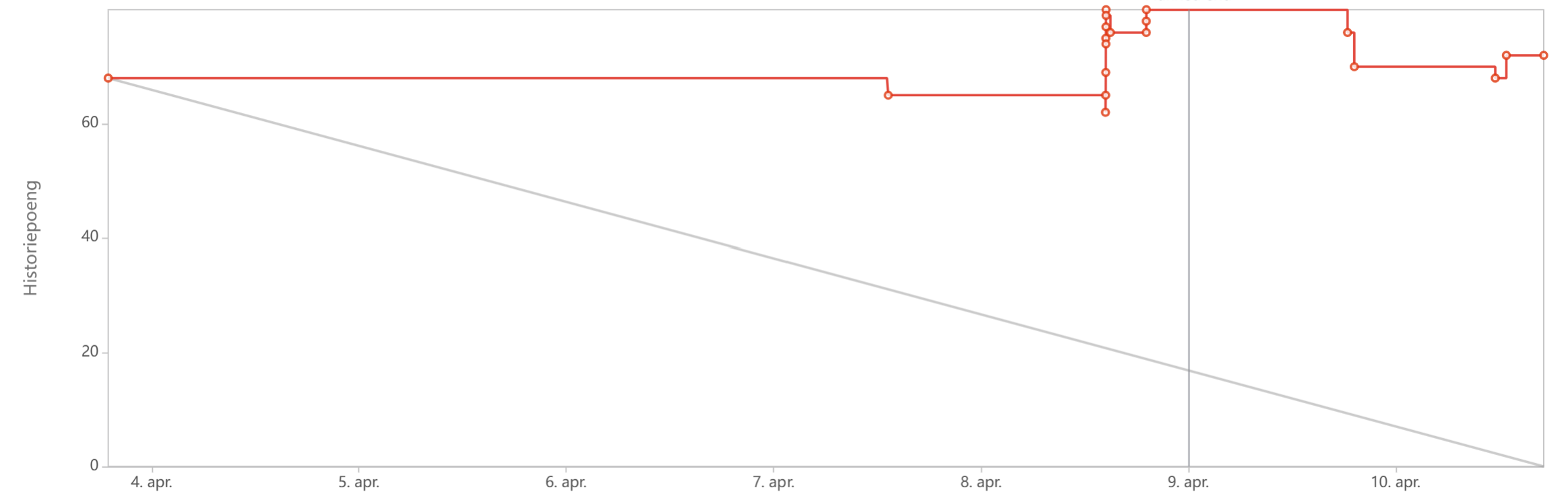
3.10.6 Sixth sprint
The sprint started with approximately 98 story points. On 11 April, the total number of story points briefly increased to around 102 as additional work was added. Throughout 12 and 13 April, the team completed several tasks, reducing the remaining work from approximately 77 to 47 story points. Further progress was made on 14 April, bringing the remaining work down to approximately 33 story points, and by 15 April it had decreased to around 25 story points. The sprint ended on 16 April with approximately 7 story points remaining, meaning that the vast majority of the planned work was completed. This aligns with the sprint outcome, where 31 out of 32 tasks were completed and only one task was carried over to the next sprint.
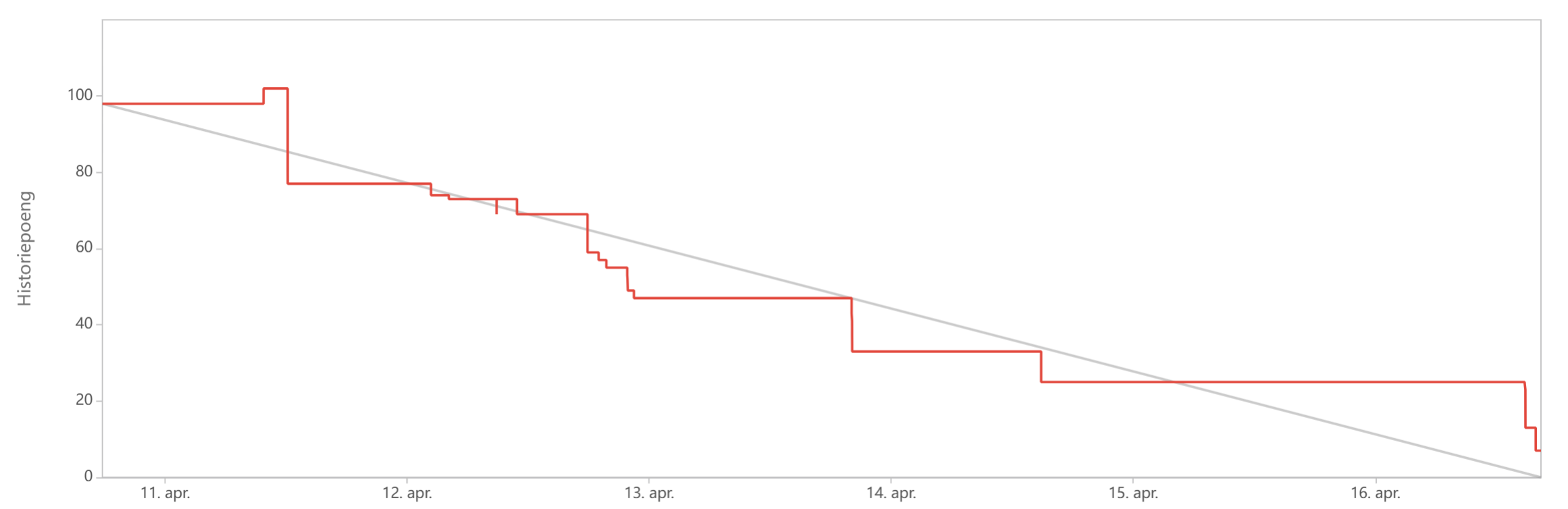
3.10.7 Seventh sprint
The sprint started with approximately 80 story points. Little progress was made during the first four days, as the remaining work stayed close to 80 story points until 20 April. On 20 April, the number of story points briefly decreased to approximately 75, but additional tasks or re-estimations increased the total to a peak of around 95 story points later the same day. The remaining work then stayed relatively stable until 22 April, before decreasing to approximately 73 story points on 23 April as several tasks were completed. Despite this progress, the sprint ended with a large number of remaining story points, indicating that only around half of the planned work was completed.
The limited progress was mainly caused by the team's underestimation of the learning curve associated with new software tools, particularly SolidWorks and Flutter. Since the sprint focused heavily on programming and 3D modelling, many tasks depended on team members with specialized knowledge. With only one app developer and one team member having access to SolidWorks, the workload was distributed unevenly, creating bottlenecks that affected task completion. The team discussed this challenge during the retrospective and concluded that the task allocation was necessary due to project deadlines, personal schedules, and anticipated member unavailability in future sprints.
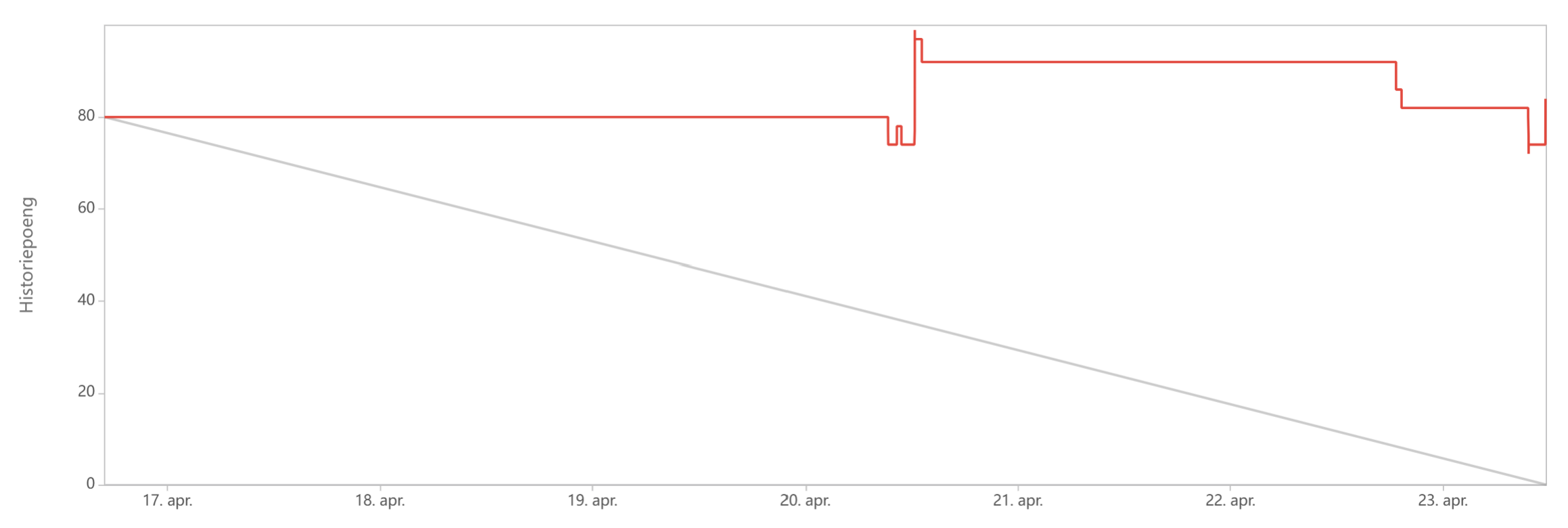
3.10.8 Eighth sprint
The sprint started with approximately 102 story points. The remaining work stayed unchanged until 26 April, when the total number of story points increased significantly to a peak of approximately 136. Not only were tasks added, but story points that had not been added to the start of the sprint is added later on causing the chart to peak. Between 27 and 29 April, little progress was made, with the remaining work staying above 120 story points. Towards the end of the sprint on 30 April, several tasks were completed, reducing the remaining work from approximately 121 to 69 story points. Despite this progress, the sprint ended with a substantial number of remaining story points, indicating that a significant portion of the planned work was not completed.
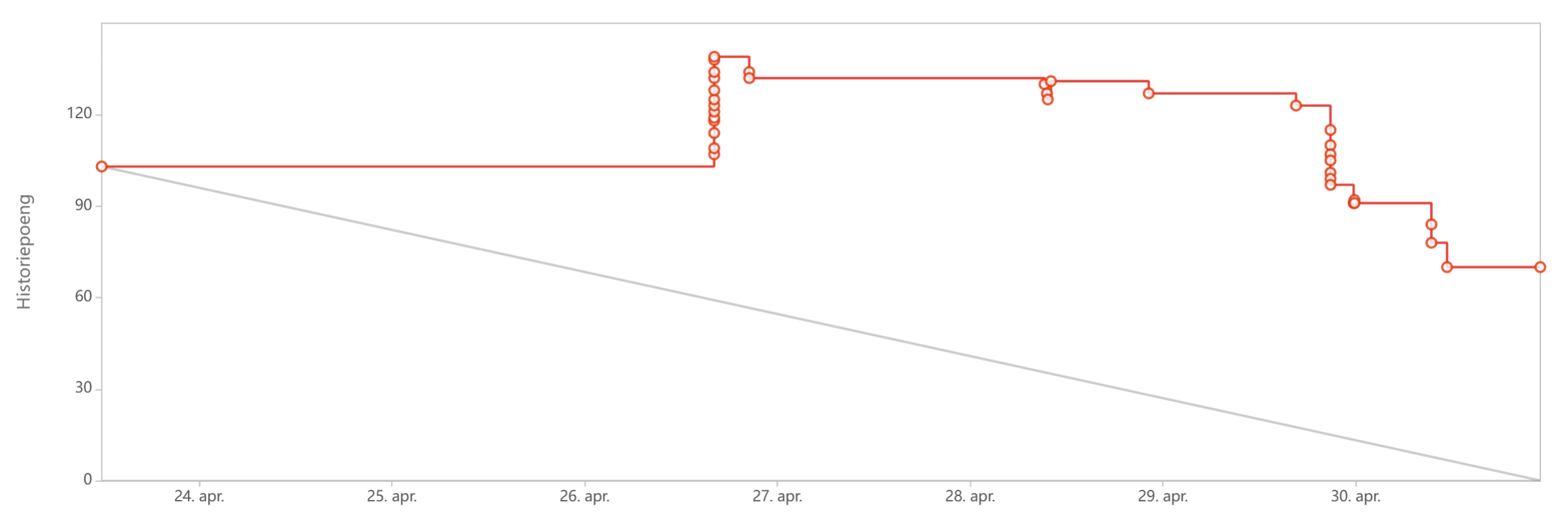
3.10.9 Ninth sprint
The sprint started with approximately 77 story points. Early in the sprint, the remaining work decreased to approximately 58 story points on 1 May. The number of remaining story points then stayed stable until 6 May, when additional progress reduced it to approximately 34 story points. No major changes occurred during the final days of the sprint, and the sprint ended with approximately 34 story points remaining. Compared to previous sprints, the chart shows a more consistent reduction in remaining work and a lower number of unfinished story points.
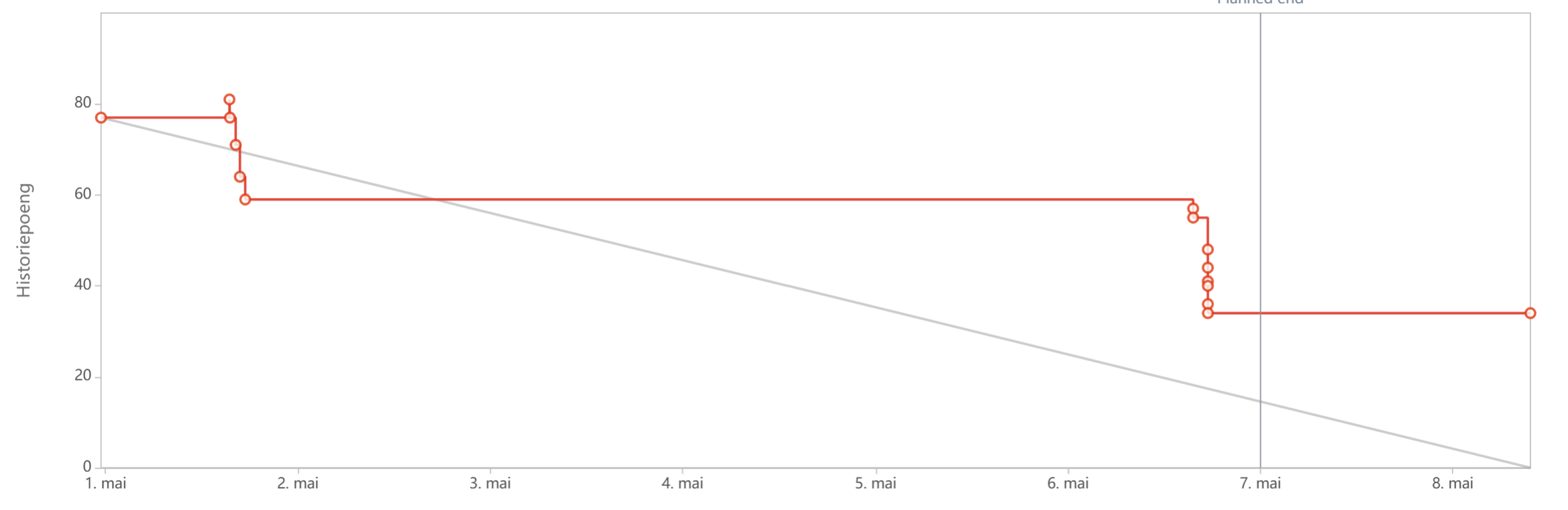
3.10.10 Tenth sprint
The sprint started with approximately 34 story points. The remaining work stayed unchanged for most of the sprint, indicating limited task completion during the first several days. Around 12 May, the total number of story points briefly increased to approximately 38 before returning to its previous level. On 14 May, several tasks were completed, reducing the remaining work first to approximately 26 story points and then to approximately 15 story points by the end of the sprint. Although progress was concentrated towards the end of the sprint, more than half of the initial story points were completed.
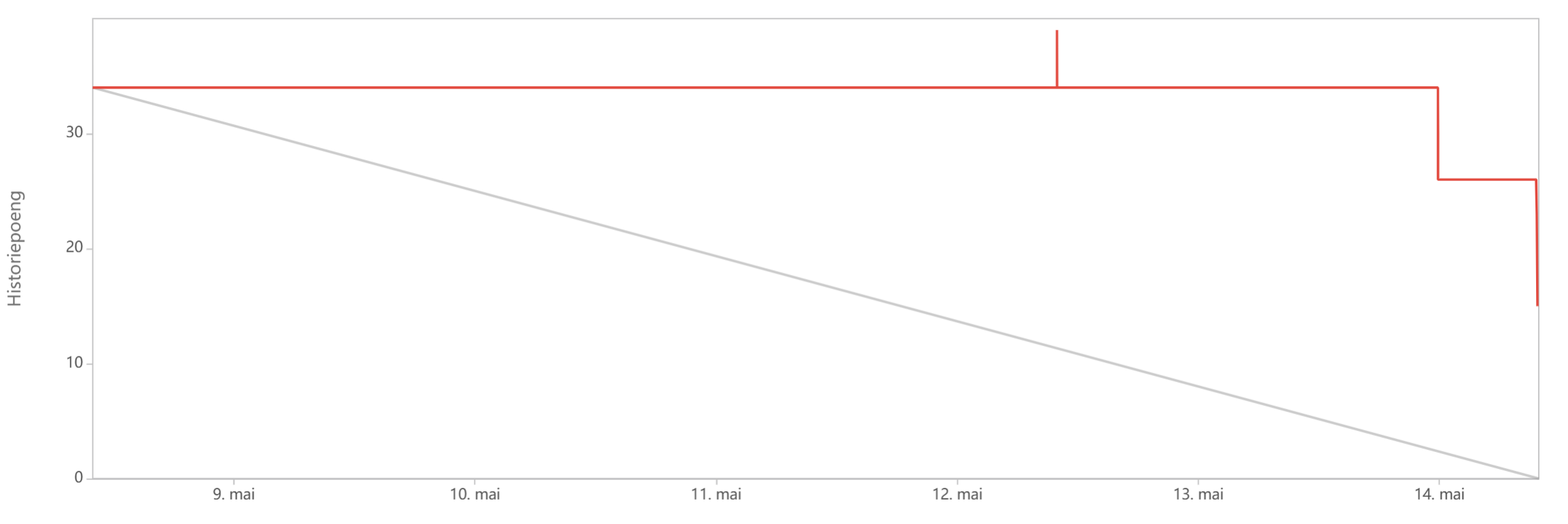
3.10.11 Eleventh sprint
The sprint started with 44 story points. During the first two days, the number of story points increased to approximately 60 and later to 65, indicating that additional work was added to the sprint. The remaining work then stayed relatively stable until 21 May. Towards the end of the sprint, several tasks were completed, reducing the remaining work to approximately 50 story points. However, a substantial increase occurred on the final day, causing the sprint to end with approximately 92 story points. As a result, the sprint finished with considerably more story points than it started with, reflecting significant additions or re-estimations of work during the sprint.
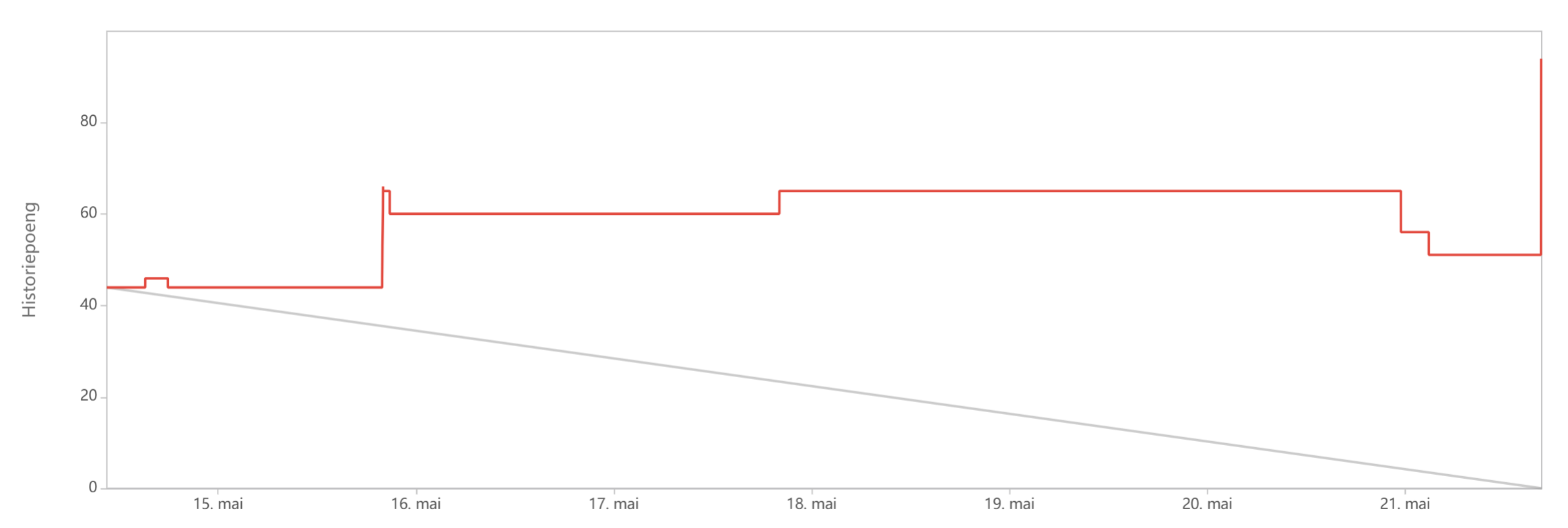
3.10.12 Twelfth sprint
The sprint started with 191 story points. The remaining work stayed close to this value until 27 May, when several tasks were completed, reducing it to approximately 165 story points. Significant progress was made on 28 May, as the remaining work decreased further through a series of completed tasks, reaching approximately 122 story points. The number of remaining story points then remained relatively stable for the rest of the sprint, with only minor fluctuations. The sprint ended on 30 May with approximately 116 story points remaining, representing a reduction of about 75 story points from the start of the sprint.
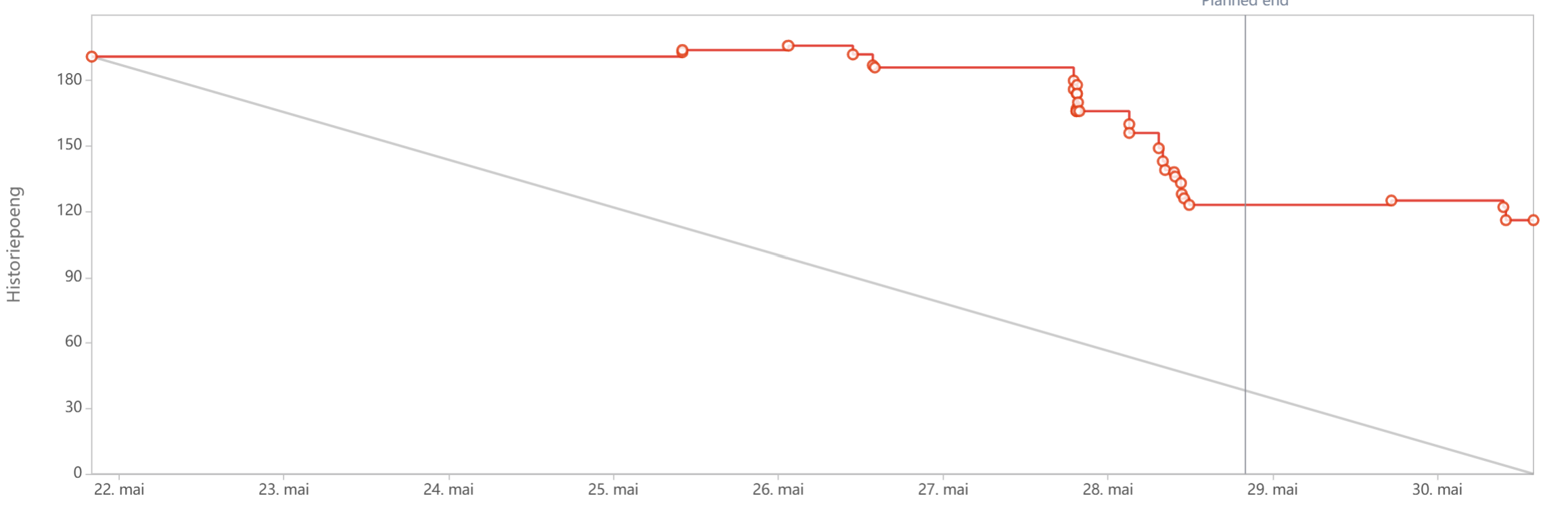
3.10.13 Thirteenth sprint
The sprint started with 148 story points. The remaining work decreased slightly to approximately 146 story points on 1 June and remained largely unchanged until 2 June. Later on 2 June, several tasks were completed, reducing the remaining work to approximately 126 story points and subsequently to around 114 story points. Additional progress was made on 3 June, when the remaining work decreased further to approximately 104 story points. Towards the end of the sprint, a large number of tasks were completed in quick succession, reducing the remaining work to approximately 66 story points. This represents a total reduction of around 82 story points during the sprint and marks one of the most substantial decreases in remaining work achieved within a single sprint.
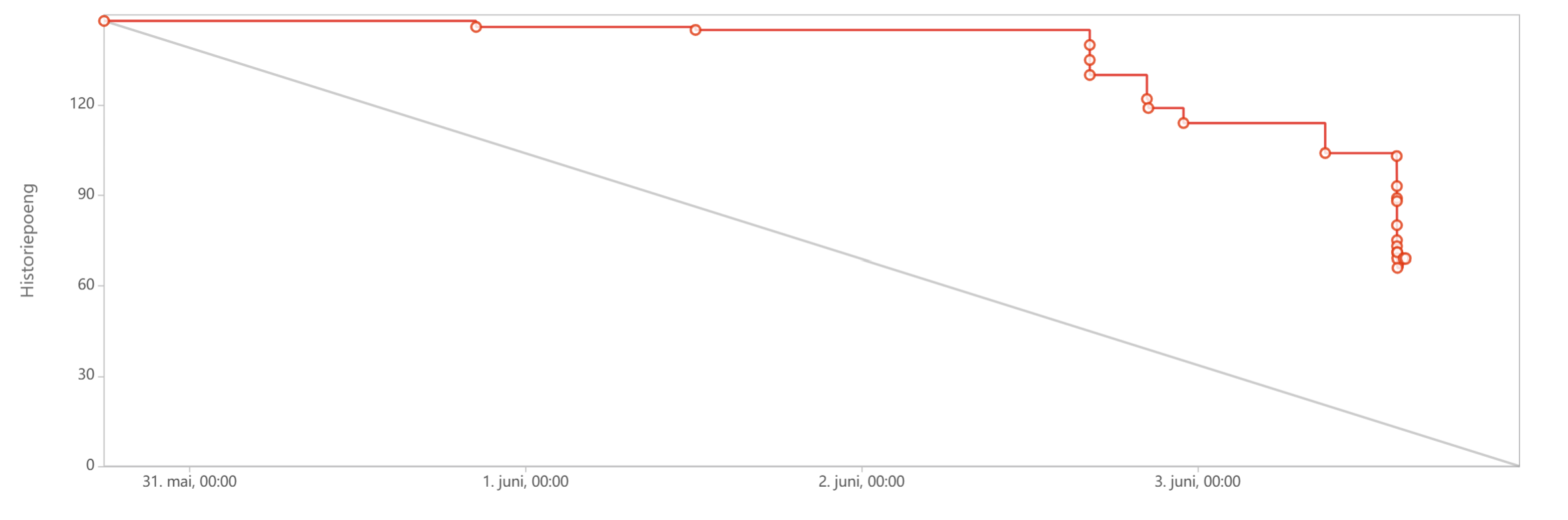
3.10.14 Fourteenth sprint
The sprint started on 4 June with approximately 135 story points. During the first half of the sprint, little progress was recorded, and the remaining work stayed close to 130 story points. On 8 June, the number of story points briefly increased to approximately 142, indicating that additional tasks were added or existing work was re-estimated. Progress accelerated during the final days of the sprint, with the remaining work decreasing steadily from approximately 135 story points to around 78 story points by the end of the sprint. The sprint was originally planned to end on 11 June; however, the deadline was extended by one day to allow additional work to be completed before the final deliverables. Despite the extension, the sprint ended with a considerable number of remaining story points. This reflects the intensive nature of the final project phase, where development, testing, documentation, report writing, and preparation of final deliverables were carried out simultaneously. Nevertheless, the sprint achieved a reduction of approximately 57 story points and contributed significantly to preparing the project for final submission
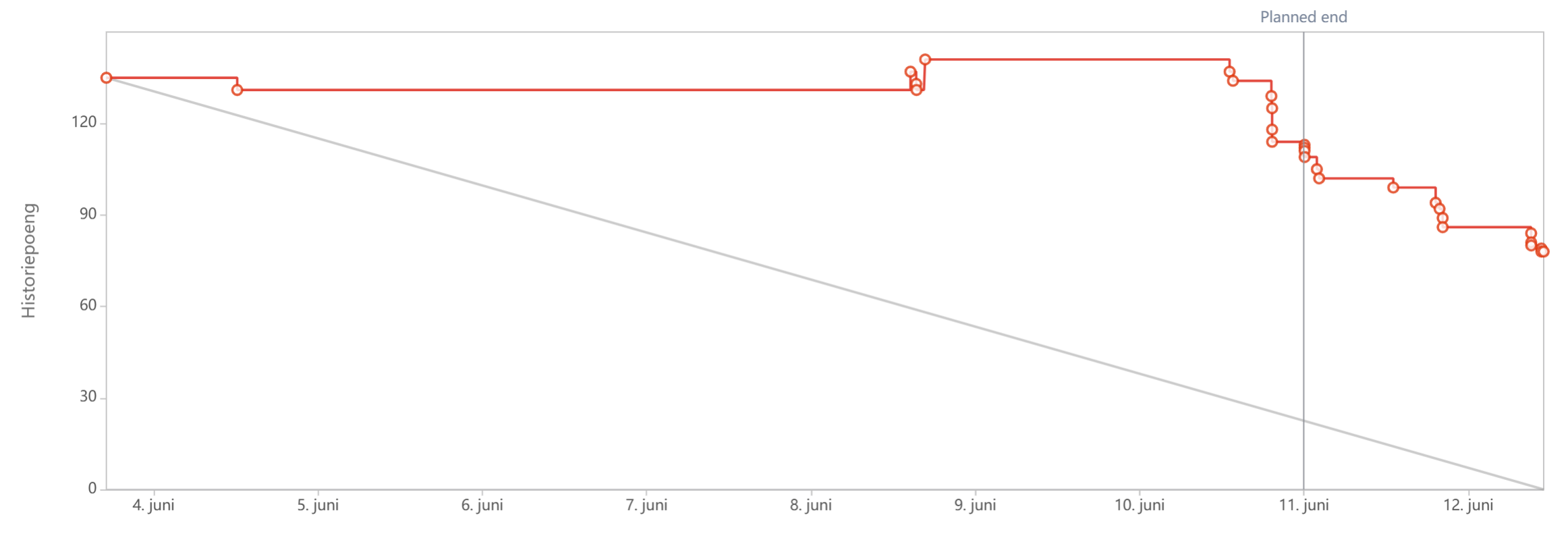
3.11 Retrospective
3.11.1 Research and project definition phase (Sprints 1-3)
The first phase of the project was characterized by uncertainty regarding the project scope and concept. The team's initial project idea was rejected because it was considered too broad, forcing the team to quickly redefine the project direction. As a result, a significant amount of time was spent researching smart farming, basil cultivation, productivity, motivation, and the relationship between plants and well-being.
During this phase, the team identified several communication issues. In one supervision meeting, undiscussed app-related topics were presented, resulting in unconfirmed information being communicated to the teachers. The team also discovered that parts of the Wiki lacked sufficient detail and that some deliverables required additional work before submission. Furthermore, task assignments were often delayed, communication was inconsistent, and tasks were not weighted or prioritized, making workload distribution difficult.
Despite these challenges, the phase ended positively. Communication improved significantly, approximately 90% of the sprint tasks were completed, and the team established a shared understanding of the Screen2Green concept. By the end of Sprint 3, the project scope was clearly defined, deliverables had been brought up to date, and the team had introduced task weighting and prioritization to improve future sprint planning.
3.11.2 Development preparation and interim delivery (Sprints 4-6)
The second phase focused on transitioning from research to development while simultaneously preparing the interim report and presentation. Although communication and engagement improved compared to earlier sprints, Sprint 4 highlighted weaknesses in sprint planning. The sprint period was shorter than usual, several team members were unavailable, and only around 60% of the planned tasks were completed. App development was also delayed because the team member responsible for development was unavailable during the sprint.
Sprint 5 was heavily affected by the Easter holidays. The team overestimated its available capacity, resulting in less than half of the planned work being completed. The burndown chart showed that the number of remaining story points actually increased during the sprint as new tasks were added and existing work was re-estimated.
The situation improved considerably during Sprint 6. The team successfully delivered the interim report and presentation, receiving largely positive feedback and minimal criticism. Almost all sprint tasks were completed, and the burndown chart showed a reduction from approximately 98 story points to only 7 remaining story points. However, the retrospective also revealed that some team members arrived unprepared to meetings and that engagement varied across the group. Overall, this phase demonstrated substantial improvement in both communication and execution compared to earlier sprints.
3.11.3 Development, integration, and finalization phase (Sprint 7-14)
The final phase of the project focused on application development, 3D modelling, electronics integration, testing, and completion of the final deliverables. A recurring challenge throughout Sprints 7 and 8 was the uneven distribution of technical tasks. The team underestimated the learning curve associated with Flutter, Supabase, and SolidWorks, and many critical tasks depended on a small number of team members with specialized knowledge. This created bottlenecks and contributed to lower-than-expected sprint completion rates.
During Sprints 9 and 10, the team's performance improved. Tasks were completed earlier, delegation became fairer, and sprint outcomes became more predictable. Nevertheless, communication issues persisted, particularly when team members failed to provide status updates or when dependent tasks could not begin because prerequisite work had not been shared. The team therefore emphasized more frequent progress updates and clearer communication regarding task completion.
The final sprints introduced additional challenges. In Sprint 11, illness affected key development activities and delayed planned testing, particularly for the software components of the project. Despite this setback, the team managed to recover during Sprints 12 and 13. Large numbers of development, testing, documentation, and deliverable-related tasks were completed, resulting in some of the largest reductions in remaining story points observed throughout the project.
Sprint 14 served as the final sprint before the completion of the project deliverables. During this sprint, the team focused on finalizing documentation, completing outstanding development and testing tasks, refining the prototype, and preparing the final report and presentation materials. Although the sprint was originally planned to end on 11 June, an additional day was required due to the remaining workload and approaching deadlines. The sprint achieved a substantial reduction in remaining story points, but a number of tasks still remained to be completed. As the project approached its final submission, the team recognized that an additional sprint was necessary to finalize the remaining deliverables and complete the last refinements. Nevertheless, by the end of Sprint 14, the majority of the development work had been completed, and the project had entered its final delivery phase.
3.11.4 Velocity chart
Figure 14 presents the velocity chart for the project. The grey bars represent the total number of story points planned for each sprint, while the green bars represent the number of story points completed. The chart shows that the team consistently completed fewer story points than initially planned, indicating a recurring tendency to overestimate sprint capacity throughout the project.
Several factors contributed to this pattern. One of the main reasons was that unfinished tasks were regularly carried over into subsequent sprints. As a result, new sprint commitments were often added on top of existing unfinished work, causing the planned workload to gradually increase over time. At the same time, the team remained optimistic about its ability to catch up on delayed tasks, which often resulted in ambitious sprint plans that proved difficult to complete within the available time. Another contributing factor was the difficulty of estimating the effort required for technical tasks. Throughout the development phase, the team underestimated the learning curve associated with new technologies. Several tasks also turned out to be more complex than initially expected, requiring additional iterations, debugging, testing, and integration work. Furthermore, some activities depended on specific team members with specialized knowledge, creating bottlenecks that affected overall sprint progress.
The chart also reflects fluctuations in team availability due to holidays, illness, academic deadlines, and other commitments. These factors reduced the amount of time available for project work and made accurate workload estimation challenging. As a result, the average completed velocity stabilized at approximately 51.5 story points, even though the planned velocity was frequently much higher. Despite the recurring gap between planned and completed work, the chart demonstrates gradual improvement in the team's understanding of its actual capacity. Sprints 6, 9, and 10 show relatively small differences between planned and completed story points, indicating more realistic planning and effective execution. In contrast, the largest gaps occurred during the later sprints, particularly Sprints 11–14, where the planned workload increased significantly. This suggests that a combination of postponed tasks, increasing technical complexity, and the pressure of approaching deliverables led to an accumulation of work towards the end of the project.
Overall, the velocity chart highlights the importance of realistic workload estimation and capacity planning. The team's experience showed that optimistic planning, combined with task carryover and increasing project complexity, can result in a growing gap between planned and completed work. One of the key lessons learned was the importance of identifying the team's sustainable working capacity as early as possible. Had the team established a more reliable average velocity earlier in the project, sprint planning could have been based more consistently around that level rather than on optimistic assumptions. However, maintaining a stable velocity was particularly challenging in this project because the nature of the work changed significantly over time. Some sprints focused primarily on research and documentation, while others involved software development, 3D modelling, testing, presentations, and major deliverables with fixed deadlines. These activities varied considerably in complexity, uncertainty, and dependency on specific team members, making accurate estimation difficult even when the team's average capacity became more apparent. As a result, sprint planning required balancing known team capacity against project milestones and mandatory deliverables, which occasionally led to workloads that exceeded what could realistically be completed within a single sprint.
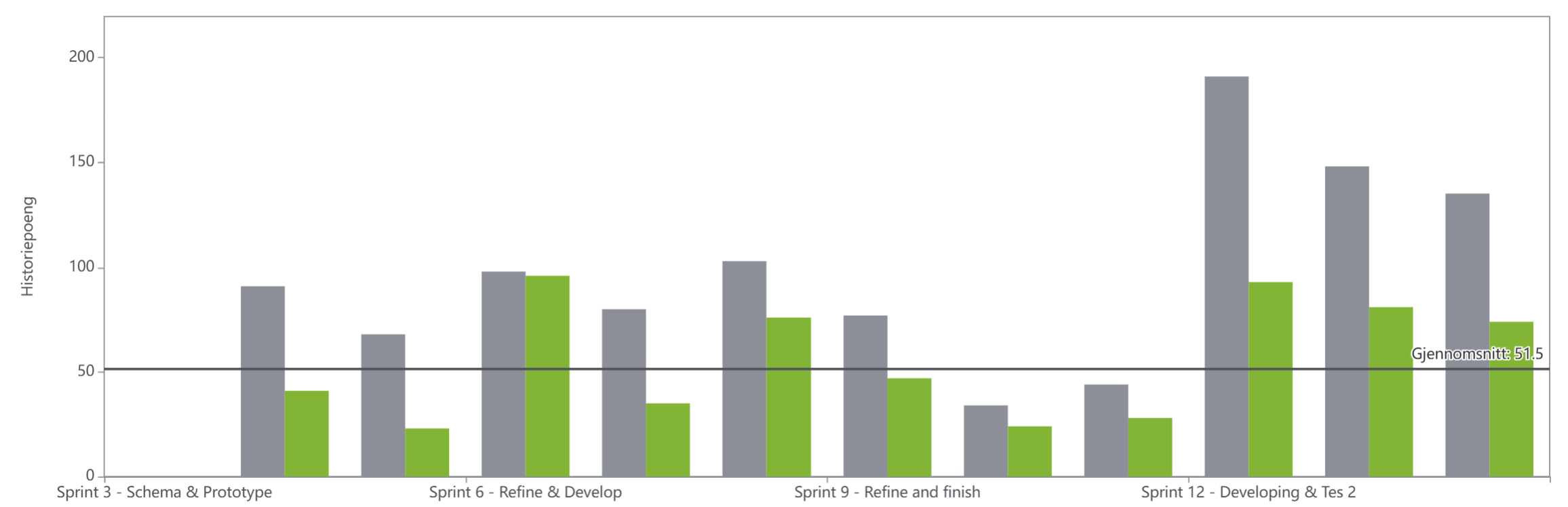
3.12 Summary
This chapter presented the project management activities used throughout the development of Screen2Green. The project was planned and managed through defined scope, stakeholder analysis, scheduling, cost management, quality management, risk management, backlog management, and iterative sprint execution. The sprint outcomes, retrospectives, burndown charts, and velocity analysis showed how the project progressed from research and concept development to implementation, testing, and final delivery. Although workload estimation and sprint planning were not always accurate, the team continuously adapted its processes and improved coordination throughout the project.
Overall, the project management approach provided the structure necessary to organize the work, monitor progress, and successfully deliver the Screen2Green prototype within the project's constraints. Based on this, the next chapter focuses on the marketing plan, where the product is analyzed in terms of market potential, target users, and strategic positioning.
4. Marketing Plan
This chapter presents the marketing plan for Screen2Green. It outlines how the product will be introduced to the market based on insights from the market analysis. A Strengths, Weaknesses, Opportunities, and Threats (SWOT) analysis is conducted to form the foundation for the overall strategy. The chapter further includes strategic objectives, segmentation and targeting, positioning, and the marketing mix. In addition, branding, budgeting, and control measures are addressed to support effective implementation.
4.1 Business Idea Formulation
Before developing a product for the market, it is essential to identify a meaningful customer problem and determine whether an existing gap in the market can be addressed in a new or improved way. In the case of Screen2Green, the starting point was not to create an entirely new category of product, but rather to improve and expand on an existing idea in a more tangible and impactful form. The team was particularly inspired by productivity applications that use virtual plants or forests as a reward mechanism for focused work.
The business idea emerged from observations made in the team’s own daily environment, both in academic settings and in personal life. A common issue identified was the difficulty many people experience in staying focused while studying or working. The growing presence of smartphones and digital platforms has made distractions more constant and harder to avoid. Social media applications are specifically designed to capture attention through notifications, visual stimuli, likes, and other forms of instant feedback. These mechanisms reinforce habitual use and make it difficult for users to reduce screen time or change behavior, even when they are aware of the negative consequences [93][94].
At the same time, the team also identified another common characteristic among many students and young adults: they often live in apartments, shared housing, or student rooms with limited access to gardens or other green environments. This means that, although many people could benefit from the calming and motivating effects of caring for a plant, they may not have the opportunity, time, or confidence to grow something themselves. Research has shown that interaction with plants can contribute positively to emotional well-being and can support feelings of calmness, purpose, and connectedness [95][96][97].
Based on these observations, the team formulated a differentiated market solution. Instead of only rewarding focus with a virtual plant inside an app, Screen2Green extends this concept into the physical world by allowing the user to grow a real basil plant. The solution combines a mobile application with a pot system that links the user’s digital behavior to the condition of the plant. Through focus sessions and screen-time monitoring, the application helps reduce distractions and encourages more conscious smartphone usage. The Smart Pot then translates this behavior into physical plant care by adjusting the watering conditions according to the user’s performance.
This creates a feedback mechanism that is more tangible and emotionally engaging than purely digital alternatives. The user is not only encouraged to focus through app-based features, but also experiences the consequences of their habits through the visible health and growth of a living plant. In addition, the system offers practical value, as the user can grow basil that may later be harvested and used in cooking. The scent and presence of basil may also contribute to a calmer indoor environment. Altogether, the solution aims to support productivity, reduce stress, encourage responsibility, and make healthier digital habits more meaningful in everyday life.
4.2 Business Model
The Business Model Canvas (BMC) (Figure 15) provides a structured overview of how the project could create, deliver, and capture value [98]. In this project, the canvas is used to explore the broader potential of the concept beyond the current prototype. It is important to emphasize that the canvas represents a conceptual and future focused perspective. While the project primarily focuses on developing and testing a prototype, the elements in the BMC illustrate how the solution could be scaled and implemented as a viable business in a real-world context.

4.2.1 Activities, resources, and value proposition
The key activities describe the core processes necessary to develop and deliver the solution [99]. In this project, these primarily involve product development, system integration, and testing of both hardware and software components. While the current work focuses on prototyping and validation, activities such as manufacturing and marketing represent important future steps for scaling and commercialization.
These activities are supported by key resources, which form the foundation of the system [100]. This includes both physical components, such as microcontrollers, sensors, and irrigation systems, and intangible resources, such as knowledge in IoT development, plant care, and user experience design. Together, these resources enable both the functionality of the prototype and its potential further development.
The value proposition, which defines the value created for users, is the core of the project [101]. The concept translates digital behavior into a physical and biological outcome by linking screen time to plant health. This creates a tangible and engaging feedback mechanism that promotes awareness of smartphone usage while simultaneously simplifying indoor plant care and supporting sustainability.
4.2.2 Customer relationships, channels, and customer segments
To ensure continued use, customer relationships focus on how users interact with the system over time [102]. Through the mobile application, users receive ongoing feedback on both their behavior and the condition of the plant. Features such as notifications and gamification are intended to support engagement and encourage consistent interaction, which is essential for influencing user habits.
In order to reach these users, appropriate channels are required [103]. The solution would primarily be delivered through digital platforms such as mobile applications and social media, in addition to potential online and retail distribution. Although these channels are not implemented within the scope of the project, they illustrate how the product could be made accessible in a real-world context.
This is closely linked to the defined customer segments, which include young adults, students, and individuals with high screen-time usage, as well as those interested in digital well-being and self-improvement. Focusing on these groups ensures that the solution targets users who are most likely to benefit from and engage with the concept [104].
4.2.3 Cost structure and revenue streams
From a business perspective, the cost structure outlines the expected expenses related to development, production, and distribution, including hardware components, software development, manufacturing, and marketing [105]. Although these costs are not directly incurred in the project, they provide insight into the economic considerations associated with scaling the solution.
Complementing this, the revenue streams indicate how the solution could generate income, for example through the sale of the Smart Pot device, optional premium features within the application, and complementary products such as seeds or nutrient kits. This highlights the potential for financial sustainability and supports the long-term viability of the concept [106].
Overall, the Business Model Canvas provides a cohesive framework for understanding how the pot could evolve from a prototype into a scalable product. It connects technical development with broader business considerations, highlighting both the requirements and opportunities associated with future implementation.
4.3 Market Analysis
To understand the conditions in which Screen2Green would operate, a market analysis was conducted. This analysis helps identify the main actors, trends, and external forces that may affect the product’s success [107]. In order to provide a structured overview, the analysis is divided into micro-analysis and macro-analysis. The micro-analysis focuses on the immediate environment surrounding the product, while the macro-analysis examines broader external forces.
4.3.1 Micro analysis
Micro-analysis focuses on the factors closest to the project that directly influence its ability to deliver value to customers [108].
Suppliers play an essential role in the development of Screen2Green. The system depends on electronic components such as microcontrollers, sensors, and water pumps, as well as structural materials for the pot itself. Access to reliable and cost-effective suppliers is therefore crucial in order to maintain product quality while ensuring that the final solution remains affordable for the target group.
The primary customer segment consists of students and young adults between the ages of 18 and 30. These users are typically exposed to high levels of screen time, which is associated with negative mental health outcomes [109]. They are also actively seeking ways to improve productivity, mental well-being, and daily habits. In addition, they are generally familiar with mobile technology and are open to adopting innovative solutions that combine digital and physical experiences.
The competitive environment can be divided into two main categories. On one side, productivity applications such as Forest provide digital tools to help users stay focused through gamification and visual feedback. On the other side, smart plant systems focus on automated plant care and indoor cultivation. However, these solutions operate independently and do not combine behavioral feedback with real plant interaction. Screen2Green therefore occupies a unique position by integrating these two approaches into a single system.
In terms of distribution, the product would primarily be offered through digital channels, including online platforms and mobile applications. E-commerce solutions would allow for wide accessibility.
Finally, several stakeholder groups influence the project. Academic supervisors and institutions provide guidance and evaluation, while potential users contribute valuable feedback during the development process. These stakeholders play an important role in shaping both the product and its future market potential.
4.3.2 Macro analysis
Macro analysis examines the broader external factors that influence the environment in which Screen2Green operates [110].
From a political and legal perspective, the product must comply with regulations related to electronic devices and data protection. Since the system involves monitoring user screen-time data, compliance with privacy frameworks such as General Data Protection Regulation (GDPR) is essential. This requires transparent data handling and informed user consent [111].
Economic factors also play an important role. The primary target group consists of students and young adults, who are generally price-sensitive. This means that the product must be designed with affordability in mind, while still delivering sufficient value to justify the cost.
Social and cultural trends strongly support the relevance of Screen2Green. There is an increasing awareness of mental health, digital well-being, and the negative effects of excessive screen use. At the same time, urban lifestyles often limit access to natural environments. This creates a strong demand for solutions that reconnect individuals with nature in a simple and accessible way.
Technological developments enable the realization of the product. Advances in IoT, mobile applications, and sensor technology make it possible to integrate digital behavior with physical systems in real time. These technologies form the foundation of the Screen2Green concept.
Environmental factors are also relevant. There is a growing interest in sustainability and self-sufficiency, particularly among younger generations. The ability to grow herbs at home supports environmentally friendly behavior and aligns with these values.
Finally, ethical considerations must be taken into account. Since the system is designed to influence user behavior, it is important to ensure that it encourages positive habits without creating stress or pressure. In addition, user data must be handled responsibly, with a strong focus on privacy and transparency.
4.3.3 Barriers to entry
Although Screen2Green presents a unique concept, several barriers to entry must be considered. One important barrier is technical complexity. The product requires successful integration between hardware, software, and behavioral logic, which may complicate development and increase production challenges.
Another barrier is market acceptance. Because the concept is relatively unconventional, some users may not immediately understand its value or may be uncertain about linking plant health to personal digital habits. The product will therefore require clear communication and strong demonstration of benefits.
Affordability is also a barrier, since the primary target group may not have a large purchasing budget. Privacy concerns may further affect adoption if users are reluctant to share screen-time data. Finally, Screen2Green must compete with simpler and often free alternatives, such as built-in smartphone features and existing productivity apps. These barriers do not eliminate the market opportunity, but they do require careful strategic planning.
4.4 SWOT Analysis
A SWOT analysis, proposed by Nielsen Norman group, was conducted to evaluate the internal strengths and weaknesses of the concept, as well as the external opportunities and threats that may influence its success [112].
Figure 16 shows the SWOT analysis of the project, including its strengths, weaknesses, opportunities, and threats.

4.4.1 Strengths
The concept demonstrates several key strengths. Firstly, it is based on an innnovative concept that combines IoT technology, behavioral psychology, and indoor gardening. This combined approach makes the product both unique and relevant in today's digital society. Secondly, the system promotes mental well-being by encouraging reduced screen-time monitoring tools, as it introduces a more interactive and meaningful user experience. Additionally, the product provides a visible and tangible feedback mechanism, where the health of the plant reflects the user’s smartphone usage. This makes otherwise invisible digital habits more apparent and easier to understand. The compact design also makes the system suitable for indoor environments such as apartments, aligning well with urban lifestyles. Finally, the concept is inherently flexible and adaptable, allowing for the integration of different plant types. This scalability is considered a strength, as it enables the product to evolve and appeal to a broader range of users without fundamentally changing the core system.
4.4.2 Weaknesses
Despite its strengths, there are has several limitations. One key weakness is the system's technical complexity, as it requires integration between hardware components, sensors, and a mobile application. The current focus on a limited plant variety, such as basil, may also reduce its appeal to a broader audience. Additionally, the system requires regular maintenance, including refilling water and ensuring proper functionality, which may be perceived as inconvenient for some users. Lastly, privacy concerns may arise due to the need to monitor smartphone usage data.
4.4.3 Opportunities
There are several external opportunities that could support the development and adoption of the concept. Firstly, there is a growing interest in indoor gardening and sustainable living, which aligns closely with the product’s purpose and increases its market relevance. In addition, awareness of digital well-being and the negative effects of excessive screen-time is increasing. This creates a demand for innovative solutions that support healthier digital habits, positioning the concept within a relevant and expanding market. Furthermore, there is potential for collaboration with existing applications, such as productivity or well-being platforms. Such integrations could enhance the system’s functionality, improve user experience, and increase its competitiveness in the market. Overall, these external trends provide a strong foundation for further development and potential commercialization of the concept.
4.4.4 Threats
The product also faces external threats that could impact its success. One major challenge is competition from existing built-in screen-time features and mobile applications, which may be perceived as simpler or more convenient alternatives. Additionally, environmental factors such as light, temperature, and humidity may affect plant health independently of user behavior, potentially reducing the reliability of the feedback system. User preferences and trends may also change over time, which could reduce long-term relevance of the concept. Furthermore, there is uncertainty regarding user adoption and market acceptance, as the product ma be perceived as unconventional. Finally, increasing privacy regulations may create additional challenges when handling user data.
4.5 Strategy
An effective marketing strategy is necessary to connect Screen2Green with its intended users and to establish a clear direction for future market entry. This strategy is based on the results of the market analysis and is intended to guide the project in terms of value delivery, audience focus, and competitive differentiation [113].
4.5.1 Strategic Objectives
The primary strategic objective of Screen2Green is to introduce an innovative product that supports healthier digital habits while also promoting mental well-being and engagement with nature. In order to achieve this overall objective, the strategy can be divided into three main dimensions: economic objectives, customer-oriented objectives, and product-oriented objectives.
The economic objectives focus on long-term feasibility and financial sustainability. Screen2Green aims to establish a business concept that could generate revenue through product sales and, in a later phase, potentially through premium app features or complementary items such as seed kits and nutrient products. Another economic objective is to maintain cost efficiency by using accessible components and avoiding unnecessary complexity. This is especially important because the target market is relatively price-sensitive.
Customer-oriented objectives focus on attracting, satisfying, and retaining users. One objective is to achieve early adoption among students and young adults, particularly those who are already familiar with productivity applications and interested in self-improvement. Another objective is to ensure that the system delivers a clear, intuitive, and meaningful user experience so that users understand the relationship between their behavior and the plant feedback. In the longer term, the strategy also aims to build engagement and encourage repeated interaction through the app and the ongoing care of the plant.
Product-oriented objectives relate to innovation, functionality, and user value. Screen2Green aims to maintain a distinctive position by continuing to develop the concept as a hybrid between productivity technology and indoor gardening. Another objective is to ensure that the system remains simple enough for non-technical users while still offering enough functionality to feel innovative and useful. Finally, product development should remain open to future improvements, such as additional plant options, better app integration, or more refined feedback systems.
4.5.2 Segmentation and targeting
To effectively position Screen2Green within the market, a segmentation strategy has been developed based on demographic, behavioral, and psychographic variables [114]. This structured approach enables a more precise identification of user needs and supports the development of a solution that aligns with both functional and emotional user expectations.
Demographic segmentation
From a demographic perspective, the product primarily targets young adults, especially students and early-career individuals. These groups are particularly relevant because they often spend long hours studying or working with digital devices and are more likely to adopt app-connected lifestyle products.
Behavioral segmentation
From a behavioral perspective, the target audience includes individuals who experience high screen-time usage, struggle with distraction, or actively seek methods to improve concentration and time management. These users are likely to recognize the limitations of existing digital solutions and therefore see value in a system that makes digital habits more visible and encourages the development of healthier routines.
Psychographic segmentation
From a psychographic perspective, Screen2Green appeals to users who value self-improvement, well-being, sustainability, and personal responsibility. This segment is typically motivated by the desire to achieve a better balance between digital and physical life. Furthermore, these users are drawn to products that combine functionality with emotional and aesthetic value, particularly those that incorporate natural elements and promote a sense of calm and responsibility.
Targeting strategy and persona
Based on these segmentation factors, Screen2Green adopts a focused targeting strategy centered on students, young adults, and urban users interested in digital well-being and indoor lifestyle solutions. This target group is considered highly relevant, as it demonstrates both a clear need for the proposed solution and a strong likelihood of adoption. Their familiarity with digital tools, combined with an increasing awareness of the negative effects of excessive screen-time, makes them particularly receptive to a hybrid solution that integrates technology with physical interaction.
In order to further refine the understanding of the target audience and support design and communication decisions, a representative marketing persona has been developed, see Figure 17. This persona illustrates a typical user within the target segment and serves as a practical reference point for guiding product development, user experience design, and marketing communication. In particular, it supports decisions related to simplicity, emotional engagement, and the integration of physical feedback mechanisms, which are central to the Screen2Green concept.

- Name: Emma
- Age: 22 years old
- Occupation: University student
- Background and lifestyle: Emma lives in a shared apartment in an urban environment. She maintains a busy daily schedule consisting of lectures, assignments, part-time work, and social activities. A significant portion of her day is spent using digital devices, both for academic purposes and free time. Her daily routine is highly structured but frequently interrupted by digital distractions.
- Behavioral characteristics: Emma frequently experiences difficulty maintaining focus due to constant smartphone distractions, including social media notifications and habitual checking behavior. Although she has previously experimented with productivity applications, she often finds them easy to ignore or disengage from over time. She is open to new solutions but prefers those that integrate naturally into her daily routine.
- Needs and motivations: Emma seeks a solution that helps her manage screen-time and improve concentration without requiring excessive effort or creating additional stress. She values tools that provide clear, intuitive feedback and support gradual and sustainable behavior change. In particular, she is motivated by solutions that make her habits more visible and tangible rather than relying solely on abstract digital metrics.
- Values and attitudes: She places importance on mental well-being, balance, and personal development. Additionally, she has a growing interest in sustainability and appreciates products that incorporate natural elements. Furthermore, she values simplicity, aesthetic design, and emotional engagement, which influence her willingness to adopt and continue using a product.
- Goals and challenges: Emma’s primary goals include improving focus during academic work, reducing unnecessary screen-time, and establishing more structured daily routines. These goals are closely linked to her desire for increased productivity and improved mental well-being. At the same time, she faces several challenges, including frequent digital distractions, difficulty maintaining concentration over time, and a tendency to rely heavily on her smartphone. Existing productivity applications often fail to address these issues effectively, as they are easy to ignore and lack sustained engagement.
4.5.3 Positioning
Positioning defines how Screen2Green should be perceived in the minds of users relative to competing products [115]. The aim is to create a clear and distinctive place in the market by emphasizing the product’s unique combination of productivity support, digital well-being, and physical plant interaction.
As illustrated in the perceptual map, existing solutions can be divided into two main categories based on their level of physical interaction and behavioral influence. Productivity applications such as Forest, Flora, and Focus To-Do demonstrate high behavioral influence but low physical interaction, as they operate purely in a digital environment and rely on user self-regulation. In contrast, physical plant-based solutions, including traditional plant pots, smart farming systems, and the AeroGarden Harvest, offer high physical interaction but limited behavioral influence, as they either require manual care or rely heavily on automation without actively encouraging behavioral change.
Screen2Green is positioned as an innovative and emotionally engaging smart lifestyle product that bridges this gap. Unlike traditional productivity applications, which provide only digital rewards, Screen2Green translates user behavior into visible real-world outcomes through the growth and condition of a living plant. At the same time, unlike smart plant systems that focus primarily on automation and cultivation, Screen2Green introduces a behavioral and motivational dimension by linking digital habits to physical consequences.
This dual functionality places Screen2Green in the upper-right quadrant of the perceptual map, combining high physical interaction with strong behavioral influence. As a result, the concept occupies a unique position between digital self-regulation and indoor well-being, highlighting a gap in existing market offerings. As illustrated in Figure 18, Screen2Green differentiates itself from both traditional productivity applications and automated plant-care systems by integrating behavioral motivation with tangible physical interaction. This positioning supports the product’s value proposition as a hybrid solution that combines productivity support, sustainability, and emotional engagement.

4.5.4 Marketing-Mix
The marketing mix provides a framework for translating strategy into practical market actions. The four main components are Product, Price, Place, and Promotion (4 Ps) [116]. For Screen2Green, the marketing mix is especially important because the concept combines both physical and digital elements. The solution is not only a physical product, but also a service and user experience that connects digital behavior with real-world interaction. This positions Screen2Green as a hybrid offering.
Product
The core product consists of a smart indoor pot integrated with a mobile application. The system enables users to grow a plant while simultaneously monitoring and influencing their screen-time behavior through focus sessions and behavioral feedback mechanisms. From a marketing perspective, Screen2Green represents more than a purely tangible product. It combines physical components, digital services, and emotional experiences into a hybrid offering. The pot itself provides practical functionality through automated irrigation and plant monitoring, while the mobile application offers behavioral tracking, notifications, and productivity support. Together, these elements create an interactive user experience that differentiates the concept from traditional productivity applications and ordinary smart plant systems.
The product also creates emotional and symbolic value. The visible growth and condition of the plant provide a tangible representation of the user’s digital habits, making otherwise invisible behavior more meaningful and easier to understand. In addition, the presence of greenery indoors may contribute to calmness, well-being, and aesthetic value in urban living environments. Because Screen2Green is currently in the introduction stage of the Product Life Cycle (PLC), the primary product objective is to create awareness and encourage early adoption. At this stage, the product should focus on delivering clear core functionality while communicating its unique value proposition effectively.
Price
Screen2Green would primarily follow a value-based pricing strategy. Rather than setting the price solely based on production costs, the pricing reflects the perceived value created through the combination of productivity support, emotional engagement, sustainability, and smart technology integration. At the same time, pricing decisions must consider both internal and external factors, including development costs, competitor pricing, customer purchasing power, and perceived customer value [117]. Since the primary target group consists of students and young adults, affordability remains particularly important.
Based on the estimated prototype cost of approximately 72.44 €, the expected retail price could range between 70 € and 100 €. This range positions the product as affordable but still innovative enough to communicate quality and uniqueness.
As a new product entering the market, Screen2Green would most likely benefit from a market penetration pricing strategy during the early stages of commercialization. This approach involves setting a relatively accessible price in order to attract a larger number of users quickly and increase market adoption [118]. Because the target market is relatively price-sensitive, a penetration strategy may support faster awareness, stronger word-of-mouth promotion, and broader market reach among students and young adults. In the future, additional revenue streams could be introduced through optional premium application features, subscription-based productivity tools, or complementary products such as seed kits and nutrient packs.
Place
The distribution strategy for Screen2Green focuses primarily on direct-to-consumer and digital distribution channels. The product would initially be sold through a dedicated website and major e-commerce platforms such as Amazon, while the application would be distributed through Google Play Store and Apple App Store. Physical retail partnerships could later be established with electronics and lifestyle retailers such as Worten, Fnac Portugal, and Leroy Merlin. These intermediaries may help increase accessibility, visibility, and customer trust by providing existing distribution networks, retail expertise, and market reach [119].
In addition, university campuses and student organizations represent highly relevant pilot distribution environments due to their direct connection to the target audience. These channels would support early testing, product demonstrations, and feedback collection. The chosen distribution channels should ensure that the product is both easily accessible and aligned with the purchasing behavior of digitally active consumers. Because Screen2Green combines hardware and software, efficient coordination between physical distribution and digital app availability is essential.
Promotion
The promotional strategy for Screen2Green should focus on creating awareness, educating consumers, and communicating the emotional and practical benefits of the concept. Since the product introduces a relatively new behavioral approach, promotion must clearly explain how the system works and why it provides value to users. An Integrated Marketing Communications (IMC) approach would be particularly suitable. IMC involves coordinating multiple communication channels to deliver a clear, consistent, and compelling message about the product and brand [120]. This is important for Screen2Green because the concept combines technology, well-being, sustainability, and lifestyle elements that must be communicated coherently. Social media platforms such as TikTok, Instagram, and YouTube would likely serve as the primary communication channels due to their relevance for the target audience. Visual content demonstrating plant growth, focus sessions, and real-life student usage scenarios would help communicate the concept effectively.
The communication mix could include several promotional tools:
- Advertising: Social media advertisements and short-form video campaigns can build awareness and explain the concept visually.
- Public relations: Collaborations with universities, digital well-being campaigns may increase credibility and public visibility.
- Sales promotion: Introductory discounts, student bundles, or seed-kit giveaways may encourage early adoption.
- Direct marketing: Personalized communication through app notifications, newsletters, and email campaigns may support long-term engagement and customer retention.
Since Screen2Green is positioned in the introduction stage of the PLC, informative advertising is especially important. The main promotional objective at this stage is to educate consumers, stimulate interest, and create awareness of the new product category [121].
4.5.5 Brand
Branding is important because Screen2Green is not only a functional product, but also an experience-based concept that relies on emotional resonance and user identification. The brand should therefore communicate calmness, growth, balance, and self-improvement. The name Screen2Green clearly reflects the central idea of the concept. “Screen” represents digital habits, smartphone use, and the challenge of excessive screen time, while “Green” represents nature, plants, health, and renewal. Together, the name communicates a transformation from digital overload to healthier and more natural habits. The words also have similar pronounciation, making the name memorable and easy to recognize. Additionally, this makes the name both descriptive and memorable.
The visual identity was designed to reinforce the connection between technology and nature. The logo in Figure 19 shows green tones (#aac03e and #637f30) that were selected to represent plants, growth, health, and sustainability, while a brown tone (#5f4228) symbolizes soil and the natural environment in which the plant grows. These color choices support the emotional positioning of the product and strengthen the association between digital well-being and nature-based interaction.
The logo further reinforces this identity through a combination of typography and symbolism. In the logo, the word “to” is replaced by the number “2”, which shares the same pronunciation while also being stylized to resemble a small growing plant. This creates a visual representation of transformation and growth while maintaining a modern and recognizable appearance. The logo also incorporates organic shapes and plant-inspired elements that connect directly to the product’s purpose. The regular version of the Univers Condensed typeface was selected to create a clean, simple, and professional visual expression that aligns with the product’s focus on clarity, balance, and reduced distraction.

In addition to the logo and slogan, several communication materials were developed to support the branding strategy and strengthen product visibility. These include a flyer, a tri-fold leaflet, and a promotional poster. All materials follow a consistent visual identity through the use of green and earthy color palettes, natural imagery, soft backgrounds, and clean layouts. This consistency helps create a cohesive brand experience across different communication platforms and reinforces the product’s association with calmness, mindfulness, sustainability, and healthier digital habits.
Flyer
The flyer seen in Figure 20 was the first design of the flyer. The primary goal of this first version was to communicate the core idea of the product and establish a visual identity that reflected the connection between technology and nature. The flyer introduced the Screen2Green concept, the logo, the slogan, and the main product features while exploring how these elements could be combined into a coherent promotional material. During evaluation, several areas for improvement were identified. The layout lacked a clear visual hierarchy, some information competed for attention, and the product benefits were not communicated as effectively as intended. While the overall concept and visual direction were considered appropriate, the design required refinement to improve readability, structure, and branding consistency.
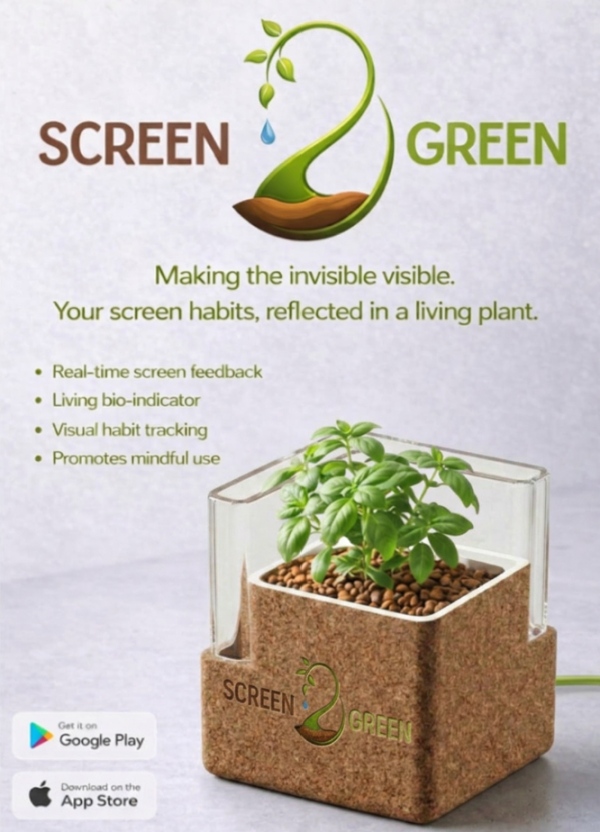
As a result, the flyer was redesigned and refined into the final version seen in Figure 21. The Screen2Green logo is positioned prominently at the top of the flyer to strengthen brand recognition. A light gray background (#d9d8dd) was chosen to create a clean and neutral foundation, while green accents (#aac03e) reinforce the product’s connection to nature and growth. Below the logo, short explanatory text introduces the concept in a simple and accessible manner. A series of concise feature descriptions highlights the main benefits of the product, including focus support, plant growth feedback, and screen-time awareness. A high-quality render of the pot and plant is displayed alongside these features to provide a clear visual representation of the product. App Store and Google Play icons are included at the bottom of the flyer to emphasize the connection between the physical product and its accompanying mobile application.
The final flyer also incorporates the slogan “Making the invisible visible,” which strengthens the brand identity by emphasizing the product’s core concept. Screen habits and digital behavior are often difficult for users to perceive in a meaningful way. By translating screen usage into the visible condition and growth of a living plant, Screen2Green creates a physical representation of digital habits. The slogan therefore communicates both behavioral awareness and personal responsibility in a concise and memorable way. The redesign process focused on improving visual consistency with the overall branding strategy. The final flyer uses calming colors, natural imagery, and a minimalistic layout to create an emotionally positive impression that aligns with the project's focus on mental well-being and balanced technology use. The cleaner structure, improved visual hierarchy, and more focused messaging make the final flyer easier to read and more effective at communicating the value proposition of Screen2Green.
Leaflet
A gatefold leaflet was also developed to provide more detailed information about the product, its purpose and its functionality. Compared to the flyer, the leaflet allows for more in-depth communication while still maintaining a visually approachable presentation style. The front panels seen in Figure 22 use questions such as “Excessive screen time?”, “Endless scrolling?”, and “Digital overload?” in order to immediately engage users and create identification with common digital well-being challenges. This approach helps establish emotional relevance before introducing the product solution.
Inside the leaflet, the system functionality, hardware components, behavioral benefits, and product features are explained through concise text sections supported by visuals. The leaflet also emphasizes how the system encourages healthier habits through visual plant feedback and mindful interaction. By combining emotional messaging with practical product information, the leaflet supports both user engagement and product understanding.
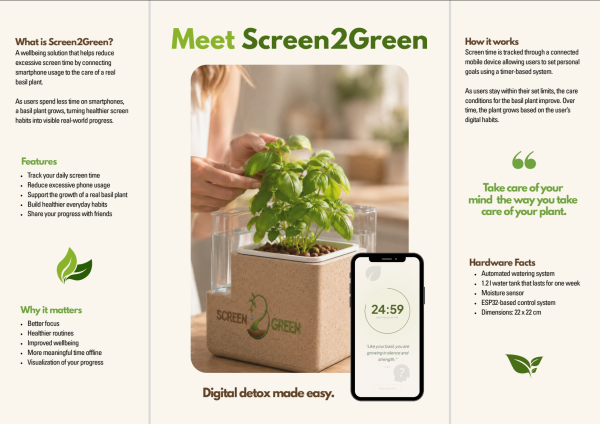
Poster
A promotional poster was developed as part of the overall communication strategy to support presentations, exhibitions, and public product promotion. The poster combines the physical prototype with the mobile application interface in order to visually demonstrate the integration between hardware and software. Figure 24 shows the poster that highlights several key behavioral and psychological benefits of the system, including reduced digital overstimulation, improved focus, and healthier screen habits. The use of concise statements, visual hierarchy, and strong product imagery allows the main concept to be communicated quickly and effectively even at a distance.
The consistent use of typography, color palettes, logo placement, and natural imagery across the poster, flyer, leaflet, and logo contributes to stronger brand recognition and a more professional market identity. Maintaining consistency across communication materials is important for improving memorability, building credibility, and establishing a cohesive brand presence. Overall, the Screen2Green branding strategy was designed not only to promote the product itself, but also to communicate broader values related to sustainability, mindfulness, healthier digital behavior, and reconnection with nature. The combination of emotional messaging, natural symbolism, and technological integration helps position Screen2Green as both a functional smart product and a meaningful lifestyle-oriented experience.
4.6 Marketing Programmes
Several marketing programmes could support the introduction of Screen2Green and help build early adoption among the target audience. Since the product combines productivity, sustainability, and well-being, the marketing strategy should focus on creating awareness, encouraging user engagement, and communicating the emotional and practical value of the concept. The selected programmes are primarily designet to target students and young adults, as these groups are highly active on digital platforms and are more likely to adopt new technological and lifestyle-oriented products.
4.6.1 Programmes
University Pilot Programme
A university pilot programme would be particularly suitable as an initial entry strategy. Since students are one of the primary target groups, testing the product in university environments would allow the team to observe real usage patterns, gather user feedback, and refine both the physical system and app experience.
The pilot programme would also contribute to increasing brand awareness among a relevant audience through direct interaction with the product. Selected participants could test the product during a limited trial period and provide feedback regarding usability, motivation, and functionality. This approach can reduce market uncertainty while validating both the product concept and the business model.
Social Media Campaigns
Social media campaigns would also play an important role in communication strategy. Platforms such as Instagram, TikTok, and Facebook are especially relevant for reaching younger audiences and visually demonstrating the concept.
These campaigns explaining how the product works, highlighting benefits related to productivity and well-being, demonstrating plant growth linked to reduced screen time, and sharing user experiences. Additionally, since the product has a strong visual and symbolic dimension, it's well suited to content-based digital marketing. Short-form videos, before-and-after demonstrations, and lifestyle-oriented content could help create engagement and increase visibility.
Product Launch Campaign
A product launch campaign could be used in a later stage to introduce the concept more broadly. The purpose of this programme would be to generate attention, encourage first-time adoption, and strengthen the product's market presence. This could include a short promotional video, limited introductory offers, or bundles that combine the device with seeds or app access. The purpose would be to create attention and encourage first-time adoption. Such activities could help stimulate initial demand .
Influencer Collaboration Programme
Finally, influencer collaborations could help communicate the concept in a more relatable and authentic way. Creators focused on student life, productivity, wellness, or interior lifestyle could demonstrate how Screen2Green fits naturally into daily routines. This programme could incole product demonstrations, integration into study or work environments, daily usage content, and reviews focused on productivity and digital balance. This type of promotion could increase both credibility and reach, while also strenghten the emotional connection with potential users.
4.6.2 Budget
As Screen2Green is currently in the introduction stage of the product life cycle, the primary marketing objective is to create awareness and encourage product trial among early adopters. During this phase, marketing investments are expected to focus mainly on digital communication channels and low-cost promotional activities that can efficiently reach the target audience. Successful product launches often require investment in multiple communication activities, including social media advertising, influencer partnerships, promotional campaigns, and content creation. The source also highlights that marketing budgets should prioritize visibility, audience targeting, and measurable customer acquisition strategies [122].
Since Screen2Green is currently developed as a prototype and startup-scale concept, the proposed marketing budget is significantly smaller than large-scale commercial launches. Instead, the strategy focuses on cost-efficient digital promotion and highly targeted communication toward students and young adults. The estimated budget presented in Table 16 is adapted from typical startup marketing allocation and launch campaign recommendations, but scaled to fit the smaller scope of the project [123].
| Category | Description | Estimated monthly cost (EUR) |
|---|---|---|
| Social media advertising | Paid advertisements on Instagram, TikTok, and Facebook to increase awareness and traffic | 400 - 700 € |
| Content creation | Photography, short-form videos, editing, and graphic design for promotional content | 150 - 300 € |
| Influencer collaborations | Partnerships with micro-influencers focused on productivity, wellness, and student lifestyle | 250 - 500 € |
| University promotion | Flyers and student ambassador programs | 75 -150 € |
| Product launch campaign | Introductory offers, giveaways, and launch-related promotion | 150 - 250 € |
| Analytics and monitoring tools | Campaign tracking and social media analytics | 50 - 100 € |
| Total | 1075 - 2000 € |
The largest share of the budget is allocated to social media promotion and influencer collaborations, as these channels provide strong targeting opportunities and measurable engagement among the intended audience. Additionally, digital campaigns allow continuous monitoring and optimization based on campaign performance.
4.6.3 KPI and Performance Objectives
To evaluate whether the marketing strategy achieves the desired results, Screen2Green have established measurable key performance indicators (KPIs). KPIs are measurable values used to assess how effectively marketing objectives are being achieved. By monitoring these indicators, the company can evaluate campaign success, identify areas for improvement, and continuously optimize marketing activities [124].
For Screen2Green, several marketing KPIs are particularly relevant during the introduction phase of the product. Engagement metrics, such as likes, shares, comments, and follower growth, can be used to evaluate how well promotional content resonates with the target audience. Additionally, click-through rate (CTR) can indicate how effectively advertisements generate interest and website traffic. Conversion rate is another important KPI, as it measures the proportion of users who complete a desired action, such as downloading the application, registering for the pilot programme, or purchasing the product [125].
From a cost-efficiency perspective, metrics such as cost per acquisition (CPA) and customer acquisition cost (CAC) are also important. These indicators measure how much it costs to acquire a new customer and help evaluate whether marketing investments are financially sustainable. Lower acquisition costs combined with higher conversion rates indicate a more efficient marketing strategy. By continuously tracking these KPIs, Screen2Green can make data-driven decisions, identify areas for improvement, and allocate marketing resources more strategically [126].
During the introduction phase, the primary objectives are to increase brand awareness, generate user engagement, encourage pilot participation, and promote early adoption of the product and application. Therefore, the key performance indicators for Screen2Green should focus on awareness, engagement, user acquisition, and retention. The KPI targets presented in Table 17 are adapted from commonly used digital marketing performance metric and benchmark recommendations [127]. These targets are scaled to fit the smaller scope and startup-oriented nature of the Screen2Green project.
| KPI | Target | Purpose | Measurement method |
|---|---|---|---|
| Social media followers | 2000-3000 followers within the first year | Measure brand awareness growth | Platform analytics |
| Engagement rate | > 5-7 % engagement rate | Evaluate how well the content resonates with users | Likes, comments, shares, saves |
| Conversion rate | > 3-5 % | Measure how many users complete desired actions such as app downloads or sign-ups | Website and app analytics |
| Click-through rate (CTR) | > 2-3 % | Measure advertisement effectiveness and interest generation | Advertisement analytics |
| App downloads | 300 - 500 downloads within the first six months | Measure early adoption | App analytics |
| Pilot programme participation | 100-200 participants | Evaluate interest in university testing programme | Registration data |
| Monthly active users | 50-60 % active users after installations | Measure long-term engagement and retention | App usage statistics |
| Customer acquistion cost | < 25 € per customer | Evaluate cost-efficiency of marketing activities | Marketing cost analysis |
| Influencer campaign reach | > 10 000 impressions | Measure campaign visibility and exposure | Influencer and social media analytics |
| Website traffic | > 3000 website visits | Measure campaign-generated traffic | Google Analytics |
4.6.4 Control
To ensure that the marketing strategy is implemented effectively and improved over time, a structured control method is necessary. One suitable approach is the Plan, Do, Check, and Act (PDCA) cycle [128].
Plan
In the planning phase, Screen2Green defines its marketing objectives, target groups, budget allocation, communication channels, and KPIs. During the introduction pahse, the primary objectives are to increase brand awareness, generate user engagement, encourage participation in the university pilot programme, and promote early adoption of the product and application. Clear benchmarks are established to evaluate success, including targets related to social media engagement, app downloads, and website traffic.
Do
In the implementation phase, the planned marketing activities are executed. These activities include social media campaigns, university pilot programmes, and influencer collaborations. The objective is to reach the intended target audience effectively and create awareness and interest around the Screen2Green concept.
Check
In the checking phase, the team would evaluate performance by comparing actual results with the predefined KPIs. This includes collecting and analyzing data from social media anlytics, website traffic statistics, app usage analytics, registration data, and user feedback. Several performance indicators are particularly important during this phase, including engagement rate, conversion rate, CTR, app downloads, and monthly active users. For example, if the engagement rate falls below the target range of 5-7 % or if conversion rates from advertisements are lower than expected, adjustments may be made to campaign design, platform selection, or communication strategy.
Act
Based on the evaluation results, corrective improvements are implemented to optimize future marketing performance. These improvements may include reallocating marketing budget between communication channels, adjusting promotional content, refining the target audience, or modifying strategies based on user feedback.
By continuously repeating the PDCA cycle, Screen2Green can maintain a data-driven and adaptable marketing strategy that supports long-term growth, improves user engagement, and increases the effectiveness of marketing investments [129].
4.7 Summary
This chapter presented the marketing plan for Screen2Green and showed how the concept could be positioned and introduced in a future market context. The analysis demonstrated that the product addresses a relevant and growing challenge related to digital distraction, productivity, and mental well-being. At the same time, it responds to increasing interest in indoor living, sustainability, and meaningful user experiences.
Based on the market and economic analysis, the team decided to develop a smart indoor plant-growing system aimed primarily at students and young adults with high screen-time usage and an interest in self-improvement and digital well-being. This decision is supported by the lack of existing products that combine productivity support with real plant interaction. Consequently, the proposed solution includes features such as screen-time integration, focus sessions, plant-based feedback, app communication, and a compact indoor design. These features were selected not only for technical reasons, but also because they respond directly to user needs and market opportunities.
The findings of this chapter provide a strategic foundation for the project and justify the market relevance of the concept. They also show that long-term success depends not only on functionality and innovation, but also on responsible design and sustainable implementation. For this reason, the following chapter focuses on eco-efficiency measures for sustainability and examines how Screen2Green can reduce environmental impact while maintaining value and performance.
5. Eco-efficiency Measures for Sustainability
Eco-efficiency is a strategic management concept that focuses on the delivery of competitively priced goods while progressively reducing ecological impacts and resource intensity throughout the life cycle. For the Screen2Green project, this principle serves as a foundational design constraint. This chapter outlines the strategies implemented to ensure the Smart Pot is a sustainable solution, focusing on global goals, optimized resource management such as optimal use of water and the use of local portuguese biodegradable materials.
5.1 European Union Sustainable Development Goals
Sustainable engineering aims to address modern challenges by balancing environmental protection with economic viability and social well-being. This project is grounded in the three pillars of sustainability: environmental responsibility, economic performance, and social equity. This idea is aligned with the 17 Sustainable Development Goals (SDGs) established by the United Nations, which provide a global framework for coordinated climate action [130]. Addressing climate change requires not only large-scale systemic transformations but also many small improvements, innovative technologies, and incremental design decisions that collectively reduce environmental impacts and support more resilient consumption patterns. The Screen2Green project goals can be seen in Table 18.
| SDG | Connection to Screen2Green Project |
|---|---|
| Goal 3: Good Health | This goal is focused on promotion of well-being. Screen2Green smart pot aims to reconnect with nature people living in small apartments that have no possibility of having their own garden. Contact with nature reduces stress and mental health problems. |
| Goal 6: Clean Water and Sanitation | Project aims to consume optimal amount of water by implementing automatic watering system connected to life-cycle of the basil plant, therefore using exact amount of water needed to grow |
| Goal 12: Responsible Consumption | By utilizing local cork and biodegradable filaments for 3D printing manufacturing process, the product promotes a circular economy and discourages the use of non-recyclable industrial plastics |
| Goal 13: Climate Action | By selecting carbon-negative materials, such as Portuguese cork Project aims to contributes to the reduction of the greenhouse gas emissions associated with the product's life cycle |
5.2 Environmental
The environmental assessment of the Smart Pot is divided into two distinct categories: the physical product itself and the operational phase involving the user.
5.2.1 Product Impact
The physical construction of the Smart Pot is designed to meet strict European standards. To minimize hazard waste, all electronic components must comply with the Restriction of Hazardous Substances (RoHS) Directive, which restricts the use of toxic substances like lead and mercury [131], all components will be purchased from local Portuguese retailers. Furthermore, the design adheres to the Waste Electrical and Electronic Equipment (WEEE) Directive, prioritizing a modular assembly that allows for easy disassembly. This ensures that the electronics can be separated from the casing at the end of its life, facilitating efficient recycling [132].
5.2.2 User Impact (Water Consumption Optimization)
The usage phase of the Smart Pot addresses a significant environmental and biological issue: the mismanagement of water in indoor gardening. Research indicates that overwatering is the primary cause of plant death in urban households, as excessive moisture leads to root rot and anaerobic soil conditions [133]. Inexperienced users frequently provide too much water, which not only wastes resources but ultimately kills the plant.
The Screen2Green Smart Pot solves this problem by utilizing an automated watering system (using solenoid valve connected to ESP32 board) specifically calibrated for the life cycle of Basil. Basil requires regular irrigation to maintain constant growth but is highly susceptible to fungal diseases if the foliage or soil remains overly saturated [134]. By employing moisture sensors, the system provides the exact amount of water needed at the correct intervals. This precision optimizes water consumption and ensures the plant's survival, reducing the environmental waste associated with frequently replacing dead plants.
5.2.3 Energy
The energy strategy for the Screen2Green project focuses on minimizing electrical waste through a streamlined power distribution network and the elimination of high-consumption mechanical actuators. By prioritizing local procurement from Mauser Portugal, the system ensures high-quality components with verified technical specifications tailored for the 2026 market [135].
System Power Architecture
The project utilizes a 12 VDC 2 A power supply as the primary energy source. This voltage is required to actuate the solenoid valve, while a buck converter (step-down) is employed to efficiently reduce the voltage to 5 V for the ESP32 microcontroller and associated relay module. The use of a switching buck converter instead of a linear regulator is a critical eco-efficiency decision, as it significantly reduces heat dissipation and maximizes power conversion efficiency [136].
The ESP32 serves as the central control unit, managing the power distribution to the sensors. While the ESP32 has a peak consumption of 1.2 W during Wi-Fi transmission, the system is designed to operate primarily in “Deep Sleep” mode. In this state, only the temperature and soil moisture sensors remain active at milliwatt levels, ensuring that the total daily energy footprint remains minimal [137].
Gravity-Fed Irrigation Efficiency
A defining feature of the Screen2Green energy model is the total absence of an electric water pump. Standard automated pots utilize pumps that require high current spikes and frequent maintenance. Instead, the project employs a gravity-fed system. The water reservoir is designed in an asymmetric bowl-like shape, positioned above the pot to create sufficient hydrostatic pressure.
The valve is integrated at the lowest point of this reservoir. Energy is only consumed during the short intervals when the relay activates the valve to release water. By utilizing gravity rather than mechanical pumping, the system reduces its peak power requirements by approximately 70 % compared to pump-based alternatives [138].
5.2.4 Materials
The material strategy for the Smart Pot combines a traditional Portuguese resource with modern manufacturing techniques to minimize the carbon footprint.
Cork Materials Research
Cork is the primary material for the pot structure. Since the project is based in Porto, using cork is highly efficient because it is sourced locally, which reduces transportation pollution [139].
Cork is effectively recyclable because its processing generates by-products such as granules and powder that are consistently reused to manufacture agglomerates and composite materials. This practice supports a near-zero-waste lifecycle, where almost all cork material is reintegrated into new products rather than discarded [140].
3D Printing Filament Research
Internal parts of the pot are made using 3D printing. The chosen material is Polylactic Acid (PLA), which is a biodegradable plastic made from renewable plants like corn instead of petroleum. Degradation rate is 1 week to 24 months, being the shortest out of all polymers listed. PLA is a sustainable choice because it can be recycled many times without losing its strength [141].
To further improve the sustainability of the printed components, the project explores the use of cork-infused filaments based on recent research. These materials combine polymers such as an Acrylonitrile Styrene Acrylate with cork powder derived from recycled cork waste, allowing natural content to be incorporated directly into 3D printed parts. Studies show that cork can be added in proportions of up to around 15 to 20 % by weight before the material becomes too brittle for effective processing. This approach not only increases the renewable fraction of the product but also creates parts with a texture and appearance that better match cork-based elements of the design. At the same time, these composites can contribute to lightweight structures and offer some insulating properties, supporting both functional and environmental goals. By selecting recycled polymers together with cork composites, the 3D printed elements remain aligned with the eco-friendly objectives of the Screen2Green project while relying on experimentally validated material behavior [142].
5.3 Economical
Economical aspect of sustainability in the Screen2Green smart pot focuses on balancing between economic growth of the company and long-term value provided for the user of the pot. Company aims to provide value both for itself ensuring growth, like throughout selling maintenance services for the pot, but still providing product with long life-span and high quality components like anti-corrosion sensors and locally provided cork. All materials selected for the pot aim to be repairable and replaceable.
5.4 Social
Main goal is to fight with phone addiction, improving everyday life. Screen2Green promotes healthy lifestyle rewarding user for outdoor activities, being within screen-time limits and proper regular care of the pot. By providing gardening experience for people living in small apartments, customers can stay calm and away from anxiety connected to a smartphone use.
Regular feedback from the app makes user to stay motivated. Implemented sensors like temperature and soil moisture help inexperienced users to provide for the plant optimal care. System is not fully automated to give possibility of real life contact with the plant, like giving the feedback to feed the vitamins to the plant when needed. App and the pot promotes regular progress keeping the user motivated and awarded after proper behavior.
5.5 Life Cycle Assessment
Life Cycle Assessment (LCA) is a method for evaluating the environmental impact of a service or product throughout its life cycle, from design to end-of-life management [143].
Figure 25 illustrates the full LCA.

Table 19 presents an estimated inventory of materials and components used in the Screen2Green prototype. The values are based on the final design configuration, including the motorized 12 VDC valve selected for the low-pressure irrigation system. The estimated total mass of the prototype is approximately 1.0 kg, including structural components, electronics, power supply, and irrigation hardware.
| Component | Category | Mass (g) | Notes |
|---|---|---|---|
| PLA 60 % | Structure | 300 | Main body and water reservoir |
| Natural Cork 10% | Bottom | 50 | Cork base to ensure stability and temperature insulation |
| Valve (12VDC) | Hardware | 450 | Brass ball valve used to regulate water flow in the low-pressure irrigation system |
| Power Adapter | Hardware | 150 | External plug-in power supply |
| ESP and Relay module | Electronics | 30 | Main control unit |
| Sensors and wiring | Electronics | 40 | Soil and temperature sensors |
5.5.1 Resources
- Bio-based Plastics: Polylactic Acid (PLA) derived from corn starch. This choice avoids fossil-fuel-based polymers and reduces the initial carbon footprint.
- Natural Cork: Sourced from Portuguese oak forests. Cork is a carbon-negative material that sequesters approximately 73 kg of CO2 for every kg produced.
- Sustainable Metals: The solenoid valve and ESP32 use copper and silicon. These are resource-intensive but durable, ensuring the product does not need frequent replacement.
5.5.2 Processing
- PLA Refining: Industrial conversion of raw corn into PLA pellets through milling and fermentation.
- Cork Granulation: Shredding and cleaning natural cork to prepare it for solid base components or filament extrusion.
- Filament Blending: Mixing granulated cork with PLA to create the 30 % cork filament. This reduces the total plastic volume by one third.
5.5.3 Manufacturing
- 3D Printing: Structural parts are printed in a Porto facility. This additive process minimizes material waste compared to subtractive manufacturing.
- Renewable Energy: Manufacturing utilizes the Portuguese power grid. It is powered by over 80 % renewable sources, resulting in very low manufacturing emissions.
- Toxic-Free Production: PLA and cork printing produce minimal fumes. No toxic chemical baths or heavy industrial melting points are required for the main structure.
5.5.4 Distribution
- Localized Supply Chain: Short transport routes from Alentejo (cork) to Porto (manufacturing). This keeps the “cradle-to-gate” emissions extremely low.
- Lightweight Design: The cork-composite body is significantly lighter than traditional ceramic or heavy plastic. This lowers fuel consumption during final delivery.
- Eco-Packaging: We use recycled cardboard boxes with no plastic fillers. The natural cork base of the pot acts as its own shock absorber during transit.
5.5.5 Use
Features
- Behavioral Detox: The pot serves as a physical mirror for digital habits. Linking plant health to screen time encourages users to reduce phone usage and energy consumption.
- Gravity-Fed System: There is no pump. The system uses a 12 V DC valve and gravity to water the basil. This eliminates a major failure point and reduces energy draw.
- Smart Automation: The ESP32 and soil sensors manage the water tank efficiently. This ensures the plant thrives for 1.5 to 2 weeks without manual effort.
Repair
- Modular Hardware: The valve, relay module, and sensors are not soldered into the frame. They can be unscrewed and replaced individually.
- Structural Durability: PLA and cork are moisture-resistant. This prevents degradation over years of use, while modular electronics allow for easy tech upgrades.
5.5.6 End of Life
- Material Separation: The snap-fit design allows users to easily separate the electronics from the bio-based structure at the end of the 2-year lifecycle.
- Composting and Recycling: The natural cork base is 100 % compostable. PLA structural parts can be industrially composted or mechanically recycled into new filament.
- Circular Economy: Electronic components like the ESP32 and relay must be sent to WEEE collection points in Porto. This allows for the recovery of precious metals and responsible waste management.
5.6 Summary
This sustainability chapter establishes a comprehensive framework for the Screen2Green Smart Pot by aligning with United Nations Sustainable Development Goals. Environmental impact is minimized through the selection of bio-based Polylactic Acid and carbon-negative Portuguese cork. The mechanical design further prioritizes energy efficiency by utilizing a gravity-fed irrigation system instead of an electric water pump.
A Life Cycle Analysis highlights the benefits of a localized production model in Porto, which significantly reduces transportation-related carbon emissions. The product maintains economic and social value by promoting digital well-being and offering a modular architecture. This structural design facilitates individual component repair and ensures responsible end-of-life management through industrial composting and specialized electronic waste recovery.
6. Ethical and Deontological Concerns
This chapter explains the role of ethics in engineering and briefly introduces deontological ethics as a way to understand moral responsibility in decision-making. It also discusses engineering ethics and the standards that guide professional behavior, including codes created by the National Society of Professional Engineers (NSPE). These principles affect engineering decisions, design processes, and professional actions [144].
For Screen2Green, ethics is especially important because the project combines electronics, water systems, user behavior tracking, and plant care. This chapter focuses on the main ethical issues related to the project, such as safety, responsible behavior design, data privacy, professional competence, sales and marketing ethics, environmental responsibility, plant welfare, and liability. These topics help make sure that the final product is safe, responsible, and sustainable for both users and the environment.
6.1 Engineering Ethics
Engineering ethics refers to the principles and responsibilities that engineers are expected to follow in their professional work. These principles are important because engineering decisions can directly affect people’s safety, daily lives, and the environment. Following ethical standards helps ensure that projects are designed and carried out in a safe, reliable, and responsible way.
Engineers are expected to consider not only the goals of their company, but also the needs of clients, users, and the wider public when making decisions. Ethical principles also influence how systems are designed, tested, and implemented, helping to reduce risks and improve reliability. By following professional standards, engineers can help build public trust and maintain the credibility of the profession [145].
6.1.1 Understanding the Engineering Code of Ethics
A well-known example of engineering ethics is the code of ethics developed by NSPE. This code outlines the main responsibilities that engineers are expected to follow in their professional work.
According to the NSPE engineers should prioritize public safety, health, and welfare, and only carry out work in areas where they have the necessary knowledge and skills. They are also expected to communicate honestly, avoid deceptive actions, and act responsibly toward clients, employers, and the public.
In addition to these core principles, the code includes further professional obligations that help guide ethical decision-making in different situations. These standards are important because they help engineers maintain professional integrity and protect public trust in the engineering field [146].
6.1.2 The Importance of Ethics in Engineering
Ethics plays an important role in engineering because engineering decisions can directly affect people, organizations, and the environment. One of the main reasons ethics is important is safety. Engineers are responsible for making sure that the systems they design and develop do not create unnecessary risks for users or the public. Following ethical standards helps prevent accidents, reduce harm, and create safer working environments.
Ethics is also closely related to the quality of engineering work. Engineers are expected to work within their area of knowledge and take responsibility for the reliability of their designs. This helps reduce mistakes and improves the overall quality of projects. In professional settings, ethical behavior also supports teamwork, good communication, and responsible leadership.
Another important aspect is public trust. Engineers often work on systems that affect people’s daily lives, so honest communication and responsible decision-making are essential. Acting ethically helps build confidence in both the engineer and the profession as a whole.
In addition, ethics supports sustainability and long-term responsibility. Engineers should consider not only short-term project goals, but also the wider social and environmental impact of their work. This includes using resources responsibly and thinking about how current decisions may affect future users.
Finally, ethical standards help protect both organizations and professionals. They support fair treatment, respect for intellectual property, confidentiality, and professional integrity. By following ethical principles, engineers can contribute to safer systems, stronger organizations, and more responsible innovation [147].
6.1.3 Safety of the system
Safety is one of the most important considerations in engineering design. This system combines electronics, water, and plant care, which creates possible risks such as water leakage, electrical faults, or damage to nearby objects. To reduce these risks, the design needs to include proper water containment and reliable components. Safe operation is important not only for the user, but also for the environment where the system is used.
The system relies on sensors and automated control technologies to monitor conditions such as soil moisture in real time [148][149]. While this improves convenience and efficiency, it also creates challenges because water and electronic components are used together.
System Characteristics and Safety Risks
The system uses sensors, microcontrollers, and water supply devices to control irrigation automatically based on real-time data [150]. This improves efficiency, but it also introduces some important risks. One key issue is sensor accuracy and overall system reliability. If the sensor gives incorrect readings or the system malfunctions, the plant may receive too much or too little water. This can reduce system performance and negatively affect plant health [151].
Another important risk is moisture exposure. Since the system operates in a humid environment, water ingress can damage electronic components, reduce performance, and lead to system failure [152]. For this reason, protection against water and dust is an important part of the design. The International Electrotechnical Commission defines protection levels through the Ingress Protection (IP)rating system, which is widely used as a guideline for products exposed to water [153].
Safety Design Strategies
To reduce these risks, several safety measures should be included in the design. First, water and electronic components should be clearly separated. Waterproof enclosures, sealed structures, and proper layout design can help prevent moisture from reaching sensitive parts. Using suitable IP-rated protection can further improve safety [154]. Second, the system should use reliable sensors and continuous monitoring to maintain stable operation. Accurate soil moisture readings are important for precise irrigation control and for detecting unusual conditions early [155]. Finally, fail-safe features should be included. The system should be able to stop automatically if an abnormal condition is detected, helping to prevent damage. Threshold-based control can also reduce the risk of overwatering, and the design should allow the system to remain in a safe state even if a failure occurs.
6.1.4 Responsible behavior design
Responsible behavior design means creating systems that can influence user actions while still respecting important ethical values such as autonomy and well-being. As digital technologies become more involved in daily life, it is important to make sure that these systems encourage positive habits without limiting users’ freedom to make their own choices.
Ethical Persuasion and User Well-being
Since this system is designed to influence user behavior, it should avoid persuasive methods that feel manipulative or harmful. Research on persuasive technology shows that systems can raise ethical concerns when they create pressure, exploit users’ weaknesses, or reduce their sense of control [156]. For this reason, the goal of Screen2Green should be to support healthier digital habits in a positive way, rather than making users feel guilty or stressed when they their screen-time limits. A design that creates too much pressure could reduce users’ sense of autonomy and make the system less ethical.
Motivation and Behavior Change
This idea is also supported by motivation research. According to the Self-Determination Theory, autonomy is an important psychological need, and people are more likely to stay motivated when they feel that their actions are self-directed [157]. This suggests that the system should help users make healthier choices by encouraging awareness and reflection, rather than using strict or controlling methods. Supporting users’ sense of choice can lead to more meaningful and lasting behavior change.
System Design Considerations
In addition, the system should make sure that any effects on the plant stay within safe biological limits. The plant should never be harmed as part of the behavior change process. Even if the system is designed to motivate users, plant health must remain a priority. Although most persuasive technology research focuses on users, designers also have a responsibility to consider the wider effects of the system. In this project, that means making sure that any interaction linked to the plant still allows it to grow in healthy and safe conditions.
6.1.5 Data privacy
The system collects screen-time data through an associated application. Because this information is linked to users’ daily habits, ethical data management is an important part of the design. Users should clearly understand what data is being collected, how it will be stored, and how it will be used. Data collection should only begin after informed consent is given, and the system should avoid collecting sensitive personal information unless it is necessary for the system to work properly.
Even with these principles, privacy and security challenges can still arise when this type of system is used in a home smart farming environment. Many of these systems rely on low-cost IoT devices, which often have limited processing power and weaker built-in security. This can make them more vulnerable to cyber threats.
Threats
One of the main concerns is the sensitivity of screen-time data. If this information is accessed without permission, it may reveal users’ routines, habits, and daily schedules. In addition, the system also collects environmental data such as soil moisture, temperature, humidity, and light levels to support plant growth. Although this environmental data may seem less sensitive, it can still reveal patterns about user behavior or home occupancy when collected over time. Because of this, the system may be exposed to risks such as unauthorized access, data interception, or manipulation of sensor readings. For example, false soil moisture data could cause incorrect irrigation, which may harm plant health and reduce system reliability [158][159]. At the same time, improving security in IoT systems is not always simple. Strong encryption can improve protection, but in low-power devices it may also increase energy use and reduce system efficiency. This creates an important trade-off between security and energy consumption, which needs to be considered carefully [160].
Strategies
To reduce these risks, several practical strategies can be applied. First, lightweight encryption methods can help protect important data while keeping energy use low. A balanced approach should also be used for data protection. More sensitive information, such as screen-time data, should have stronger security, while less sensitive environmental data can use lighter protection methods. Second, edge computing can improve both privacy and efficiency by processing data locally instead of constantly sending it to external servers. Sending data in batches rather than continuously can also reduce communication frequency and save energy.
Finally, transparency and system maintenance are essential. Users should be able to easily understand how their data is collected and used through clear privacy settings, simple policies, and notifications. Regular software updates, strong authentication methods, and anomaly detection systems should also be included to improve overall security. For example, unusual soil moisture patterns could help detect possible cyberattacks or system faults before serious problems occur.
6.1.6 Professional competence
Professional competence means that engineers have the knowledge and skills needed to carry out their work safely, responsibly, and effectively. In engineering projects, this also means following professional standards and ethical principles throughout the design process. For this system, professional competence is important because the design involves electronics, water, sensors, and user-related data. Engineers need to make sure that the system is safe, reliable, and suitable for its intended use. This includes considering user safety, protecting privacy, and reducing possible risks during both development and operation.
Professional competence also means recognizing the limits of one’s own knowledge. If a problem goes beyond an engineer’s expertise, it is important to seek support, collaborate with others, or consult relevant technical standards. This helps reduce mistakes and improves the overall quality of the system. In addition, engineers should continue updating their knowledge as technologies develop. Since systems like this depend on sensors, automated control, and digital applications, keeping up with new technologies is important for making informed design decisions. Finally, proper testing and validation are essential. The system should be tested under different conditions to make sure it works correctly and safely. By maintaining professional competence, engineers can improve system performance while also meeting their ethical responsibility to protect users and maintain public trust.
6.2 Sales and Marketing Ethics
Sales and marketing ethics are important because the way a product is presented can affect how users understand it and how they use it. This is especially important for Screen2Green, since the product is meant to help users build healthier screen-time habits. Because Screen2Green uses technology, user feedback, and behavior change features, it is important to present the product in a clear and honest way. Users should understand what the system does, what its limits are, and what they can expect from using it.
This section discusses the main ethical issues related to how Screen2Green should be presented to users. It focuses on honest communication, avoiding manipulative marketing, being clear about how the system works, and considering younger users who may be more sensitive to digital influence.
6.2.1 Honest communication and avoiding manipulative marketing
The product should be marketed with clear and honest communication about its functionality and purpose. Marketing materials should accurately describe what the device does, how it influences user behavior, and what benefits users can realistically expect. Clear communication is especially important in digital well-being products, as users need to understand both the purpose and the limits of the system in order to trust it and use it properly [161].
Additionally, since the product focuses on digital well-being and screen-time awareness, it is important to avoid marketing strategies that create anxiety, guilt, or fear about technology use. The aim of Screen2Green is to support healthier habits in a positive way, not to pressure users or make them feel bad about their behavior. Research on persuasive technologies shows that overly controlling designs can reduce user autonomy and may even cause stress [162].
6.2.2 Transparency and target users
Users should clearly understand how the system works before using it. This includes how screen time is monitored, how the plant responds to user behavior, and what type of data is collected. Providing this information clearly helps users make informed decisions and increases trust in the product [163]. If the product is used by children or teenagers, additional ethical considerations are needed. Younger users are generally more vulnerable to persuasive technologies and may be more easily influenced by digital feedback systems. For this reason, the system should avoid strong behavioral pressure and include suitable safeguards if designed for younger users [164].
6.3 Environmental Ethics
Environmental ethics is an important part of the Screen2Green project because the system is not only a digital product, but also something that directly interacts with a living plant. Since the project uses electronic parts, sensors, and a watering system, it is important to think about how the design may affect the environment. This is not only about reducing the electricity used by the device, but also about choosing suitable materials, making the product last longer, and making sure the plant is cared for properly. A good design should avoid creating unnecessary waste and should allow parts to be repaired or replaced when needed. Because the project is meant to encourage better daily habits, it should also reflect responsible choices in its own design. For this reason, environmental ethics in Screen2Green focuses on energy use, material selection, and plant welfare to make sure the system is practical, sustainable, and respectful of the environment.
6.3.1 Energy use
Modern digital technologies consume significant amounts of energy. Smartphones, applications and online services all depend on servers and data centers that operate continuously and contribute to carbon emissions because they require constant electricity. Moreover, increased screen time raises the overall energy demand once again [165].
According to the International Energy Agency, the Information and Communication Technology (ICT) sector is a rapidly increasing contributor to global energy use [166].
This creates an ethical challenge: as technology becomes more integrated into daily life, both users and developers must consider its environmental impact.
From an ethical perspective, Screen2Green aligns with:
- Utilitarianism: reduced energy use benefits society and the planet
- Deontology: individuals and developers have a duty to minimize environmental harm
- Deep ecology: nature has intrinsic value and deserves respect
By encouraging more mindful screen use, Screen2Green may help reduce unnecessary energy use while also promoting environmental awareness. In addition, the system is designed with low-power electronic components such as an ESP32 microcontroller and simple environmental sensors, which helps keep the device’s own energy consumption relatively low.
Screen2Green shows how innovative design can support more responsible habits while considering environmental impact.
6.3.2 Materials
Ethical product design also includes thinking about the materials used in the device, how long they last, and whether they can be repaired or recycled. A modular design with replaceable parts can make the product last longer and reduce environmental impact.
For the prototype, the main structure was planned using PLA, which is lightweight and commonly used in 3D printing because it is easy to manufacture. A cork base was also considered to improve stability and provide some insulation. The internal system includes common electronic parts such as an ESP32 microcontroller, relay module, sensors, and a solenoid valve for the watering system.
This combination of simple materials and modular parts makes maintenance easier and allows damaged parts to be replaced without throwing away the whole product. Previous studies also suggest that modular design can help products last longer and make repair easier, which can reduce waste over time [167].
The material choice was also considered in the life cycle analysis in order to reduce waste and improve long-term durability.
6.3.3 Plant welfare
Since the plant plays a role in the behavior feedback system, ethical considerations must also include plant welfare. The plant should not be exposed to harmful conditions as part of the system. Any changes to watering or light levels must stay within safe biological limits to make sure the plant remains healthy.
To support this, the system uses soil moisture and temperature sensors to check the plant’s condition and give more accurate feedback. The watering system was designed with safe limits so that overwatering or underwatering can be avoided as much as possible. This is important because incorrect watering can damage roots, slow growth, and affect the plant’s overall health.
Previous studies on smart irrigation systems also suggest that sensor-based monitoring can help improve watering accuracy and support healthier plant growth [168]. For this reason, the system should also include clear safety limits and allow users to water the plant manually when needed, so that the plant’s health is always more important than the feedback system.
6.4 Liability
Liability is an important issue in the Screen2Green project because the product combines electronics, water, a physical plant, an app, and digital monitoring. If one part does not work correctly, it may affect the user, nearby objects, the plant, or the user’s data. For example, sensor errors, water leakage, software problems, or wrong irrigation decisions could damage the plant or make the product less reliable.
Regarding the physical product, the main risks are related to water and electronics. The watering system depends on sensor data, such as soil moisture, to decide when the plant needs water. Soil moisture sensors are commonly used in smart irrigation technology to help decide when irrigation is needed. Therefore, possible failures should be considered from the early design stage. The product should use reliable components, proper testing, waterproof protection, safe watering limits, alerts for abnormal conditions, and a manual override function. These features can help reduce risks and make sure that the plant’s health is not fully dependent on automatic feedback [169].
Liability also includes privacy and data protection. Since Screen2Green may collect screen-time and behavior-related data, users should clearly know what data is collected, why it is needed, how long it is stored, and whether it is shared with third parties. The system should follow GDPR principles such as transparency, purpose limitation, data minimization, and secure processing. Users should also be able to control their data, including requesting deletion when needed [170]. If the app uses tracking, analytics, cookies, or similar technologies, the European Union (EU) ePrivacy Directive should also be considered. This is because these tools may store or read information on the user’s device. Therefore, users should be clearly informed and asked for consent when this kind of tracking is used [171].
Another important responsibility is the user’s mental well-being. Screen2Green should help users build healthier screen habits, but it should not do this by making them feel guilty or ashamed. The app should avoid stressful notifications, dark patterns, addictive reward loops, and strong failure messages. Dark patterns are a problem because they can steer, deceive, coerce, or manipulate users into choices that are not in their best interest. For example, if the user does not reduce their screen time, the app should not punish the user or make the plant look like it is suffering. A better approach would be to recognize small efforts, suggest a smaller goal, and encourage the user to try again [172].
The product should also keep a clear boundary from medical devices. Screen2Green should be presented as a well-being or lifestyle tool, not as a medical treatment. Claims such as “treats Attention-Deficit/Hyperactivity Disorder”, “cures phone addiction”, “improves depression”, or “diagnoses mental health issues” should be avoided because they could make the product seem like a medical solution. Under the EU Medical Device Regulation, software can be included in the definition of a medical device when it is intended for a medical purpose. Safer wording would be “supports mindful phone use”, “encourages healthier screen habits”, or “well-being-oriented focus tool” [173].
Cybersecurity is also part of liability because the app is connected to a digital device. The system should protect communication between the app and the product, store user data securely, and provide software updates if problems are found. It should also consider possible unauthorized access or security vulnerabilities. The EU Cyber Resilience Act focuses on cybersecurity for hardware and software products with digital elements, including issues such as weak security and lack of timely security updates. This is important because poor cybersecurity could affect both user privacy and the safe operation of the product [174].
Because the plant is part of the feedback system, the team also has responsibility for plant welfare. The system should not use behavior feedback in a way that harms the plant. Manual override and safe watering limits are important because the plant’s health should always be more important than the feedback mechanism.
Sustainability and accessibility should also be considered as part of responsible product design. Since Screen2Green connects technology with nature, the product should consider repairability, long product lifespan, energy-efficient components, and reduced electronic waste. EU repair policy also supports more sustainable consumption by increasing the repair and reuse of goods [175]. The app should also be easy to use for different users. This includes readable text, enough color contrast, simple onboarding, a calm interface, and not using color as the only way to show important information. Web Content Accessibility Guidelines explain that color should not be the only visual way to communicate information [176].
Overall, liability in Screen2Green means reducing possible risks through safe design, clear communication, responsible data handling, cybersecurity, and ethical feedback. The product should support healthier screen habits without manipulation or punishment, while also protecting the user, the plant, and the product itself.
6.5 Summary
This chapter looked at the main ethical and deontological issues related to Screen2Green, such as safety, user privacy, behavior design, environmental impact, plant welfare, and liability. Through this analysis, the team understood that the system should not only work properly, but also be safe, clear to users, and responsible in the way it affects both people and plants.
Based on this ethical and deontological analysis, the team chose a modular design with simple monitoring components, a soil moisture sensor, an ESP32 microcontroller, a controlled watering system, waterproof protection, and low-cost recyclable materials. These choices were made to reduce possible risks, protect plant health, support responsible data use, and make the product easier to maintain.
Consequently, the team decided to include features such as safe watering limits, basic fail-safe protection, clear user information, modular parts, and behavior feedback that supports users without creating pressure. These features help make the system safer, easier to use, and more suitable for daily use.
This chapter also helped guide the team’s technical decisions and gives a clear basis for the next chapter, which explains how these ideas were applied in the system design and development process.
7. Project Development
This chapter outlines the development from initial idea to final concept, including ideation, prototyping, key design decisions, and the integration of technical and marketing elements.
This chapter describes the development from idea to concept and aims to provide insight into the creation of the final design. It begins with the problem statement and the initial ideation phase, in which the first directions and starting points are explored. This is followed by a discussion of the brainstorming sessions surrounding the core concept, with attention to the water system and smart technologies.
The focus then shifts to the prototyping phase, where the key concepts are further developed, tested, and substantiated. This section addresses not only the choices that were made, but also the considerations underlying those decisions. In addition, attention is given to the development of marketing materials, such as the flyer and the logo.
Finally, this process leads to the final design, including a model, an analysis of manufacturability, the software systems, and the associated smart packaging.
7.1 Design Question
The Smart Pot is needed because it uniquely bridges this gap by linking screen-time behavior to the health of a real plant. This creates a tangible feedback loop that makes digital habits more visible, meaningful, and emotionally engaging. Unlike existing solutions, it introduces real-world consequences and rewards, which strengthens behavior change through lived experience rather than abstract digital feedback.
Therefore, a new product is required because current solutions are either too abstract (digital-only) or too limited in scope (plant-only), while there is a clear need for a hybrid system that integrates behavioral psychology, IoT technology, and physical interaction to promote sustainable digital habits and well-being.
Now that the “why” is clear, the “how” comes next. Since achieving a perfect design within a single system is complex, the overall problem was divided into several subproblems to make the development more structured and manageable. These subproblems will be solved one by one until a final design is reached
7.2 Ideation
7.2.1 Results from the first brainstorm and design meeting
During the design process, the team started with a general meeting to discuss initial ideas for a solution. After this, a brainstorming session was held, resulting in several possible sketches. These sketches were later used as inspiration for the final design.
Figures 26, 27, 28, 29 show the pot sketches from the brainstorming.


7.3 Form and aesthetics
7.4.1 Design Process
To determine the form of the product, it is important to first understand the functional requirements that the shape needs to support. The design process starts with the water tank, as it is the core component of the system. Because the tank operates using gravity, it must include a clear lowest point where water naturally collects and flows from. This makes the tank shape critical, as it directly influences how well the system functions.
At the same time, this creates a design challenge. A gravity-based tank can result in an asymmetrical form, which may affect the overall stability of the product. To address this, the weight of the pot needs to be carefully balanced so that it remains stable in everyday use. Once the tank is designed, the rest of the product is built around it. This includes creating a separate and protected space for sensitive electronics, ensuring they are not exposed to water.
In addition, the design must account for practical use. There needs to be a clear and accessible way to refill the water and nutrients, as well as a system that allows excess water to drain in case of overwatering. Altogether, the final form of the product is shaped by these functional requirements, balancing stability, safety, and usability with a clean and cohesive design.
7.4.2 Designing the water tank
Electronics involved
An important component within the water tank is the solenoid valve, which controls the water flow. This element must be seamlessly integrated into the tank design so that it functions reliably without disrupting the overall structure or usability. It should be positioned in a way that supports efficient water distribution. For this project, a 12.7 mm valve will be used.
The valve must be placed horizontally to ensure consistent and reliable operation. In a horizontal position, water can flow evenly through the valve without being affected by gravity in a way that could cause uneven pressure or incomplete opening and closing. This orientation also helps prevent air pockets from forming inside the valve, which could disrupt water flow or reduce efficiency. Additionally, placing the valve horizontally improves durability, as it reduces unnecessary stress on internal components and connections, helping to maintain a stable and leak-free system over time.
Shape studies
For the ideation of the water tank, a shape study and brainstorming session was carried out. The focus was on finding a form that is both practical and visually appealing. Different shapes were explored to ensure efficient water flow, proper integration of components such as the valve, and overall stability of the product. At the same time, attention was given to aesthetics, aiming for a design that fits naturally into a home environment and feels clean and well-balanced.
Figure 30 shows shape study sketches focusing on water flow, stability, and appearance during the brainstorming stage.

Shape number 4 shows the most promising direction for gravity-based water flow, as the tank is designed to wrap around the pot. This allows the water to naturally move toward the lowest point, improving distribution and efficiency. Although this results in an asymmetrical form at the bottom, it still maintains overall stability. With only minor adjustments, this shape can also accommodate the electronic components, making it a strong balance between functionality and integration.
Final design of the watertank
For the final design, several key aspects had to be considered. The optimal water volume was defined to ensure efficient use, resulting in a tank capacity of a little over 1 L. At the same time, the system’s gravity and overall stability were carefully balanced, which led to a corner-shaped design.
In addition, the product needed to support easy integration of the valve, as well as simple access for refilling and cleaning the tank. To achieve this, a tilted bottom was added to guide the water toward a single point, including an opening in the tank. In the final 3D model, a corner piece will be incorporated to allow the valve to be mounted horizontally, ensuring reliable operation and proper water flow.
Figure 31 shows the final water tank design, including the sloped bottom and the valve position.

Final design of the pot
After the design of the watertank the rest of the pot was designed.
Figure 32 shows the final pot design made in CAD, with the inner container and outer structure.

Figure 33 shows the final pot design with a cork outer structure.

7.4.3 Product cross-sections
To ideate the internal layout of the product, a simple sketch (Figure 34) was first created to explore the placement of components. This concept was then further developed and refined into a detailed SolidWorks model. As shown in Figure 34, the electronic components are placed in a separate compartment at the base of the structure, ensuring protection from water and improving system reliability.

7.5 Concept
This chapter presents the final design of the Smart Pot, including the finalized sketch and the SolidWorks model that forms the basis of the concept. The final design is the result of multiple iterations, where initial ideas were refined into a coherent and functional product.
The design sketch illustrates the overall form, proportions, and key features of the product, providing a clear visual representation of the concept. This sketch was then translated into a detailed SolidWorks model, where the design was further developed with accurate dimensions, component integration, and construction details.
Together, the sketch and the 3D model demonstrate how the conceptual ideas were transformed into a technically feasible and well-structured product.
7.6 Design
Figure 35 shows the final design with a clear outer layer, a cork outer structure, and the logo on the pot.

Figure 36 shows the final render of the pot.

7.7 Structure
7.7.1 Structure
The product is built around a clear, layered structure in which each component serves a specific function while contributing to the overall design. At the top, the plant is placed directly in an inner growing space containing a substrate of soil and water beads to maintain optimal moisture conditions. This inner structure is 3D printed in white polyethylene terephthalate (PET), ensuring it is fully waterproof and suitable for long-term water exposure. It supports healthy plant growth while still allowing access for maintenance when required.
Surrounding this inner structure is a transparent shell that functions as the water tank. This tank is also 3D printed in clear PET, making it waterproof while allowing the user to easily monitor the water level. Its transparency creates a visual connection between the plant and the system that sustains it.
The outer structure is made from cork in the final design. During manufacturing, draft angles were taken into account to ensure proper mold release and manufacturability. Cork was selected not only for its visual and tactile qualities but also because it is locally produced in Porto, supporting sustainable and regional manufacturing.
The base of the product houses the main technical components, including the water control system, electronics, and valve. These components are separated from direct contact with water for protection. This section also accommodates a sensor for monitoring system conditions and a charging port for powering the device. The wider cork base ensures stability by supporting the weight of both the tank and the plant.
Overall, the design integrates plant growth, water storage, material selection, and technical functionality into a single compact and cohesive system.

Figure 38, 39, 40, 41 show the solidworks of the pot and watertank.


The structural integrity of the SolidWorks model with study main pot was evaluated using a Static 1(-Default-) study to determine the Static nodal stress (Stress1) under operational conditions. To simulate the weight of wet soil, a pressure load of 0.00206 N/mm² was calculated using the hydrostatic formula P = ρ · g · h (where ρ = 1400 kg/m³, g = 9.81 m/s², and h = 0.15 m), resulting in a total pressure of 2060.1 Pa. The model, constructed from PET (Part20), was constrained at its bottom surface and at a single screw hole to reflect its actual mounting configuration. The analysis reveals a maximum von Mises stress of 4.254e+05 N/m² (425.4 kPa), with significant stress concentrations localized around the screw hole and the top rim of the pot. While the overall structure remains stable, the Deformation scale of 2055.71 highlights these critical regions, identifying the screw attachment point as the primary area requiring potential reinforcement to ensure long-term durability under the weight of the wet soil.
Figure 42 shows the structural simulation of the pot.

7.7.2 Smart System
The smart pot features a side-by-side physical design engineered specifically for gravity-fed irrigation. The water reservoir is positioned adjacent to the plant container but sits at a higher elevation to create natural water pressure. An isolated electronics compartment is located underneath both sections to keep all hardware safely separated from the water lines.
Electrical Routing and Power Sequence
Power enters the system from a standard wall socket through a 12 V power cable.
Inside the electronics compartment, the current flows through the hardware components in the following sequence:
- Master Power Switch: A physical rocker switch embedded into the exterior of the pot acts as the main power control.
- Step-Down Buck Converter: Converts the main 12 V supply into a stable 5 V logic rail.
- Relay Module: A single relay, connected to the 5 V rail, is used to control the 12 V motorized ball valve.
- ESP32 Microcontroller: Powered by the 5 V rail, it steps power down internally to supply a 3.3 V rail for the sensors.
- Sensor Suite: The capacitive soil moisture sensor is placed directly into the soil and runs on the 3.3 V line. The digital temperature sensor is mounted in a dedicated exterior slot on the side of the pot, utilizing a 4.7 k Ω pull-up resistor between the sensor and the ESP32 data pin.
System Logic and Mobile Application Integration
The ESP32 microcontroller manages two automated routines that communicate directly with a dedicated mobile application.
Firstly there's the gravity irrigation and screen time penalty. When the soil moisture sensor detects insufficient levels of moisture, the ESP32 triggers the relay to open the motorized ball valve for a few seconds. Because the reservoir is elevated, water flows naturally into the soil without a pump. In case the user wants more interaction with the plant pot, the user can enable a setting that enables a button in the app which much be pressed manually to open the valve instead.
The watering of the plant is directly tied to the user's mobile screen time habits. If the user exceeds their preset daily screen time limit or violates their in-app focus sessions, the smart pot initiates a penalty state. This state apprehends the plant from being watered for a short amount of time and notifies the user about this state on their phone. All of this is realized with plant ethics in mind.
Secondly there's live temperature tracking. The temperature sensor continuously monitors the ambient environment. If the temperature shifts outside the optimal range for the plant, the system sends a push notification to the user's application, advising them to physically relocate the pot to a more suitable environment.
Software
As mentioned before, the plant pot works with push notifications and button presses to keep the plant alive. Aside from this function, the app also shows a live stream of the sensor data, allowing monitoring of the state of both the plant and the plant pot.
Firstly, the push notifications. The app shows the user the sensor data when they have it open on the foreground. They can view the live stream of data (which gets updated each second) on their plant overview page. The purpose of push notifications is to alert the user when the sensors pick up data that signify undesired conditions for the plant to grow, low moisture for example. These notifications allow the user to monitor the plant when the app is not running in the foreground. This is possible due to the back-end notifying te front-end using a push notification service which is continuously running. Because of this, even when the application is closed, the user will receive notifications on their phone. This will be possible with Firebase Cloud Messaging. More information about this can be found in chapter 8 which is dedicated to the software.
Secondly, button presses. The plant pot can run in 2 states, being an automatic mode and a mode that requires user input. The automatic mode means the user only needs to study or work frequently using the focus mode on the app. The secondary mode is where the user can choose when to water the plant. This mode brings out a button on their plant overview page which is only enabled when the sensors detect undesired data, low moisture for example. Pressing this button will temporarily open the valve, letting water pass through, and then shutting it off again. This way, the user won't give the plant too little water, nor will they give too much water.
Thirdly, the live stream. Using Supabase's realtime table functionality, the app can read live changes done to the database entry and display them on the screen using Flutter's state widget. More information about this process can be found in chapter 8, the designated software chapter. The flow charts for using the product and comparative diagram are to be found in chapter 8 as well.
7.7.3 Packaging
Figure 43 shows the detailed packaging overview of Screen2Green. The packaging was designed to protect the smart planter and the small items included with it, while also considering sustainability and reuse after unpacking. The outer box is made of recycled kraft cardboard and includes the Screen2Green logo, simple eco-icons, and basic handling information.
The figure also presents the main product dimensions. The planter size is 22 cm × 22 cm × 22 cm, including the cork-textured outer body, inner pot, and transparent water tank. The package includes the eco planter, care guide, seed pack, LECA pack, and molded pulp insert tray. Each item is placed separately so that the contents are easy to see and take out.
The molded pulp insert tray helps keep the components in place during transport. The care guide, seed pack, and LECA pack are packed in small cork-based paper boxes, which match the natural look of the product. The tray is also designed for second-life use, so after unpacking, it can be reused as a desk organizer or a small storage tray.

Figure 44 shows the final packaging concept for Screen2Green. The outer box is made from recycled kraft cardboard, and the inside uses a molded pulp insert tray to hold the product and accessories. The planter is placed in the main compartment, while the care guide, seed pack, and LECA pack are arranged on the right side for easy access.
The packaging also includes molded pulp locking tabs to reduce movement inside the box. These tabs help keep the planter, water tank, and small packs stable during handling and transport. This allows the product to be protected without using plastic fixing materials.
The packaging was also designed with reuse in mind. After the product is removed, the molded pulp tray can be used again as an office organizer or a seed starter tray. This supports the idea of “one pack, two purposes” and helps reduce unnecessary packaging waste.

7.8 Prototype
To build a working proof-of-concept prototype, the mass production design was scaled down and simplified. These changes allowed the team to quickly test the core software logic, sensors, and fluid mechanics using readily available components.
The primary differences between the final product design and the prototype are as follows:
Materials and Housing: The final commercial product features a 3D printed, integrated plastic body with built-in internal wiring channels. To save time and manufacturing costs. The electronic components are housed safely in an external project box rather than being embedded into the bottom of the pot.
Electronic Assembly: Instead of using a custom printed circuit board (PCB) designed for mass manufacturing, the prototype is built using a standard ESP32 development board. The sensors, relays, and power converters are connected using standard jumper wires and breadboards.
Fluid System Adjustment: A temporary 8W submersible pump and a second relay module were added to the prototype's water reservoir. This was strictly to overcome a mechanical pressure issue with the specific solenoid valve used during prototyping (this pressure issue is fully detailed in the testing section below). The final product will remove this pump and use a zero-pressure motorized valve to return to a pure gravity-fed system.
Software State Simulation: The final product will require deep integration with mobile operating systems to read actual screen time usage. For the prototype, this feature is simplified using manual digital inputs or simulated data flags within the app to trigger the punishment and notification logic.
7.8.1 Structure
Detail and explain any changes made in relation to the designed solution, including structural downscaling, different materials, parts, etc.
7.8.2 Hardware
Figure 45 presents a block diagram for Screen2Green pot. At the core is an ESP32 board that is working as “brain” of the whole system connecting it with sensors and watering system. Soil moisture sensor gives information through the microcontroller when opening the valve is needed. Additional sensors like temperature one are appearing on the screen of the app user.
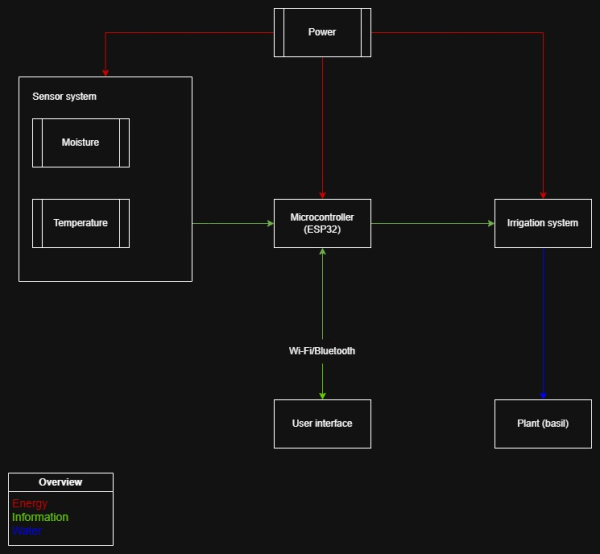
The electrical system presented in Figure 46 starts with a 12 V DC power source connected through a DC jack to provide the high voltage required for the mechanical irrigation hardware - relay module. A buck converter is used because the microcontroller operates on 5 V and requires a significantly lower voltage than the main power line to prevent component damage. The soil moisture and temperature sensors are working on 3.3 V provided by the ESP32 pins to maintain safe logic levels and ensure accurate data collection from the plant environment. A 4.7 kΩ resistor is included for the temperature sensor to ensure signal pull up stability which is necessary for clear digital communication. A relay module is present to act as an electronic switch, because the ESP32 can only output low-power signals and cannot directly drive the current required by the irrigation valve. The valve is responsible for regulating water flow from the tank as part of the gravity-fed irrigation system. A diode is installed for protection against voltage spikes generated when the valve is switched off, preventing potential damage to the relay module or microcontroller.

Table 20 lists each hardware component with a direct link to a local Portuguese provider to guarantee that every part is verified for regional availability and technical compatibility. Values are maximum or peak values.
Table 21 presents the power table for the system to show the specific voltage and current values required to maintain safety under both normal and maximum load. These numbers are necessary to confirm that the 12 V DC source provides enough energy to operate the ESP32 and the solenoid valve simultaneously without failing.
| Equipment | Voltage [V] | I_normal [A] | I_max [A] | P_normal [W] | P_max [W] |
|---|---|---|---|---|---|
| Motorized Valve 1/2” DN15 | 12.0 | 0.000 | 0.100 | 0.000 | 1.200 |
| ESP32 Development Board | 5.0 | 0.080 | 0.240 | 0.400 | 1.200 |
| Relay Module (1-ch) | 5.0 | 0.005 | 0.075 | 0.025 | 0.375 |
| Capacitive Soil Moisture Sensor | 3.3 | 0.005 | 0.0050 | 0.017 | 0.017 |
| Temperature Sensor (DS18B20) | 3.3 | 0.001 | 0.002 | 0.003 | 0.005 |
| Buck Converter (Internal Loss) | 12.0 | 0.010 | 0.020 | 0.120 | 0.240 |
| TOTAL | 0.101 | 0.792 | 0.565 | 7.237 |
7.8.3 Software
This project consists of a hardware product, being the growth pod, and an application. This app's intention is to help users improve their productivity and allow for quick monitoring on the plant and the growth pod.
The concept
Using the app, the user can temporarily remove any form of distraction. Whether it's in the form of notifications, or in the form of opening regular apps, the user won't be able to access these when in a focus session. A focus session is a period of time that the user sets manually using the app that helps them to focus on things outside of the screen. When the user respects the focus session and stays away from the phone for the set amount of time, the plant will continue to grow flawlessly. However, when the user decides to violate this session and end the time prematurely, this will get communicated with the growth pod and the plant's growth will get hindered. The user will be able to change certain settings to allow the usage of certain applications. This idea was brought forward to allow users who need social media for work purposes to still be able to use the app.
Secondly, the user can share their progress in an open community space within the application. In this space, users can share the growth of their plant or their personal growth in productivity. This idea is made to strengthen the user's motivation and increase their productivity even further.
Thirdly, the user will get even more motivation due to generated texts of affirmation and phrases that remind the user of their goal and ground them.
Finally, the application provides users with exercises to further reduce their screen time. For example, users may be encouraged to walk a certain number of steps outdoors, which can be monitored and tracked in real time. The application is designed as a productivity and digital well-being tool, with optional social features that allow users to share their progress.
The design
Before developing, the developer of the team created a high-fidelity wireframe to base the project on. The design of this wireframe is inspired by Liven, Forest and minimalist phone. This wireframe was also used to initiate user testing and to get feedback on the design choices and user flow. Below are listed the pages and the motivation behind the design of each page, as well as how the user testing had impact on it.
Figure 47 is a screenshot of the app’s initial onboarding and authentication screen shown when the user opens the application for the first time. It prompts the user to either create a new account or log in with an existing one, giving an early preview of the app’s visual design language. The registration process is intentionally minimal, requiring only a name, email address, and password. No external authentication services such as Google Sign-In are integrated, ensuring a fully consistent and self-contained authentication interface aligned with the overall app design. The design emphasizes simplicity and consistency, requiring only essential user information (name, email, and password) and avoiding third-party authentication services to maintain a unified user experience.

Firstly, the app uses a mix of neutral colors and green. Depending on the chosen theme, the user will see the app in a mix of white and green or black and green. Green is proven to calm the mind and make a person more relaxed. Secondly, this color is linked to nature [177]. These 2 factors make it a perfect choice for this certain project. It is suggested that green boosts health and motivation, but this doesn't have grounded proof.
Secondly, the app uses round edges. It's proven that the roundness of a corner is linked to the brightness of that same corner [178]. This means that the sharper a corner is, the brighter the human eye perceives it. Brightness is then linked to the amount of neurons that get spiked when looking at it, meaning that the roundness of a corner affects the focus of a user. Rounder edges are more relaxing to the brain, they allow the user to focus more on the content of the app.
Figure 48 is a screenshot of the app interface showing the post-login setup screen where users are prompted to connect their account to a growth pod for the first time. Each growth pod is provided with a unique QR code and a corresponding alphanumeric code. The application allows users to activate their device camera to scan the QR code, automatically linking the growth pod to their account. Alternatively, if scanning is not possible, users can manually enter the alphanumeric code as a backup method to complete the connection process. This post-login connection screen allows users to link their accounts to a growth pod using either a QR code scan or a manual alphanumeric code entry as an alternative pairing method.

The app will show a cog wheel at the top right of the screen. This cog wheel will stay on this location through the entire user flow and will only contain a select amount of settings that the user can change using toggle switches. Examples are switching between light and dark mode and toggling a high color contrast.
Figure 49 is a screenshot of the app interface showing the plant status page that users are redirected to after successfully connecting their account to a growth pod. This page functions as a central monitoring dashboard where users can view both the growth pod details and the plant currently growing inside it. Key plant and system statistics are displayed in small information blocks arranged in a grid layout, allowing users to quickly understand the most important data at a glance without needing to scroll. This plant monitoring dashboard displays the status of the growth pod and plant in a compact grid of key statistics for quick overview and easy readability.
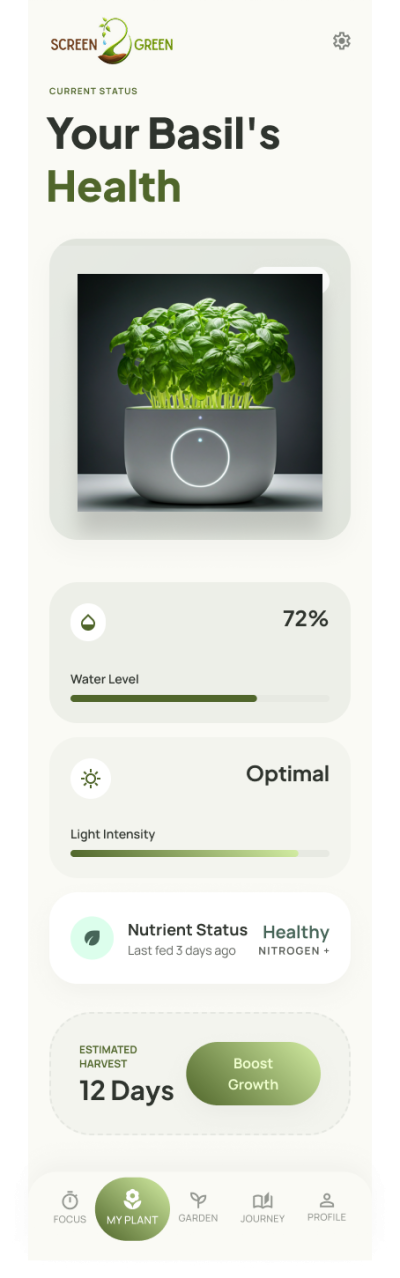
Figure 50 is a screenshot of the app interface showing the focus session page, which is designed to be the primary feature used by the user. This page allows users to configure and start a focused work session for a selected duration, during which distracting applications and notifications are blocked. The list of blocked distractions can be customized by the user to allow exceptions for apps that may be required for work or study purposes, such as certain social media platforms. Users can choose between a single uninterrupted focus session or a structured focus approach using the Pomodoro technique, which alternates between focus and rest intervals.

When the user starts a focus session, they won't get any notifications and they won't be able to open their blocked apps. In order to lift these restrictions, the user will need to finish the focus session or end it prematurely. Ending it prematurely will result in hindering the growth of the user's plant. The button to end a session prematurely will be less visible.
The reasoning behind this choice is the following:
- Seeing a bright button with negative text on it could possibly affect the user's motivation to stay off the screen.
- By being slightly less visible, the user will need to search for it actively. This time of search could stop users from having an impulsive desire to check certain applications.
Starting a focus session will generate an affirmative phrase that is also intended to keep the user motivated. This phrase will stay the same throughout the entire session and the user will not be able to regenerate it. This decision was made to avoid that the user wil get distracted by constantly regenerating this phrase.
Figure 51 is a screenshot of the timer page when a session has been started. Like mentioned before, this page has a minimal amount of elements to avoid any distractions in order to maintain a distraction-free user experience.
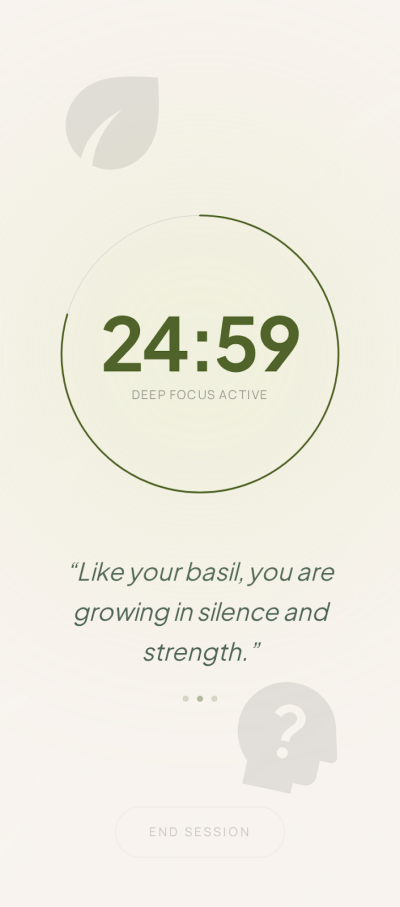
Figure 52 is a screenshot of the app interface showing the user’s focus history page. This page is designed to motivate the user and visualise their progress over time. First, it displays the user’s focusing streak together with a generated motivational phrase. Second, it shows the total amount of time the user has spent growing their plant since the initial download, which is also visualised across multiple days in a graph to highlight the user’s most productive periods. Third, the page includes a text input block where the user can log how they feel. This journalistic feature is included because writing things down can provide clarity and improve productivity and motivation [179].

Figure 53 is a screenshot of the app interface showing the profile page. This page serves two main purposes. Firstly, it provides access to all application settings for the user. Secondly, it allows the user to manage and edit their list of blocked applications. Lastly, the page includes an option for the user to log out of the application.

Figure 54 is a screenshot of the app interface showing the community garden page where users can share their plant progress with other users. This page allows users to post a picture of their plant or their progress accompanied by a caption, and also lets users view posts shared by others. Unlike typical social platforms, this community does not include any interactive features such as likes or comments. This design choice is intentional, as any form of interaction could distract the user or negatively affect their mental state.

As mentioned before, this wireframe was used in user testing. A total of 3 users were tested by completing each of the following 4 tasks.
- Sign up and connect to your growth pod
- Start a focus session and end it manually
- Check your plant's status
- Change the setting to turn off notifications
- Check your history of focus sessions
The results were the following:
- The users had slight difficulty finding the button to end the focus session, one of the users had more difficulties finding it.
- One of the users found it difficult to connect to a growth pod.
- All of the users couldn't read the generated text on the timer page.
All of these points have been refactored and this feedback has been implemented in the current state of the wireframe. Below are the comparisons between certain pages before and after user testing.
First, the pod connection page. Figure 55 illustrates the difference between 2 versions of the page on the app where the user connects the app to a growth pod. The left picture shows the version before user testing, the right showing the version after user testing and feedback.
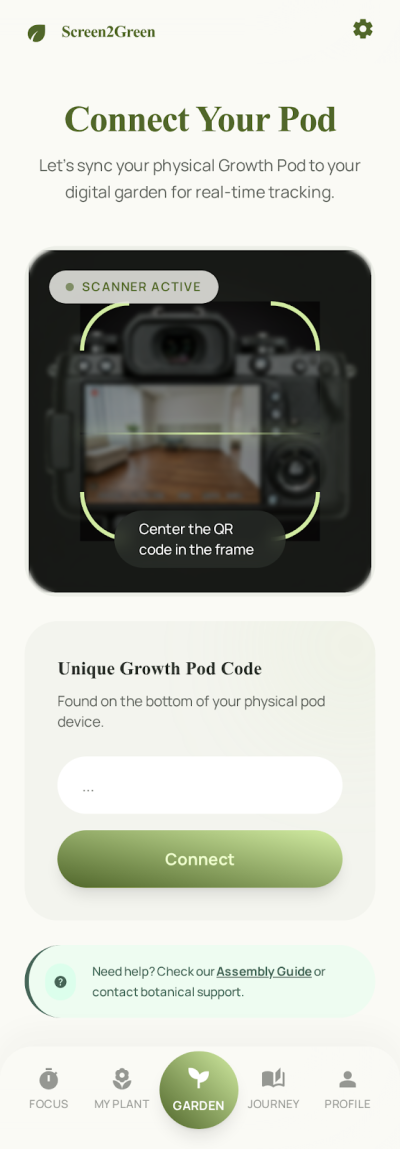
Second, the active timer page. Figure 56 illustrates the difference between 2 versions of the page on the app where the user's focus timer is actively running. The left picture shows the version before user testing, the right showing the version after user testing and feedback.
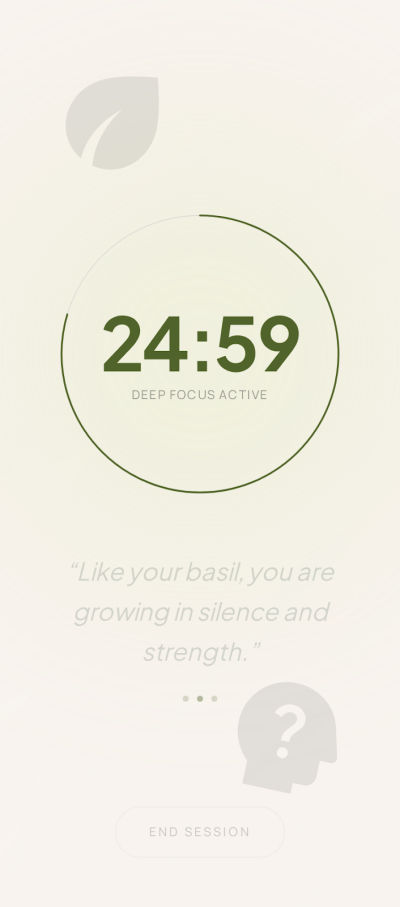
The choice of software
Originally, the chosen software was a mix of Ionic Vue, Capacitor and Google Firebase. Ionic Vue is a framework that allows developers to build app-like user interfaces using HTML, CSS and Javascript. Capacitor is a transformation layer that translates Ionic code into native code like Kotlin for android. Lastly, Firebase is a cloud-based back end service that allows developers to create a document-based database and to implement authentication, both without needing to create and host their own back end.
This software however has its limitations. All of the following have been experienced personally by the team members.
- Ionic Vue, being made in Javascript, makes apps very taxing on the phone's battery life. Since Javascript was made for computers, it makes it more difficult to run on smaller devices in the same optimized way.
- Ionic Vue is heaviliy dependent on APIs that communicate with the phone's native components. This middle-layer makes compliation even slower, leading to slower performance when the app grows bigger.
- Querying deeply nested data in Firebase is very difficult and requires longer segments of code which in turn slow down the phone even more.
- Firebase has had multiple outages over the past 2 years, making it unreliable [180].
Because of these reasons, the app will be developed using Flutter and Supabase instead.
Firstly, Flutter gets directly compiled to native machine code which reduces compile time and overhead. Flutter also renders its own UI without the need of a web view layer. This leads to quicker rendering of elements and smoother animations.
Secondly, Supabase is built using PostgreSQL, meaning it's easier and faster to query deeply nested data. Since the app will save and update metrics and other statistics regarding the plant and the pot, having fast queries is essential.
Thirdly, both Flutter and Supabase are both open-source, meaning developers have a smoother developing experience and can focus on creating and realizing ideas rather than struggling with it.
In summary, these new choices of software will provide more performance, scalability, energy efficiency and developer efficiency. Since the user will keep their phone open on the focus screen, the battery can't suffer under the chosen architecture.
7.8.4 Tests & Results
Hardware tests
The first assembly of electrical circuit with solenoid valve on breadboard is presented in Figure 57.

The circuit begins as introduced on electrical schematic with 12 V power supply with Female DC adapter connected with yellow (ground) and red (plus) wires visible in Figure 58. The red wire is connected to switch and later to input in step-down converter used to drop voltage from 12 V to 5 V.

Next the relay module needed to operate with solenoid valve giving the information from ESP32 board, when to open and when to close the valve is visible in Figure 59. Input of step-down converter is connected using blue wire with OM channel of relay module. The red wire is connected to blue relay module normally open channel by red wire. The black wire of the solenoid valve is connected to ground.

Second part of the relay module presented in Figure 60 used green wire to communicate with ESP32 and receive the information about action related to solenoid valve, black wire is connected to the GND and orange one of VCC is connected to 5 V power supply located on ESP32.

A mechanical error occurred specifically regarding the water flow through the solenoid valve. The system's gravity-fed water reservoir has a water head of 17 cm, which does not generate enough static pressure required for the component. The exact model tested is a pilot-operated solenoid valve, which requires a minimum working pressure range of 0.02 to 0.8 MPa to physically open the internal seal.
To overcome this pressure limitation for the prototype phase, an 8 W submersible pump will be added inside the water reservoir to generate the necessary force. The pump will push water through a translucent pipe. In order to control the submerged water pump second relay module will be used in order to communicate with ESP32 with same principal of work as the solenoid valve combined with first relay. To connect this to the system, a brass 1/2“ female hose barb adapter will be used. The valve will screw directly into the adapter, and the smaller inlet of the adapter will connect to the pump's translucent pipe, completing the circuit from the reservoir to the valve. For the prototype the barb adapter has two threads, female one used to connect with the valve and the outer male thread used to connect adapter with threaded hole in side wall of the water reservoir.
For the final production unit, the system will return to the original gravity-based design without the need for a water pump. To achieve this, the current pilot-operated valve will be replaced with a zero-pressure valve, such as a direct-acting solenoid valve or a motorized ball valve, which relies solely on gravity to allow water flow. Valve of this type also operates on 12 V, which will not require changes in circuit design.
Software tests
The application has been tested on functional user tests, UI performance, back-end load handling and system usability using SUS-tests.
Software tests comprise: (i) functional tests regarding the identified use cases / user stories; (ii) performance tests regarding exchanged data volume, load and runtime (these tests are usually repeated 10 times to determine the average and standard deviation results); (iii) usability tests according to the System Usability Scale.
Performance: Testing an application on performance requires the developer to look at the disparity between the UI build and the raster build.
UI performance refers to how quickly the application processes input, updates state, and completes layout and rendering decisions on the main thread. Slow UI performance usually results in delayed interactions and unresponsive or janky behavior.
Raster performance refers to how efficiently the system converts rendered layers into actual pixels on the screen, often using the GPU. Poor raster performance leads to visual stuttering, dropped frames, or delays in what is actually displayed even if the UI logic is fast.
The Screen2Green app performed on high speed, reaching an average UI build speed below 2 ms and an average raster build speed below 5 ms.

Occasionally, the app would experience jank, meaning some widgets would slow down the app.
These occasions include the following:
- Creating a social media post
- Opening the social zone and seeig images load
- opening the register or sign-in page


Load:
The team used k6 to load test the back-end of the application. First, a script was written with the purpose of creating a large amount of accounts to enable load testing. 200 user profiles were created using a script written in JavaScript and ran using k6.
At the time of writing this report, it's not possible to load test further due to API shortage prevention in Supabase.
The idea is to test the following 3 items:
- log-ins in abundance
- creating social media posts in abundance
- retrieving them in abundance
The team will continue this type of test in the near future.
System Usability Scale - SUS
The SUS-test is made to measure the scale of a product's necessity and ease of use and is measured using a small questionnaire of 10 questions where a tester gives a score between 1 and 5 on each question. Odd questions have their answer subtracted by one and even questions have the answer subtracted from 5. Lastly, the new answers get counted up and multiplied by 2.5.
After questioning 10 users, the application in its current state is seen as a mix between neutral and good. The average score of all results, which are in the deliverables and Microsoft Teams, is 74.17.
7.9 Summary
This chapter explained how Screen2Green was developed from the first idea to the prototype. The process started with the design question and brainstorming. Different pot shapes and water tank ideas were explored, and the final direction was chosen based on water flow, stability, space for electronics, and the overall appearance of the product.
The final design includes a cork outer structure, a transparent water tank, an inner pot, and a lower space for the electronic components. The water tank was designed for a gravity-fed system, so the shape and valve position were important. The design was also developed through sketches, renders, SolidWorks models, and technical drawings.
The smart system uses an ESP32, sensors, a relay module, a step-down converter, and a solenoid valve to control the watering process. The mobile application was designed to connect the plant care system with the user’s screen-time habits. The app includes plant monitoring, focus sessions, notifications, history, and profile settings.
A simplified prototype was built to test the main parts of the system. The hardware tests showed that the power supply, relay module, solenoid valve, and sensor connections worked as expected. The software tests showed that the app could support the main user tasks, although some issues were found in loading, readability, and usability.
Overall, this chapter shows how the initial idea became a more complete product concept and prototype. The next chapter explains the software system in more detail, including the app structure, data flow, and user interaction.
8. Software
8.1 Application choices
As mentioned earlier in the report, this project has an application that's used with the plant pot. It's used to monitor the metrics of the plant pot, to guide the user to increased productivity and to keep track of the evolution of both. At the time of writing, the application is only developed for usage on Android smartphones with ideas for increasing the app market. This application is written in Flutter and uses a Supabase backend for storing data and handling authentication.
8.2 Software choices
The application is split in a self written front-end and a cloud-based back-end. There are several reasons behind why the team chose to use a cloud-based back-end instead of writing their own.
- Time management: Without the need for writing a custom back-end solution, the developer could put more focus into the front-end's logic and UI.
- No hosting: A cloud-based back-end is already online, meaning the team doesn't need to handle hosting costs. Secondly, the team doesn't need to manage that hosting, allowing further focus on the front-end.
- Ease of use: Cloud-based back-end solutions offer tools to make the back-end workflow easy. These include tools to build tables, querying tools, policy assignment tools and many more.
8.2.1 Front-end
The front-end is written in Flutter, an open source programming framework designed by Google and written in Dart. The widgets are split into multiple components following atomic design. By using atomic design, the developer can make big changes throughout the application by making macro changes. This also allows for categorization of widgets per function and size [181]. Both of these allow for faster workflow and separation of concern.
As mentioned in the previous chapter, the developer of the team went through a careful process of of continuous user testing and wireframe development in order to create a design that matched the purpose as well as a design that was accessible.
To attain both goals, the developer used the following apps for design reference:
- Forest, an application that aims to help its users increase their productivity by growing a virtual forest.
- Minimalist phone, an overhaul of the user's phone by removing all applications off the home screen and displaying a minimal amount of necessary widgets (e.g. the current time) to decrease the amount of distractions.
- Liven, a mental health application designed to increase in the user's relaxation and levels of serenity.
8.2.1.1 Comparative analysis
The team originally planned to write this app using Ionic Vue, but that idea quickly changed and instead the developer made the front-end using Flutter. Figure 22 displays the parameters in which both frameworks were compared, which lead to the choice of Flutter.
| Category | Flutter | Ionic Vue | Reason for choosing Flutter |
|---|---|---|---|
| Framework type | Native cross-platform framework | Hybrid framework (WebView-based) | Flutter provides better performance and a more native app experience |
| Performance | Compiled to native code | Runs inside a WebView | Flutter offers smoother UI and better performance for real-time updates |
| UI rendering | Own rendering engine (Skia) | HTML/CSS inside WebView | Flutter ensures consistent UI across Android and iOS |
| Real-time sensor updates | Efficient UI rebuilding for frequent updates | Can lag with frequent DOM updates | Flutter handles continuous sensor streaming more efficiently |
| Device integration | Strong plugin ecosystem for hardware features | Depends heavily on plugins and WebView bridges | Flutter simplifies access to device features needed for IoT monitoring |
| Development focus | Mobile-first framework | Web-first framework adapted for mobile apps | Flutter is better suited for performance-critical mobile applications |
8.2.1.2 UI
The wireframe was made with high-fidelity in mind, meaning it had its own housestyle before the final decision on housestyle for the eventual application. Because of this, the final product looks a bit different from what was shown during user testing. However, the main concepts stayed the same, being the colors, positioning of elements and edge design.
One notable design is the usage of simple icons which fit more into the design of the background and show less details, meaning the user's brain is more calm when processing the information [182]. Figure 63 is a perfect example of these changes. This is the first page the user sees after authentication, the plant connection page. As shown below, the page in the final product looks simpler in design and shows less information.
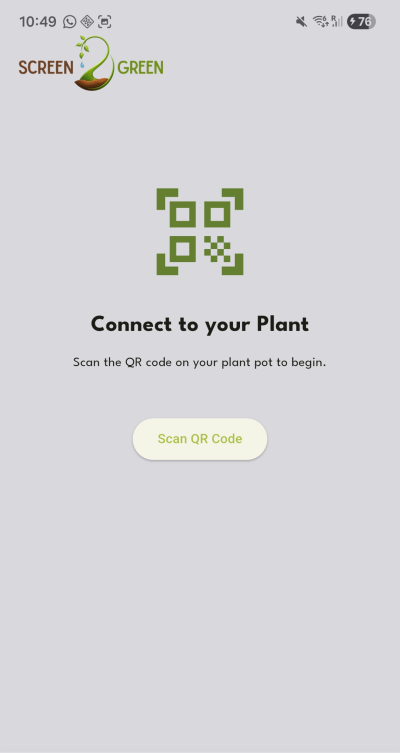
Secondly, the settings icon isn't displayed anymore in the top right corner of the application. This can also be seen on figure 63 and is applied to every page. Initially, there was an idea to keep that settings icon for the user to change their settings without needing to go to the profile page. This icon was removed with the idea in mind that it could potentially distract the user from each page's purpose. Secondly, 95% of users don't change any settings in apps or websites and stick to the default options [183]. This space is now empy and could be user for other content, for example warning messages or in-app pop-up notifications. While the usage for this empty space is undecided, the space will simply stay empty.
8.2.1.3 Logics
The original idea was for this application to be written in Ionic Vue JavaScript, but due to its taxing amount of energy on smaller devices that idea was quickly scrapped. The app is thus written in Flutter.
The app is written following the logics of atomic design and dumb components. Dumb components are presentational components, this means they're written with little amounts of logic to no logic at all. The parent widgets include all the logic [184]. This approach allows for quick reusability of these low-level components, also known as widgets in Flutter.
Since this application relies heavily on back-end functionality, of which there is more information in the back-end subchapter below, every page widget contains logics to retrieve data from the database. Before this, the application needs to connect to the back-end using the right credentials. This happens in the root file of the project, being main.dart. Since the back-end solution is Supabase, the front-end requires the supabase_flutter package to connect to it.
import 'package:supabase_flutter/supabase_flutter.dart';

Future<void> main() async {
  WidgetsFlutterBinding.ensureInitialized();
  await Supabase.initialize(
    url: 'URL of the supabase back-end',
    anonKey: 'anonymous supabase database key',
  );
  runApp(MainApp());
}
TO retrieve the data per page, the logic performs a simple retrieval of data on app start-up. The data gets retrieved in the state block of each page widget.
void _refreshPosts() {
    final supabase = Supabase.instance.client;
    setState(() {
      _postsFuture = supabase
          .from('social_media_posts')
          .select('''
            id,
            created_at,
            description,
            thumbnail,
            users:author_id (
              first_name
            )
          ''')
          .order('created_at', ascending: false);
    });
  }
The exception lies in the plant overview page. This page's intention is to show a live stream of the data that the plant pot's temperature sensor and soil moisture sensor pick up. This means that a data retrieval on page load won't suffice, as this won't update live. Luckily, Supabase allows for tables to be reactive, meaning devices can subscribe to that table and get live changes. This is called realtime functionality [185]. In the code, instead of a query into a future object, the data gets stored into a Supabase stream object. With this code, the device is subscribed to the live table and will follow its changes. Again, this retrieval happens in the page's state widget.
void _startStream() {
    _plantStream = Supabase.instance.client
        .from('plant_pots')
        .stream(primaryKey: ['id'])
        .eq('device_id', 'testforEPS26')
        .map(
          (rows) => rows
              .map(
                (r) => {
                  'id': r['id'],
                  'moisture': r['moisture'],
                  'temperature': r['temperature'],
                  'water': r['water'],
                  'water_pass_through': r['water_pass_through'],
                  'relay_command': r['relay_command'],
                },
              )
              .toList(),
        );
  }
8.2.2 Back-end
The back-end is not written by the developer. Instead, the team uses Supabase, a cloud-based back-end solution which offers tools to handle database entries, policies and authentication.
8.2.2.1 Comparative analysis
Figure 23 explains the differences between using a self-written back-end and using an already existing cloud solution.
| Category | Supabase | Custom back-end | Reason for choosing Supabase |
|---|---|---|---|
| Development time | Ready-to-use backend platform | Requires full server development | Supabase significantly reduces development time |
| Hosting | Fully managed cloud hosting | Requires manual hosting setup | No need to manage servers or deployment infrastructure |
| Database management | Built-in PostgreSQL with dashboard tools | Requires manual database setup and maintenance | Easier database handling and configuration |
| Real-time features | Built-in real-time subscriptions | Requires WebSockets or polling implementation | Simplifies live sensor data updates |
| Authentication | Built-in authentication system | Must be implemented from scratch | Faster and more secure authentication setup |
| Ease of use | Provides dashboards, APIs, and tools | Requires custom implementation of all features | Easier overall backend workflow |
| Maintenance | Managed by Supabase | Fully maintained by developer/team | Reduces long-term maintenance workload |
| Scalability | Automatically scalable cloud infrastructure | Depends on custom server design | More reliable scaling without extra effort |
8.2.2.2 Supabase tools
As mentioned before, Supabase offers various tools to make it easier to develop a product, allowing for greater focus on the front-end. One of these tools is built-in authentication logic with integration of third party account systems such as Google and Facebook. This form of authentication is encrypted, putting user data security as a top priority [186].
Secondly, using Supabase means the team doesn't need to host their own back-end service. This saves resources such as time and money, allowing the team to put more resources in other aspects of the project, front-end and the plant pot for example.
Thirdly, Supabase allows for realtime table changes to be read from the front-end. This makes is very simple to display the live sensor data from the plant pot to the application. This functionality is called Supabase Realtime [187].
8.2.2.3 Push notifications using Firebase Cloud Messaging
Push notifications are implemented by combining Supabase as the backend system with Firebase Cloud Messaging (FCM) as the delivery service. Supabase itself does not directly send push notifications to mobile devices. Instead, it is used to detect when a notification should be triggered, while FCM is responsible for delivering the notification to the user’s device.
In this architecture, sensor data from the microcontroller is continuously stored in a Supabase database. When a new sensor reading is inserted, Supabase evaluates whether the value meets a predefined condition (for example, a temperature or humidity value falling below a safe threshold). This evaluation is typically handled using database triggers or server-side logic such as Edge Functions.
Once a critical condition is detected, Supabase executes a server-side action that prepares a notification payload. This payload usually includes information such as the type of alert, sensor ID, timestamp, and severity level. Supabase then sends a request to Firebase Cloud Messaging using a secure server-to-server API call.
Firebase Cloud Messaging acts as the messaging intermediary between the backend and the mobile application. It receives the notification request from Supabase and routes it to the correct device using a unique device token stored in the Supabase database. The device token is generated when the Flutter application first registers the user’s device with FCM and is linked to the user account in Supabase.
FCM is capable of delivering notifications even when the application is closed or running in the background, as it operates at the operating system level. This ensures that critical sensor alerts are reliably delivered regardless of the application state. When the user receives the notification, they can tap it to open the application and navigate directly to the relevant sensor data or alert handling screen.
This approach separates responsibilities clearly: Supabase manages data storage, real-time evaluation, and trigger logic, while Firebase Cloud Messaging handles cross-platform notification delivery.
8.3 Flow charts
Using flow charts, the developer displays how the product flow goes for various functions. The functions are the ones listed below.
- Starting a focus session.
- Manual watering of the plant.
- Automated watering of the plant.
- Switching the plant pot mode between manual and automated.
- Reading data from the plant pot's sensors.
- Sending a notification when the data read hits the danger zone.
- Making a post for the garden.
Figure 64 displays the flow chart for starting a focus session which keeps the plant growing and adds time to the user's focus time.

Figure 65 displays the flow chart for manually watering the plant when the moisture sensor detects low levels of moisture.

Figure 66 displays the flow chart for automated watering of the plant.

Figure 67 displays the flow chart for switching between watering mode of the plant.

Figure 68 displays the flow chart for continuously reading from the sensors in the plant pot and sending the data to the database.

Figure 69 displays the flow chart for sending a push notification to the user's phone when the sensors read data that's in the danger zone.

Figure 70 displays the flow chart for posting an update on your plant to the social garden zone of the application.

9. Conclusions
9.1 Achievements
The primary objective of the Screen2Green project was to develop a prototype concept that links smartphone usage to plant care in order to promote awareness of excessive screen time and encourage healthier digital habits. During the project, a complete system concept was developed, including the mechanical design, electronic architecture, mobile application, and irrigation strategy. Research into digital wellbeing, hydroponics, plant growth, and smart farming technologies provided the foundation for the design decisions made throughout the project. The project successfully established the framework for integrating smartphone screen-time monitoring with plant care. Initial hardware and software development demonstrated communication between the system components and provided the basis for the intended behavioral feedback mechanism.
The project also provided valuable engineering insights through practical testing and component validation. During prototype testing, it was discovered that the selected solenoid valve required a higher operating pressure than could be provided by the original gravity-fed irrigation setup. To overcome this limitation and continue development, the prototype was adapted to use a water pump-based irrigation system. This finding highlighted an important limitation of the chosen prototype components rather than the overall product concept. Further investigation identified alternative low-pressure valve solutions that are more suitable for the intended final product design. Although these alternative components could not be procured and tested within the project timeframe, their identification provides a clear path for future implementation and validation. As a result, the irrigation solution intended for the final product could not be fully validated within the project timeframe. Nevertheless, the project successfully developed and evaluated the overall concept, demonstrated the feasibility of linking smartphone usage to plant care, and identified key technical challenges together with promising solutions for future development.
9.2 Limitations
The project was limited by the available development and testing period. Consequently, long-term evaluation of plant growth and user behavior was not possible. The concept demonstrates the feasibility of linking smartphone usage to plant care, but does not provide sufficient data to assess its long-term impact on screen-time reduction. In addition, the system was primarily developed with basil as the target plant. The performance of the concept with other plant species remains unknown and would require further investigation.
A significant limitation identified during the final stages of development was related to the irrigation system. Testing revealed that the selected solenoid valve required a higher water pressure than could be provided by the original gravity-fed irrigation concept. This discovery required a redesign of the irrigation system and delayed the assembly and validation of the final prototype. Another limitation identified during testing was the heat generated by the solenoid valve. The current prototype design is based on a PLA housing, whereas the intended final product incorporates cork as the primary structural material. Since the thermal behaviour of these materials differs, the long-term effects of heat generation on the final design could not be evaluated. Furthermore, the redesign of the irrigation system may require additional modifications to the internal layout and overall product architecture.
9.3 Future Development
Future work should focus on integrating and testing the identified low-pressure valve solution within the final product architecture. The water pump-based solution implemented during prototype development served as a practical workaround to continue testing and validation activities. However, the intended final product aims to maintain the original gravity-fed irrigation concept by utilizing a low-pressure valve that can operate without additional pumping. Preliminary analysis suggests that the replacement valve will overcome the pressure limitations encountered during prototype testing and enable the intended irrigation strategy. Experimental validation is nevertheless required to confirm system reliability, water delivery performance, and long-term operation. Additional testing using the intended cork-based housing is also recommended. This would allow evaluation of thermal behavior, moisture resistance, structural durability, and overall product performance under realistic operating conditions. Such testing would provide valuable insights into the interaction between the irrigation system, electronic components, and sustainable construction materials.
Future work should also focus on optimizing the growing medium. During the project, sodium alginate and polyacrylamide were identified as promising materials for improving water retention and moisture distribution. Further experimentation should be conducted to determine the optimal mixture and porosity for supporting healthy plant growth and efficient water management. Future versions of Screen2Green could support a wider variety of plants and include additional environmental sensors for monitoring factors such as temperature, humidity, and water levels. Improvements to the mobile application, including enhanced user feedback, usage analytics, and personalization features, could further strengthen the connection between digital habits and plant care.
Finally, a long-term user study should be conducted to evaluate the effectiveness of the biological feedback mechanism and determine whether the system contributes to lasting changes in smartphone usage behavior. Such a study would provide valuable insight into the long-term impact of the concept and help validate its effectiveness as a tool for promoting digital wellbeing.